11 Best Free Screen Recorders to Try in 2025
Recording your screen is a necessity for content creators, freelancers, and teachers, to name a few. So, we’ve compiled a list of 11 best free screen recorders to try this year!
Hang tight...
Currently we don’t support recording from mobile devices. Try it from your tablet or desktop!






Record your screen online with our free online recording tool. Capture your screen, webcam, and record audio from your computer in one click. You can also use the integrated eye contact correction tool to redirect subtle eye movements to the camera. Download your recordings in high quality for clear communication across platforms.
Our online recorder can capture your browser window, tab, or entire screen. Taking a video of your screen takes three clicks: click record, wait for the countdown, and start recording. You can use it on PC or Mac to record a scrolling screenshot, record your window, or create a presentation. The free screen recorder features background noise removal and video editing tools to ensure crystal-clear visuals and audio.
Choose a layout (camera, audio, screen, and more) and click ‘Allow’ to give access to your screen, camera, and/or microphone.
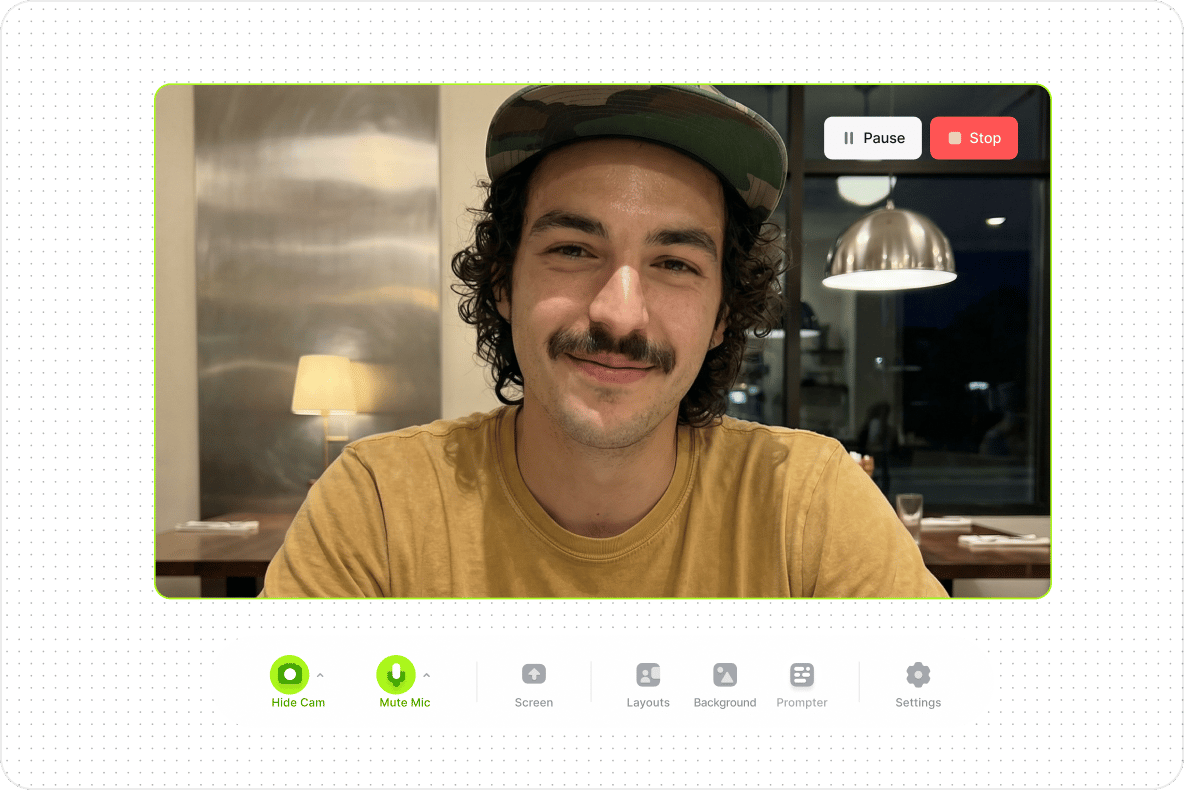
Click the red button to start recording. You'll see a countdown timer before the recording starts. Don't worry if you mess up; you have unlimited retakes.
Export your video or use the AI eye contact tool. You can remove your video’s background or use the Magic Cut feature to let AI splice your clips and create the final video.
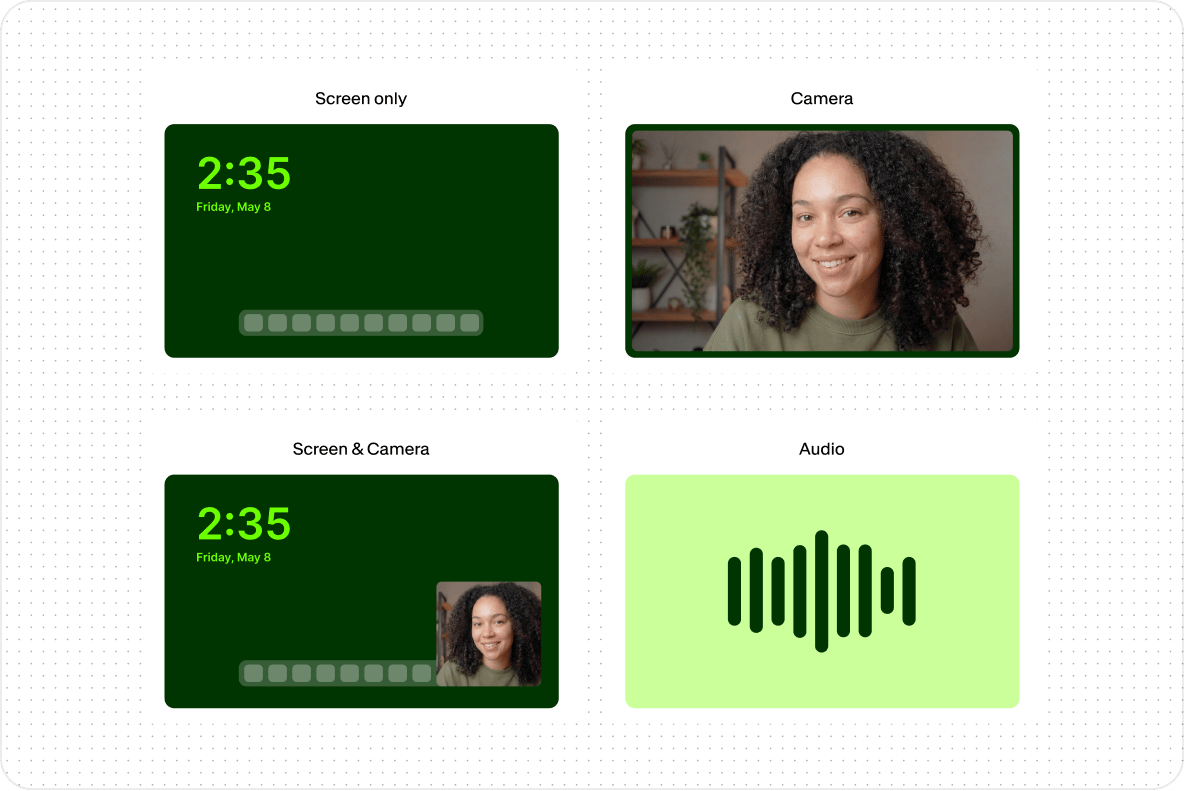
Select the layout that best suits your video’s purpose. VEED lets you do webcam recording, screen recording, or both at the same time. You can present your slides by sharing your entire screen so you can record business presentations. Choose where your camera is displayed: put it side by side with your screen, overlay your video, and more.
Whether you’re capturing a YouTube video from a browser tab or recording your screen to create tutorials for your YouTube channel, social media, or work, the online screen recorder will help you create content fast. Collaborate with creatives with time-stamped commenting. Review, comment, and edit videos with the YouTube screen recorder all from your browser.
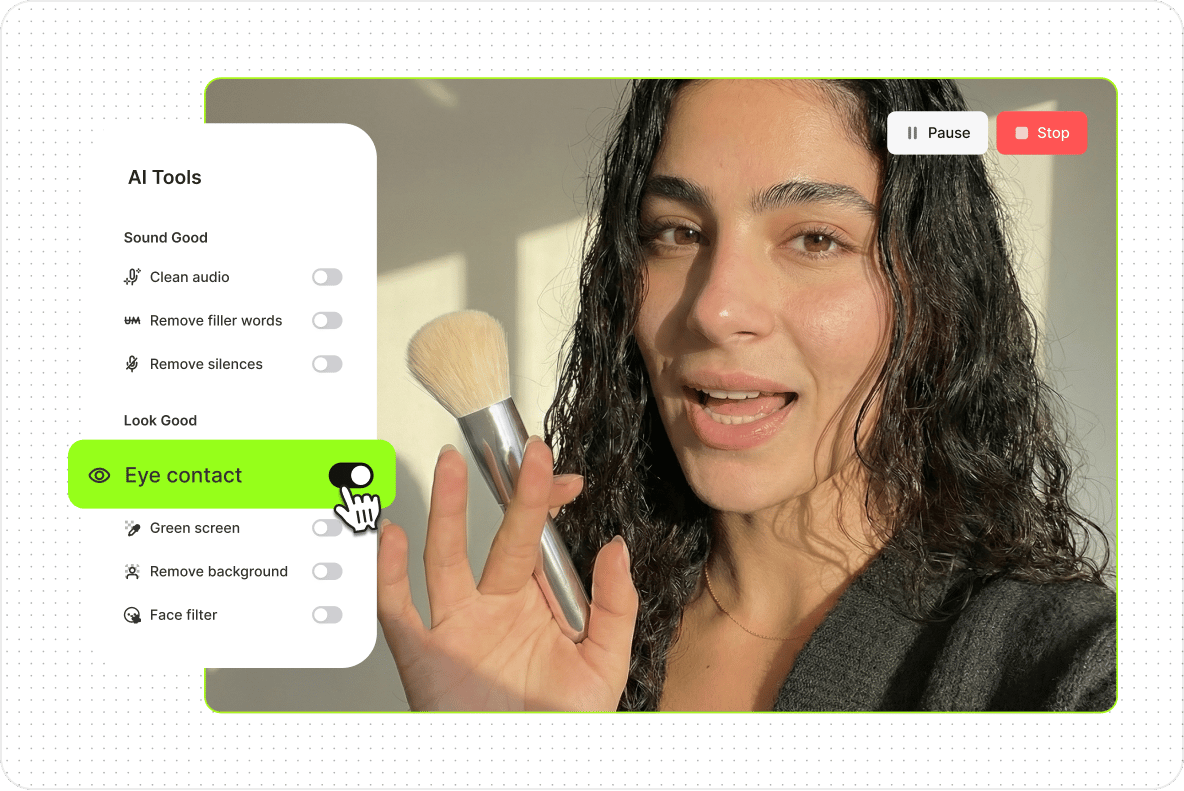
Once you stop recording, a full suite of AI-powered tools is ready to help you polish your video. Correct eye movements instantly with our webcam eye tracker. You can remove your background in one click to hide the clutter in your home office, clean your audio, and remove filler words so you sound well-prepared in your presentation — all with AI.
Recording your screen is a necessity for content creators, freelancers, and teachers, to name a few. So, we’ve compiled a list of 11 best free screen recorders to try this year!

Not sure which screen recording tool is best for your Windows computer? Here are three of the best options out there and which one is best for you.
Learn about the best tools to record your screen, no matter what platform you're on!
Go from screen recording to a finished video without switching tools. VEED is an AI video creation platform that takes you from idea to publish-ready video. No tool switching, no big budgets, no production team needed. Need to create a video but no time to record? Use VEED's AI avatars to create talking head videos for quick announcements or explainers. Just type your script and hit ‘Generate.’ Add captions automatically and translate subtitles to reach more audiences. Sign up now to start creating.
