


Trusted by 1M+ creators
Video Compressor
Video compression in minutes. Shrink file sizes without visible quality loss
No credit card required
4.6
2,100+ reviews















Compress video online: Save storage, upload faster, and stream smoothly
Our video file compressor reduces your file’s size in one click, saving you storage space while preserving visual quality. Decrease video size for faster uploads and downloads, and enjoy smooth streaming. Optimize your site’s performance by reducing video file sizes. Enhance user experience and page loading times without compromising video quality.
Email videos to clients, colleagues, and sales prospects without exceeding file size limits. Save on mobile data when sharing videos from your phone and ensure smoother playback for your viewers. Plus, you can edit your videos using VEED’s built-in video editor—where you can add subtitles, transcribe your audio, and more.
How to compress a video online:
Step 01
Upload your file
Drag and drop your video directly into VEED. Our platform supports all major video formats, making compression easy regardless of your source file.
Step 02
Reduce file size
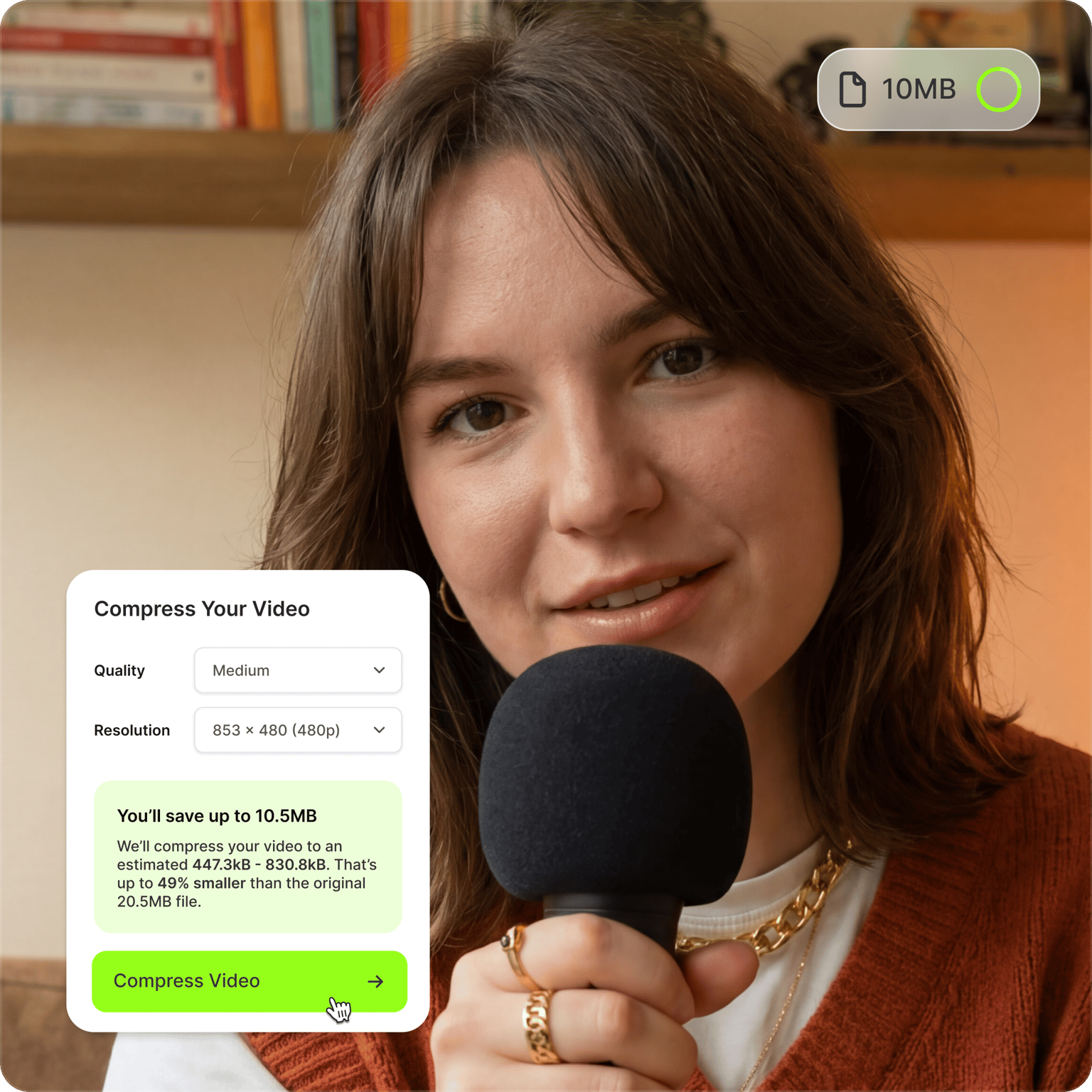
The file compressor automatically balances quality and file size for optimal results. You can also adjust the quality and resolution settings yourself, with real-time file size estimates as you select different options.
Step 03
Export or edit
Download your compressed video or explore more tools. Use Magic Cut to auto-trim filler words and long pauses. Or instantly share your video with VEED's built-in web hosting.
Learn More
Watch this video compressor demo:
Compress video files for Discord, TikTok, and every social platform
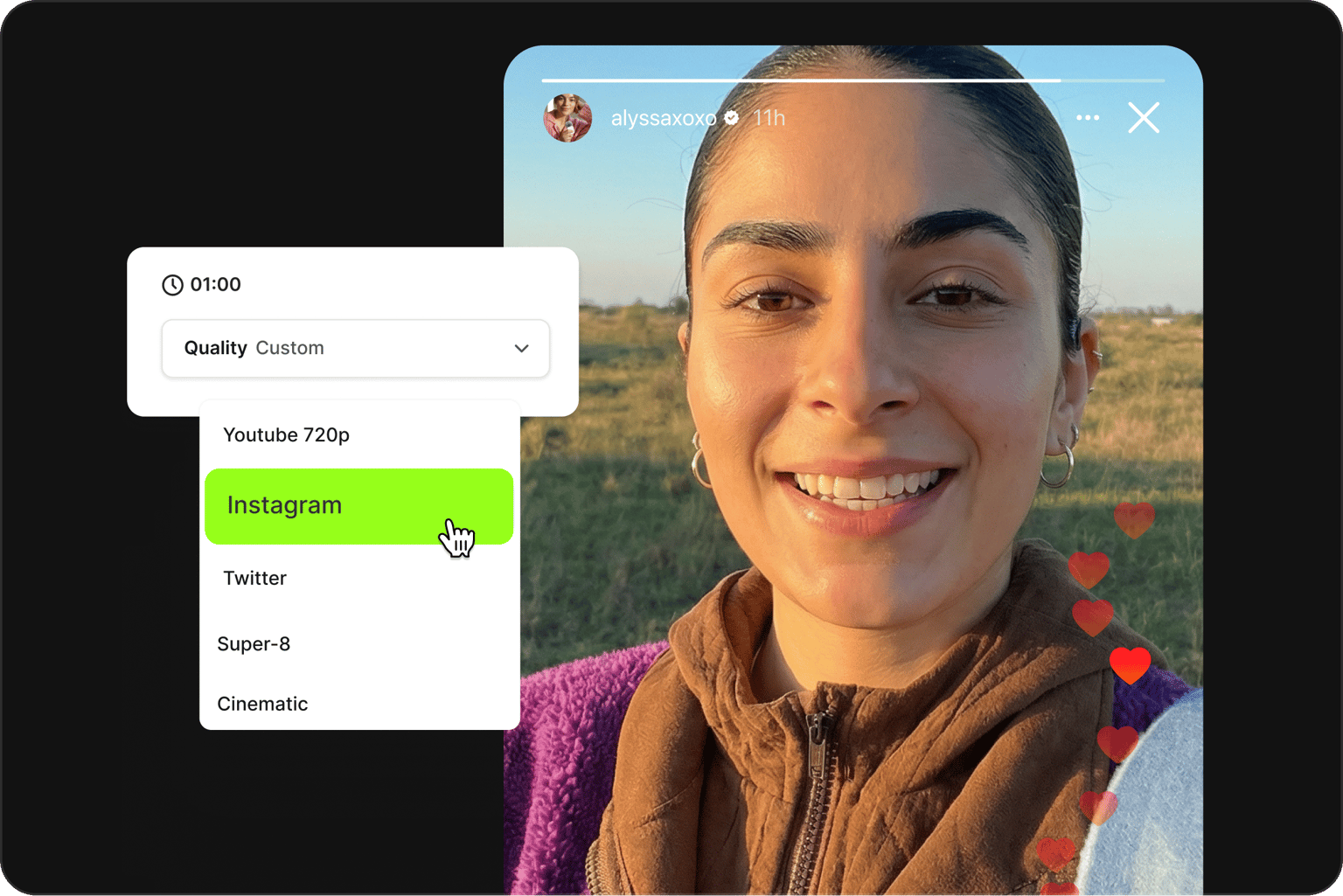
Large file sizes slow you down when you're posting across multiple channels. Uploads fail, platforms reject files, and mobile viewers drop off before your video loads. Discord, Slack, and email all cap attachment sizes, and every social app has its own limits. VEED's video compressor reduces file sizes in one click without visible quality loss, so you can upload and post without delays. You can also resize videos or expand backgrounds to fit any platform format.
Video compressor online for pain-free video sharing
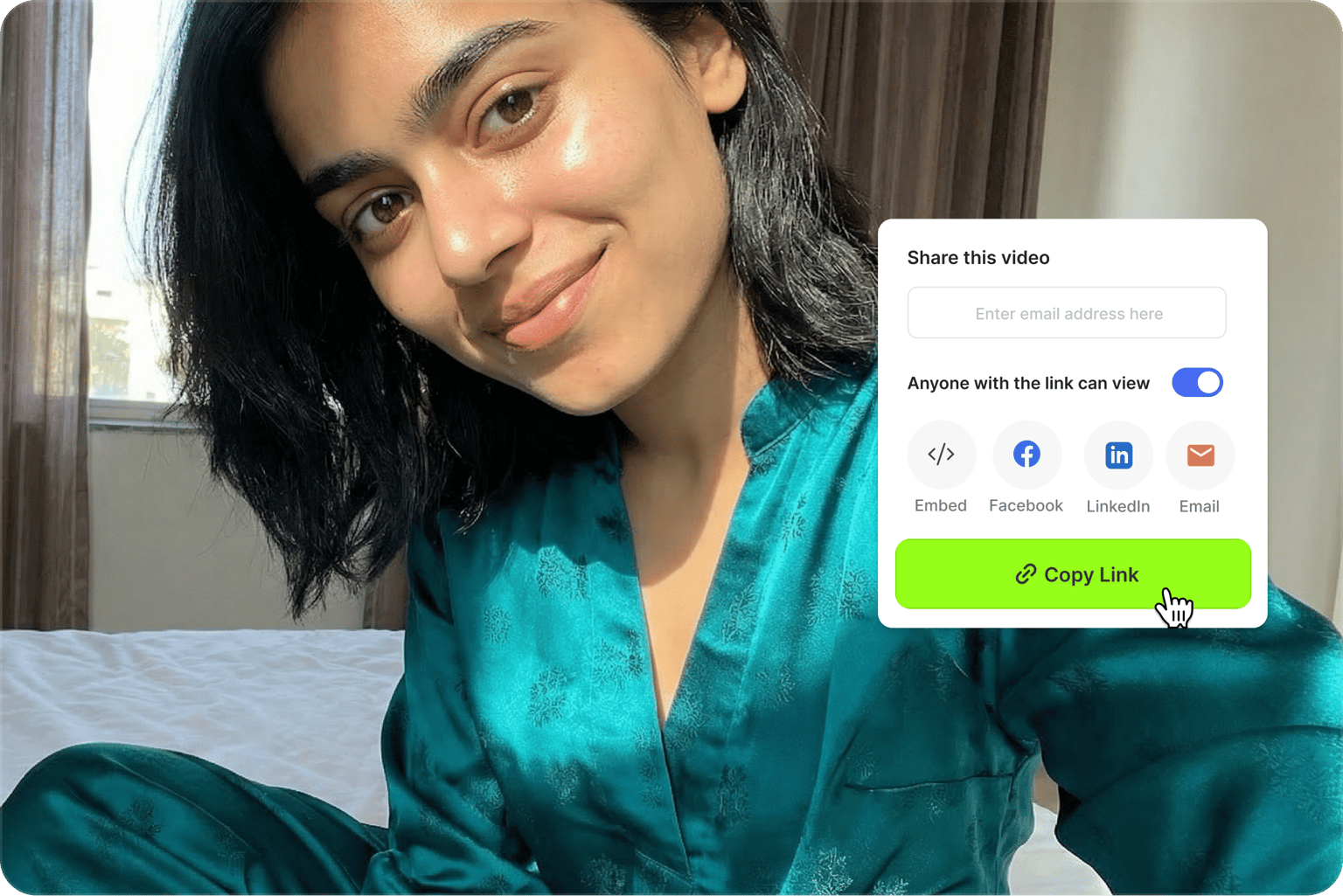
VEED's video compressor reduces file sizes without sacrificing quality, so you can send out sales and prospecting videos without hitting email size limits. Enjoy efficient uploads and downloads, even on slower connections. You can also use our business video hosting feature to share videos via links instead of attachments, avoiding email size limits altogether.
One video file compressor for MP4, MOV, MKV, and more
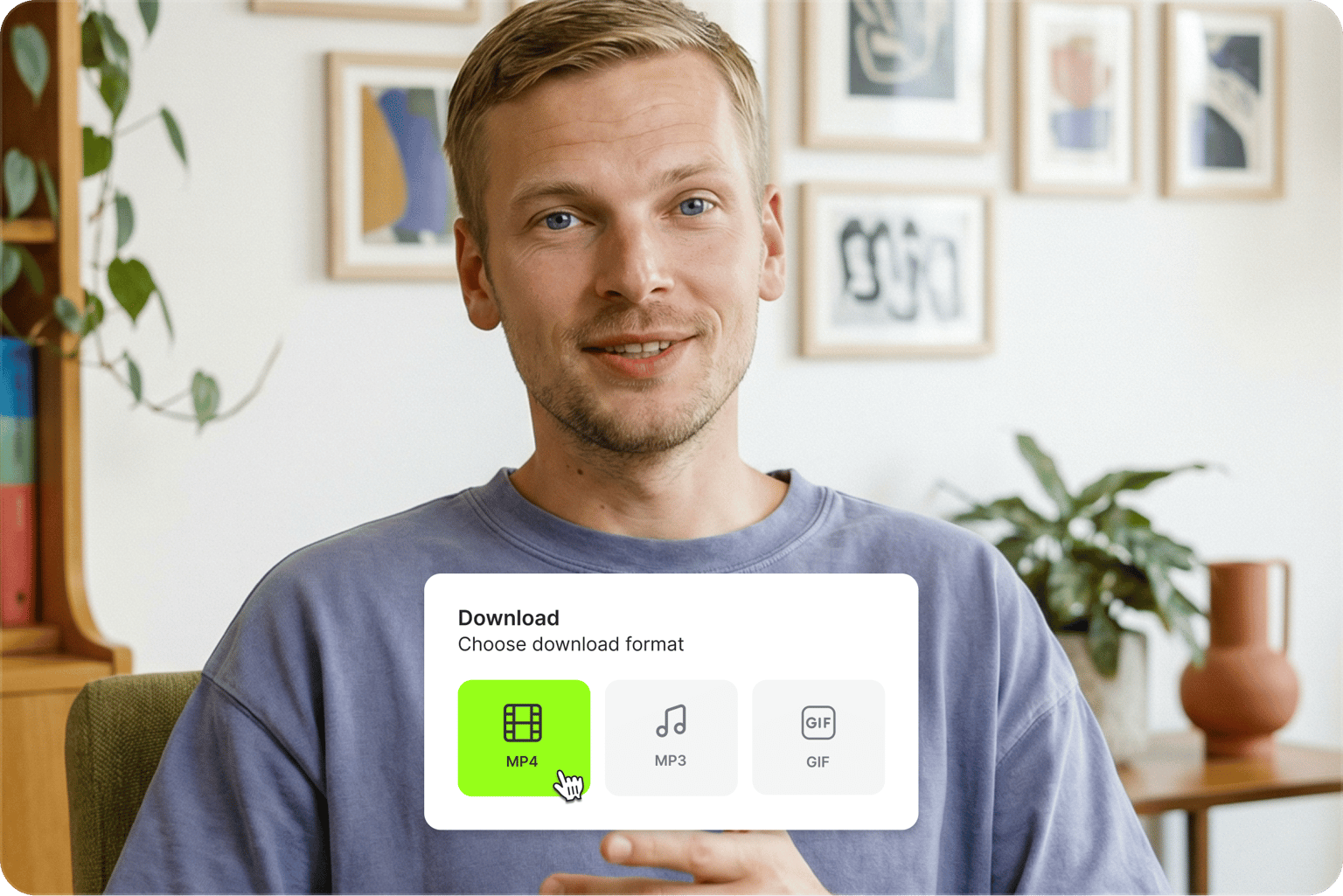
VEED is the best online video compression software—simple, automatic, and compatible with all popular file formats. Upload and compress MP4, MOV, MKV, AVI, YouTube videos, and more. Convert videos to any format you need. Or use our GIF compressor to compress videos and share GIFs via email, messaging platforms, and chat apps.
FAQ
You can compress a video for free (up to 1GB) and download it immediately from the compression results popup window. A paid plan lets you upload larger file sizes, access more editing tools, and unlock watermark-free exports.
VEED supports all major video formats, including MP4, MOV, AVI, MKV, WEBM, WMV, and GIF. If your format isn't on this list, you can try uploading the file anyway. Many other formats work too.
To decrease video size, upload your file to VEED's video compressor. It works as a video downscaler by letting you select a lower resolution (4K, 1080p, 720p, etc.). You can also use our video file resizer through our compression slider. Move it to the left for smaller files or right for higher quality. Both methods effectively shrink your video while maintaining optimal quality.
Compress MP4 files by uploading them to VEED, then use our simple slider to adjust compression settings. You'll see file size updates in real time as you adjust the quality. For precise control, use Advanced Settings to modify resolution or bitrate.
Upload your video to our video compressor, adjust the settings, and export. Our compressor shows file size estimates (in MB) in real time, so you can easily adjust the video quality and get the file size you need. Any compression involves some quality loss, but our compressor minimizes this loss while maintaining excellent video quality.
Yes. Discord caps free uploads at 20MB per file, with 50MB on Nitro Basic and 500MB on Nitro. To compress a video for Discord, upload your clip, drag the compression slider until the file size estimate drops under your limit, and export. For longer clips, lower the resolution to 720p in Advanced Settings to decrease video size even further.
Loved by creators.
Loved by the Fortune 500
“
With VEED I didn't need 15 tutorials - I jumped straight in and started editing.

Gwenne Wilcox
Founder,
Brand Brainery
“
You can go beyond choppping things. VEED actually makes my videos look great.

Michael Glover
Demand Gen Manager,
ConvertFlow
“
The first four videos i created with VEED got over 40,000 impressions on LinkedIn.

Travis Tyler
Senior Content Producer,
PandaDoc
“
I found VEED at the right time: if you're making UGC ads and not using Eye Contact Correction and Noise Reduction on VEED you're missing out on ROI.

Sebastian Schurgers
Head of Growth Marketing,
Gronda
“
With VEED I didn't need 15 tutorials - I jumped straight in and started editing.
Gwenne Wilcox
Founder,
Brand Brainery
“
You can go beyond choppping things. VEED actually makes my videos look great.
Michael Glover
Demand Gen Manager,
ConvertFlow
“
The first four videos i created with VEED got over 40,000 impressions on LinkedIn.
Travis Tyler
Senior Content Producer,
PandaDoc
“
I found VEED at the right time: if you're making UGC ads and not using Eye Contact Correction and Noise Reduction on VEED you're missing out on ROI.
Sebastian Schurgers
Head of Growth Marketing,
Gronda
“
The first four videos i created with VEED got over 40,000 impressions on LinkedIn.
Travis Tyler
Senior Content Producer,
PandaDoc
“
I found VEED at the right time: if you're making UGC ads and not using Eye Contact Correction and Noise Reduction on VEED you're missing out on ROI.
Sebastian Schurgers
Head of Growth Marketing,
Gronda
“
With VEED I didn't need 15 tutorials - I jumped straight in and started editing.
Gwenne Wilcox
Founder,
Brand Brainery
“
You can go beyond choppping things. VEED actually makes my videos look great.
Michael Glover
Demand Gen Manager,
ConvertFlow
Discover more
Explore related tools
More from VEED

6 Easy Ways to Compress Video Files (Without Losing Quality)
Figuring out how to compress a video file without losing quality doesn’t have to be a long and drawn-out process. Try these simple methods now!

Top 5 Methods to Compress Your Video Files for Email (And When to Use Each)
With so many different ways to compress your video file for email, it can be difficult to understand which is the best method for you. We eliminate the tedious guesswork by talking about the top 5 ways and when to use each one.

How to Send Large Video Files (from Desktop, iPhone, and Android)
Have a large video file that you'd like to share? Check out the 7 best methods that can help with that.
Trusted by 1M+ creators
When it comes to amazing videos, all you need is VEED
No credit card required
More than an online video compressor
VEED is an AI video creation platform that lets you create publish-ready videos in minutes. You get tools for every step of video creation. Compress videos or extract shareable clips from your long-form content. Resize videos for social media and expand video backgrounds for any format. And add text, captions, voiceovers, and more. Starting from an idea? Generate videos with the best AI models, then shape the output with your own assets and branding. Sign up now to get started.
Compressing a video is one step in the workflow. VEED is an AI video creation platform that turns your ideas into post-ready videos in minutes. Compress your file, then extract shareable clips from your long-form content, resize them for social, and add text, captions, and voiceovers. Starting from an idea? Generate videos with the best AI models, then shape the output with your own assets and branding. Sign up now to start creating.