

Trusted by 1M+ creators
AI Video Editor
Edit videos by describing what you want. Upload your footage or start from an idea, and VEED AI cuts, reframes, adds subtitles, and refines it with you in chat
No credit card required
4.6
2,100+ reviews















AI-powered video editor online: Describe the edit and let AI make it
An AI video editor is a video editor that makes the edits for you based on instructions in plain language, instead of leaving you to work on a timeline. Upload your footage and describe what you want, such as cut the pauses, make it vertical, and add subtitles and a hook. VEED’s AI builds the video and shows you the result. Keep refining with text until the cut is right.
Marketers use it to produce more video without an editing bottleneck. Creators use it to shape one recording into posts for TikTok, Reels, Shorts, YouTube, and LinkedIn. Founders and small teams use it for product demos and promos they would otherwise outsource. No footage yet? Describe the idea, and the same chat generates the video, or start in the AI video generator with a script.
How to use the AI video editor:
Step 01
Add your footage or describe an idea
Open VEED AI and attach your clips, images, audio, or logo. If you have nothing recorded, describe the video you want instead. Say who it is for and where it will be posted, so the edit fits the platform.
Step 02
Describe the edits you want
Ask for the cut in plain words: remove the pauses, make it vertical, and add subtitles, a hook, and our logo. The agent may ask a question or two, show its plan, and then build the video. It asks before running a costly generation.
Step 03
Refine in chat and download
Watch the result and describe the change you want next: a punchier opening, a shorter cut, a new end card. Every result is saved as its own version, so earlier cuts are never lost. Download the MP4 when it is ready.
Learn More
Watch the AI video editor work from a text prompt:
Edit with a sentence instead of a timeline
AI video editing replaces the scrubbing, splitting, and dragging with a request. Ask for the dead air trimmed, the frame turned vertical, subtitles placed, and a hook added at the start, and the finished video comes back with all of it done. One recording can become a vertical cut for TikTok, Reels, and Shorts and a landscape one for YouTube and LinkedIn.
Every change is yours to approve
You see the plan first, review each cut, and keep every version. If something is off, describe the change: slow the opening, move the subtitles, or swap the music. Put your logo, colors, and end card in the brief, and the video looks like your brand made it, not AI.
Editing and generating in the same chat
When the footage is missing a shot, the editor can generate it: AI b-roll, images, music, sound effects, and a voiceover. For narration that sounds like you across every video, see AI voice cloning. To pull the best moments from a long recording into short videos, Clips does this in one step.
FAQ
An AI video editor is a video editor that uses AI to do the editing work according to your instructions. Instead of cutting clips on a timeline, you describe the result, and the AI trims, reframes, adds subtitles and text, places branding, and generates any missing media. In VEED, the process runs as a chat with VEED AI: you upload footage or describe an idea, review what it builds, and keep refining until the video is ready to post.
Using AI to edit videos means describing the edit instead of doing it by hand. In VEED AI, upload your clips, images, audio, or logo, then say what you want: trim the pauses, make it vertical, and add subtitles and an end card. The AI may ask a question or two, then build the video. Watch the result, ask for changes with text, and download the version you like. Every result is saved.
Yes. AI that edits videos can now handle a whole edit, not just one task like captions. VEED AI, VEED's AI video agent, takes your footage and a brief, plans the cut, trims and reframes it, adds subtitles, hook text, and your logo, and generates b-roll or music where needed. You approve the plan and each change, so the result is still your video.
AI video editors usually have a free tier with limits and paid plans for heavier use. You can sign up for VEED without a credit card and try the AI video editor on your own footage. How much you can edit and generate depends on your plan, and VEED AI asks for your approval before a larger generation runs. Visit the VEED pricing page for current plans.
Loved by creators.
Loved by the Fortune 500
“
With VEED I didn't need 15 tutorials - I jumped straight in and started editing.

Gwenne Wilcox
Founder,
Brand Brainery
“
You can go beyond choppping things. VEED actually makes my videos look great.
Michael Glover
Demand Gen Manager,
ConvertFlow
“
The first four videos i created with VEED got over 40,000 impressions on LinkedIn.

Travis Tyler
Senior Content Producer,
PandaDoc
“
I found VEED at the right time: if you're making UGC ads and not using Eye Contact Correction and Noise Reduction on VEED you're missing out on ROI.
Sebastian Schurgers
Head of Growth Marketing,
Gronda
“
With VEED I didn't need 15 tutorials - I jumped straight in and started editing.
Gwenne Wilcox
Founder,
Brand Brainery
“
You can go beyond choppping things. VEED actually makes my videos look great.
Michael Glover
Demand Gen Manager,
ConvertFlow
“
The first four videos i created with VEED got over 40,000 impressions on LinkedIn.
Travis Tyler
Senior Content Producer,
PandaDoc
“
I found VEED at the right time: if you're making UGC ads and not using Eye Contact Correction and Noise Reduction on VEED you're missing out on ROI.
Sebastian Schurgers
Head of Growth Marketing,
Gronda
“
The first four videos i created with VEED got over 40,000 impressions on LinkedIn.
Travis Tyler
Senior Content Producer,
PandaDoc
“
I found VEED at the right time: if you're making UGC ads and not using Eye Contact Correction and Noise Reduction on VEED you're missing out on ROI.
Sebastian Schurgers
Head of Growth Marketing,
Gronda
“
With VEED I didn't need 15 tutorials - I jumped straight in and started editing.
Gwenne Wilcox
Founder,
Brand Brainery
“
You can go beyond choppping things. VEED actually makes my videos look great.
Michael Glover
Demand Gen Manager,
ConvertFlow
Discover more
- AI Animation Generator
- AI Art Video Generator
- AI Course Creator
- AI Marketing Video Generator
- AI Movie Generator
- AI Music Video Generator
- AI News Generator
- AI Reel Generator
- AI Stock Video Generator
- AI Training Video Generator
- AI UGC
- AI Video Demo
- AI Visual Generator
- AI YouTube Video Maker
- Animate from Audio
- Article to Video
- Blog to Video
- Faceless Videos
- Idea to Video
- Script to Video
- Seedance AI Video
- Text to Animation AI
- Text to Video AI
- TikTok Video Generator
- Veo 3
- Viral AI Video Generator
- YouTube Shorts Maker
Explore related tools
More from VEED

AI Video Production: What's Possible and Where to Get Started
Dipping your toes in AI video production? Use this starter guide to hit the ground running and produce your first masterpiece.

How to Make AI Videos with VEED: Bring Your Ideas to Life
Want to learn how to make AI videos with VEED? Check out this starter guide to take your video projects from A to Z in the blink of AI.
VEED vs. Quso AI: Which AI Video Editor Fits Your Workflow?
Quso AI makes sense for podcasters or YouTubers who primarily want to repurpose existing footage. For marketers, businesses, and content creators who need versatility, VEED is the more complete solution.
Trusted by 1M+ creators
When it comes to amazing videos, all you need is VEED
No credit card required
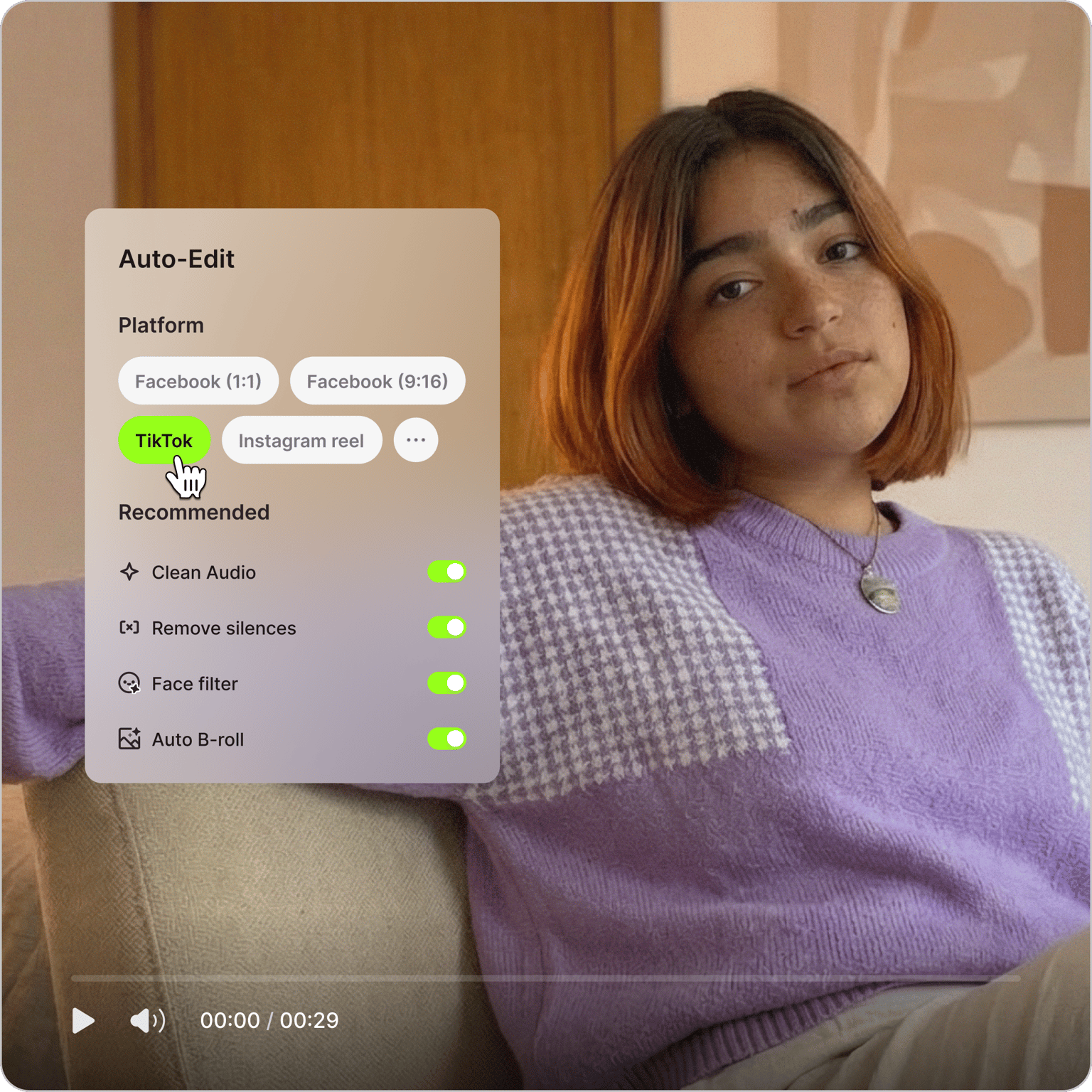
More than an AI video editor
An edit is one step in getting a video out. VEED is an AI video creation platform where you can generate, fine-tune, and export videos. Generate a scene, voiceover, or AI avatar from a prompt, refine the cut with subtitles, clean the audio, and add the details you ask for. Keep fonts, colors, and logos consistent so it looks like your brand made it, and export it post-ready for TikTok, Reels, YouTube, and LinkedIn. Go from one edited clip to a full content calendar. Create your first video now.