


Trusted by 1M+ creators
Discord Video Compressor
Compress videos for Discord online; free
No credit card required
4.6
2,100+ reviews















Compress videos for Discord in one click
Hit Discord's file size limit? Compress any video in your browser and get it under the limit without a software download. Set your resolution and quality, preview the estimated file size before you export, and download a Discord-ready file in minutes. Unlike other compressors, VEED also gives you a full set of editing tools — trim, crop, resize, add captions, and clean audio — all before you hit compress.
How to compress videos for Discord:
Step 01
Upload file
Upload your video to VEED. You can also drag and drop your files into the editor.
Step 02
Compress video
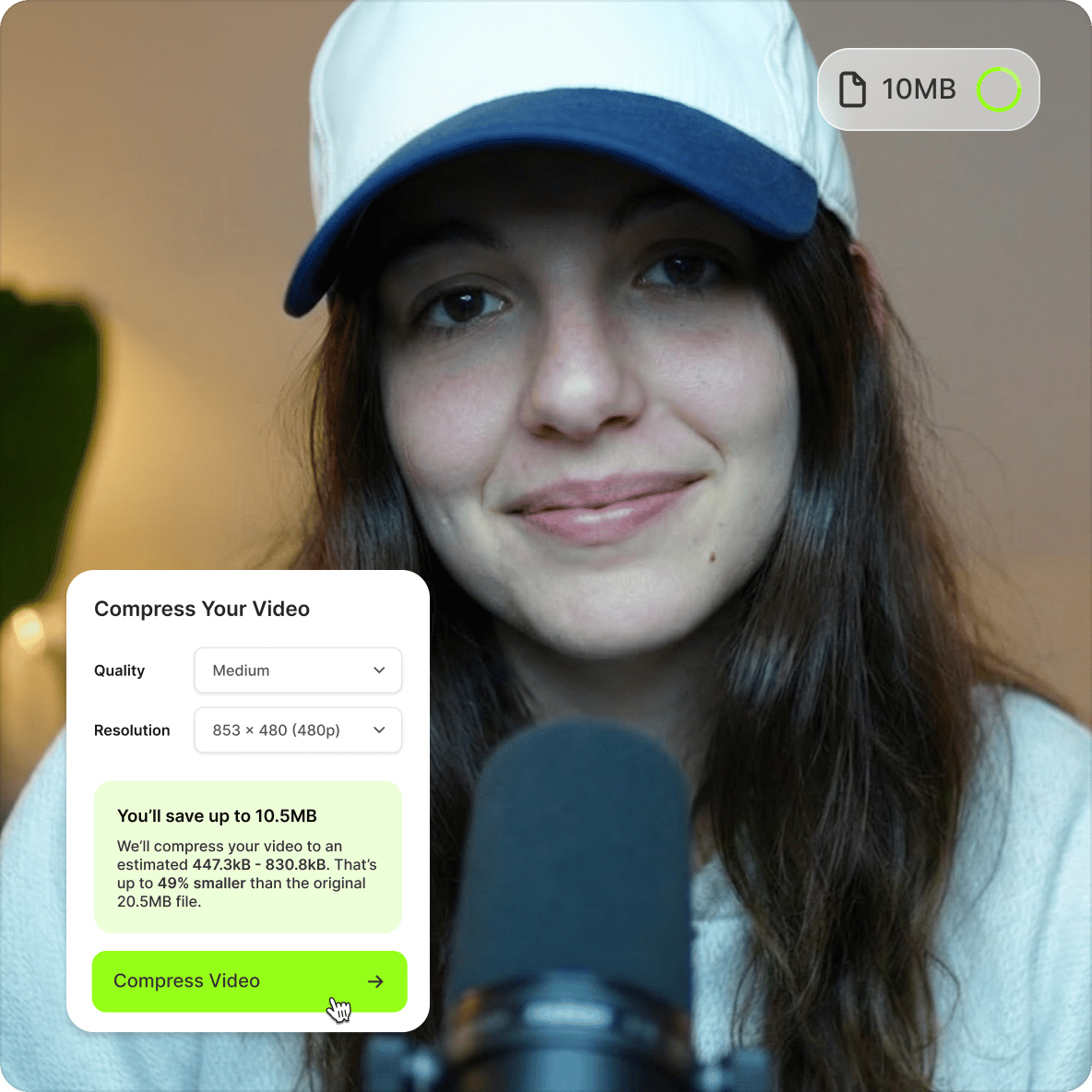
Set your video’s resolution and quality. You can view the new estimated file size before you click Compress.
Step 03
Export
Click on Export. Download your video and send it on Discord!
Learn More
Watch this video compressor tutorial:
Fast video compressor for online messaging
You don’t have to subscribe to Discord Nitro to send large video file sizes on Discord. Same with other online messaging apps like Facebook Messenger. Compress your videos for free online to make them compatible with Facebook, Twitter, TikTok, and other social media platforms.
Free Discord file compressor
Use VEED’s Discord video compressor and video editor for free. Reduce your video’s file size from your desktop or mobile browser. You don’t have to install third-party apps to compress and edit your videos. Start compressing a video for free, and upgrade to compress larger files.
Compress and convert Discord videos
VEED also offers a video converter. Convert your large Discord video files into MP4 format, making them compatible with most media players and easier to share across platforms. Download and send videos without format headaches.
FAQ
The maximum file size on Discord depends on your subscription:
- Free users can upload up to 10MB per file
- Nitro Basic raises that limit to 50MB
- Full Nitro raises it to 500MB
Not on Nitro? Compress your video with VEED before uploading to stay within the free limit.
While you can’t compress a video directly on the Discord app, you can use VEED to reduce the file size of your video so you can send it to Discord without getting any errors.
Upload your video to VEED. Choose your compression settings and export your video! It’s that easy.
No. Converting any video file to MP4 on VEED will not result in loss in image quality.
The best Discord video compressor is one that works in your browser without a software download and lets you preview the estimated file size before exporting. VEED does both. You can also crop, trim, add subtitles, and edit your video on the same platform.
You can record a clip during a Discord call by pressing Alt+C – the default key (which you can change). Note that Clips is an experimental feature available to some users only. To see if you have it, check User Settings > Clips.
If you don’t have Clips, try recording video clips using tools like VEED for easy editing and sharing.
Loved by creators.
Loved by the Fortune 500
“
With VEED I didn't need 15 tutorials - I jumped straight in and started editing.

Gwenne Wilcox
Founder,
Brand Brainery
“
You can go beyond choppping things. VEED actually makes my videos look great.

Michael Glover
Demand Gen Manager,
ConvertFlow
“
The first four videos i created with VEED got over 40,000 impressions on LinkedIn.

Travis Tyler
Senior Content Producer,
PandaDoc
“
I found VEED at the right time: if you're making UGC ads and not using Eye Contact Correction and Noise Reduction on VEED you're missing out on ROI.

Sebastian Schurgers
Head of Growth Marketing,
Gronda
“
With VEED I didn't need 15 tutorials - I jumped straight in and started editing.
Gwenne Wilcox
Founder,
Brand Brainery
“
You can go beyond choppping things. VEED actually makes my videos look great.
Michael Glover
Demand Gen Manager,
ConvertFlow
“
The first four videos i created with VEED got over 40,000 impressions on LinkedIn.
Travis Tyler
Senior Content Producer,
PandaDoc
“
I found VEED at the right time: if you're making UGC ads and not using Eye Contact Correction and Noise Reduction on VEED you're missing out on ROI.
Sebastian Schurgers
Head of Growth Marketing,
Gronda
“
The first four videos i created with VEED got over 40,000 impressions on LinkedIn.
Travis Tyler
Senior Content Producer,
PandaDoc
“
I found VEED at the right time: if you're making UGC ads and not using Eye Contact Correction and Noise Reduction on VEED you're missing out on ROI.
Sebastian Schurgers
Head of Growth Marketing,
Gronda
“
With VEED I didn't need 15 tutorials - I jumped straight in and started editing.
Gwenne Wilcox
Founder,
Brand Brainery
“
You can go beyond choppping things. VEED actually makes my videos look great.
Michael Glover
Demand Gen Manager,
ConvertFlow
Discover more
Explore related tools
More from VEED

6 Easy Ways to Compress Video Files (Without Losing Quality)
Figuring out how to compress a video file without losing quality doesn’t have to be a long and drawn-out process. Try these simple methods now!

Top 5 Methods to Compress Your Video Files for Email (And When to Use Each)
With so many different ways to compress your video file for email, it can be difficult to understand which is the best method for you. We eliminate the tedious guesswork by talking about the top 5 ways and when to use each one.

How to Send Large Video Files (from Desktop, iPhone, and Android)
Have a large video file that you'd like to share? Check out the 7 best methods that can help with that.
Trusted by 1M+ creators
When it comes to amazing videos, all you need is VEED
No credit card required
More than a Discord video compressor
VEED is an AI video creation platform that takes you from idea to post-ready video in one workflow. No tool switching, no big budgets, no production team needed. Use VEED AI to build social videos from a script or prompt, or use Fabric 1.0 to turn a headshot into a talking head video for quick announcements, explainers, or short-form content. Sign up now to start creating.