


Trusted by 1M+ creators
AI Drawing
Quickly turn text into AI drawings to make content faster and easier
No credit card required
4.6
2,100+ reviews













Create AI Images from Text
Generate AI drawings from text: Turn your words into art
Creating drawings from scratch or finding the right visuals can take hours – especially when you’re short on time or tools. With our AI drawing generator, you can turn simple text prompts into custom AI illustrations in seconds. Stay on-brand and produce content faster. Use your AI drawings in reels, explainers, ads, and more – wherever you need content that stands out.
Just type what you want to see, choose a style that matches your brand, and watch your image appear. From a single prompt to a polished, ready-to-use image, VEED’s AI art tools help you create standout content with ease.
How to use the AI drawing tool:
Step 01
Enter a prompt
Type your idea into the text field.
Step 02
Pick a style
Choose from a range of drawing styles that fits your brand.
Step 03
Generate, refine, and keep creating
Click generate to create your image. You can refine the style, download it as a PNG (with the option to remove the watermark), or open it in our video editor to add voiceovers, music, text, and more.
Learn More
Watch this to learn more about our AI drawing tool:
Create AI generated images that keep your content moving
Creating fresh, on-brand visuals shouldn’t slow you down. Our AI art generator turns text and sketches into ready-to-use artwork in seconds, so you can keep posting, testing, and scaling without breaking your flow.
Style it your way with our AI art generator
Pick a drawing style that fits your brand and campaign. Tweak the look and sharpen the details. Everything works right in your browser. You can even explore more options with our AI image generator or use our text-to-video tool to generate video content.
Stay creative without starting from scratch
Every campaign needs something new, but that doesn’t mean constantly reinventing the wheel. With our AI drawing tool, you can generate fresh visuals that still feel on-brand. Build variations, test ideas, and keep your look consistent across platforms – all from one place.
FAQ
AI drawing uses artificial intelligence to turn your input, like text or sketches, into visual artwork. It analyzes your prompt, matches it with patterns and styles, and generates an image in seconds.
Upload your photo to the tool and choose a drawing style. Our AI will transform your image into a sketch or illustration based on the style you select. It’s a quick way to give your photos a fresh, artistic look.
Yes, you can download your AI-generated drawings and use them in social media posts, videos, carousels, ads – anything. The images are yours to use however you need.
Yes, you can refine your image, upscale the resolution, or apply changes right in the editor. You can also drop it into our video editor to add text, motion, or other elements.
Loved by creators.
Loved by the Fortune 500
“
With VEED I didn't need 15 tutorials - I jumped straight in and started editing.
Gwenne Wilcox
Founder,
Brand Brainery
“
You can go beyond choppping things. VEED actually makes my videos look great.
Michael Glover
Demand Gen Manager,
ConvertFlow
“
The first four videos i created with VEED got over 40,000 impressions on LinkedIn.

Travis Tyler
Senior Content Producer,
PandaDoc
“
I found VEED at the right time: if you're making UGC ads and not using Eye Contact Correction and Noise Reduction on VEED you're missing out on ROI.
Sebastian Schurgers
Head of Growth Marketing,
Gronda
“
With VEED I didn't need 15 tutorials - I jumped straight in and started editing.
Gwenne Wilcox
Founder,
Brand Brainery
“
You can go beyond choppping things. VEED actually makes my videos look great.
Michael Glover
Demand Gen Manager,
ConvertFlow
“
The first four videos i created with VEED got over 40,000 impressions on LinkedIn.
Travis Tyler
Senior Content Producer,
PandaDoc
“
I found VEED at the right time: if you're making UGC ads and not using Eye Contact Correction and Noise Reduction on VEED you're missing out on ROI.
Sebastian Schurgers
Head of Growth Marketing,
Gronda
“
The first four videos i created with VEED got over 40,000 impressions on LinkedIn.
Travis Tyler
Senior Content Producer,
PandaDoc
“
I found VEED at the right time: if you're making UGC ads and not using Eye Contact Correction and Noise Reduction on VEED you're missing out on ROI.
Sebastian Schurgers
Head of Growth Marketing,
Gronda
“
With VEED I didn't need 15 tutorials - I jumped straight in and started editing.
Gwenne Wilcox
Founder,
Brand Brainery
“
You can go beyond choppping things. VEED actually makes my videos look great.
Michael Glover
Demand Gen Manager,
ConvertFlow
Discover more
- 3D Mockup Generator
- AI 3D Model Generation
- AI Animal Generator
- AI Architecture Generator
- AI Art Generator
- AI Background Generator
- AI Book Cover Generator
- AI Car Generator
- AI Cartoon Generator
- AI City Generator
- AI Clothing Generator
- AI Comic Generator
- AI Couple Photo Maker
- AI Creator
- AI Diagram Generator
- AI Doodle Generator
- AI Face Generator
- AI Favicon Generator
- AI Flag Generator
- AI Food Generator
- AI Furniture Design
- AI Game Generator
- AI Generated Boy
- AI Giantess
- AI Girl Generator
- AI Graffiti Generator
- AI Halloween Generator
- AI Headshot Generator
- AI House Generator
- AI Icon Generator
- AI Jersey Generator
- AI Jewelry Design
- AI Landscapes
- AI Logo Generator
- AI Manga
- AI Map Generator
- AI Meme Generator
- AI Mind Map Generator
- AI Monster Generator
- AI Painting
- AI Person Generator
- AI Photoshoot Generator
- AI Pixel Art Generator
- AI Portrait Generator
- AI Poster Generator
- AI Product Design
- AI Profile Picture Generator
- AI Selfie Generator
- AI Sticker Generator
- AI Superhero Generator
- AI T-Shirt Design Generator
- AI Tattoo Generator
- AI Texture Generator
- AI Thumbnail Maker
- AI Vector Generator
- AI Wallpaper Generator
- Album Cover Maker
- Anime AI Generator
- Caricature Maker
- Character Generator
- Chibi Maker
- Clipart Maker
- Cyberpunk Character Creator
- Dark Fantasy AI
- Fantasy Character Creator
- Flower Generator
- Illustration Generator
- Mythical Creature Generator
- Pattern Generator
- Random Drawing Generator
- Random Image
- Realistic AI Image Generator
- Scene Generator
- Seedream
- Square Face Generator
- Text to Image
- Villain Generator
- Wall Art Generator
Explore related tools
More from VEED

8+ Best AI Voice Generators to Try in 2026
Searching for the best AI voice generator? We tested the top ones so you don't have to. Check out our comprehensive reviews of the best AI voice generators in this listicle.

Creating Accessible Videos: A Beginner’s Guide to Video Accessibility
Video accessibility refers to the practice of designing video content so that everyone, regardless of ability, can understand and engage with it.
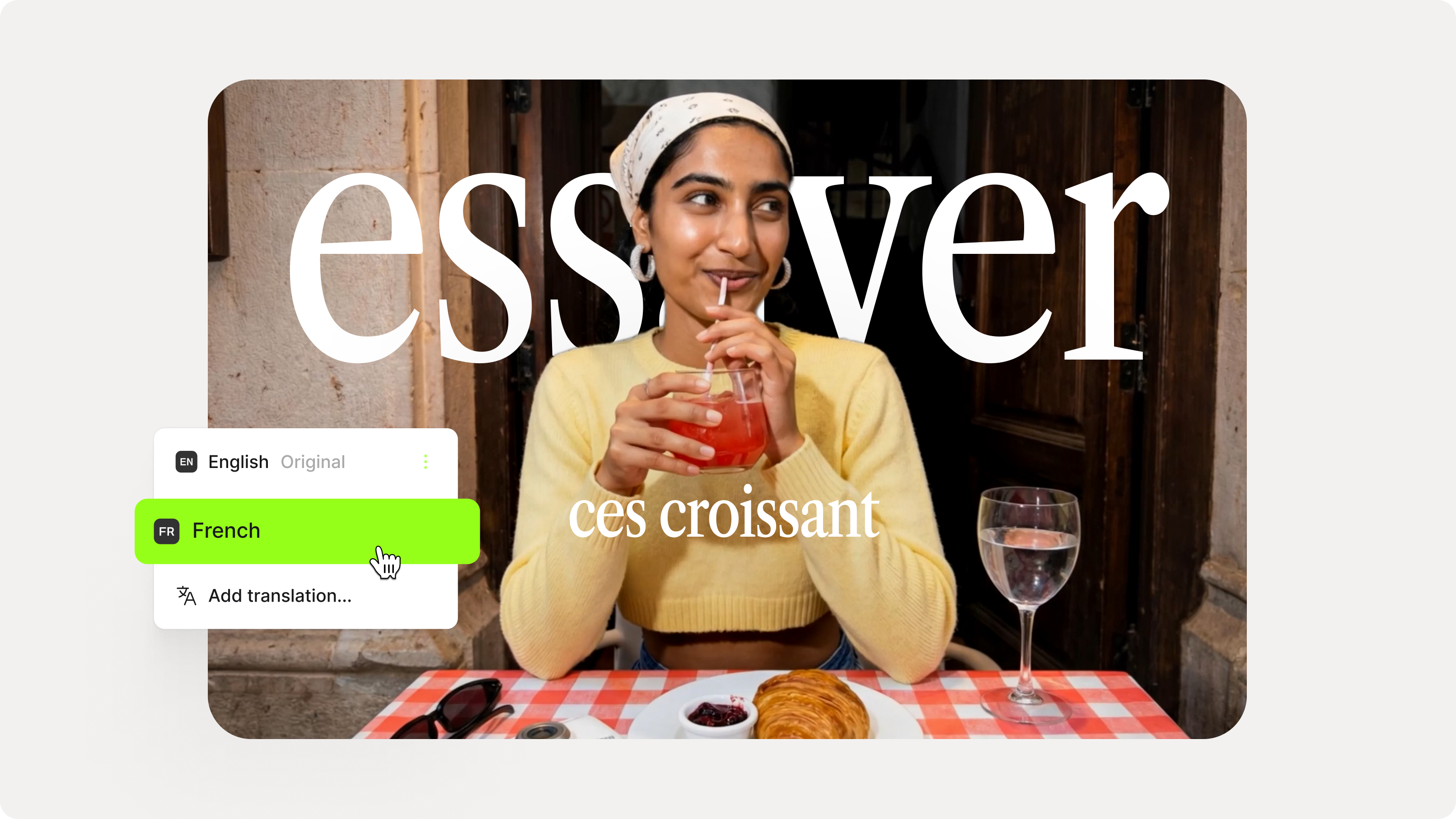
How to Add Translation Subtitles to a Video (Step-by-Step Guide)
A step-by-step guide to adding translation subtitles to any video using VEED. Covers auto-subtitle generation, AI translation into 125+ languages, customization, and export.
Trusted by 1M+ creators
When it comes to amazing videos, all you need is VEED
No credit card required
Turn your AI drawings into scroll-stopping content
Use your AI drawings to create videos, add subtitles to boost engagement, or pair your visuals with voiceovers, music, and text. All these tools are built into one simple editor, so you can publish content faster and stay consistent across every platform. Try VEED today and turn your ideas into content that connects.