


Trusted by 1M+ creators
AI Photoshoot Generator
Create an AI photoshoot from a prompt and one reference photo, with no studio to book
No credit card required
4.6
2,100+ reviews












Create AI Images from Text
An AI photoshoot without booking a studio
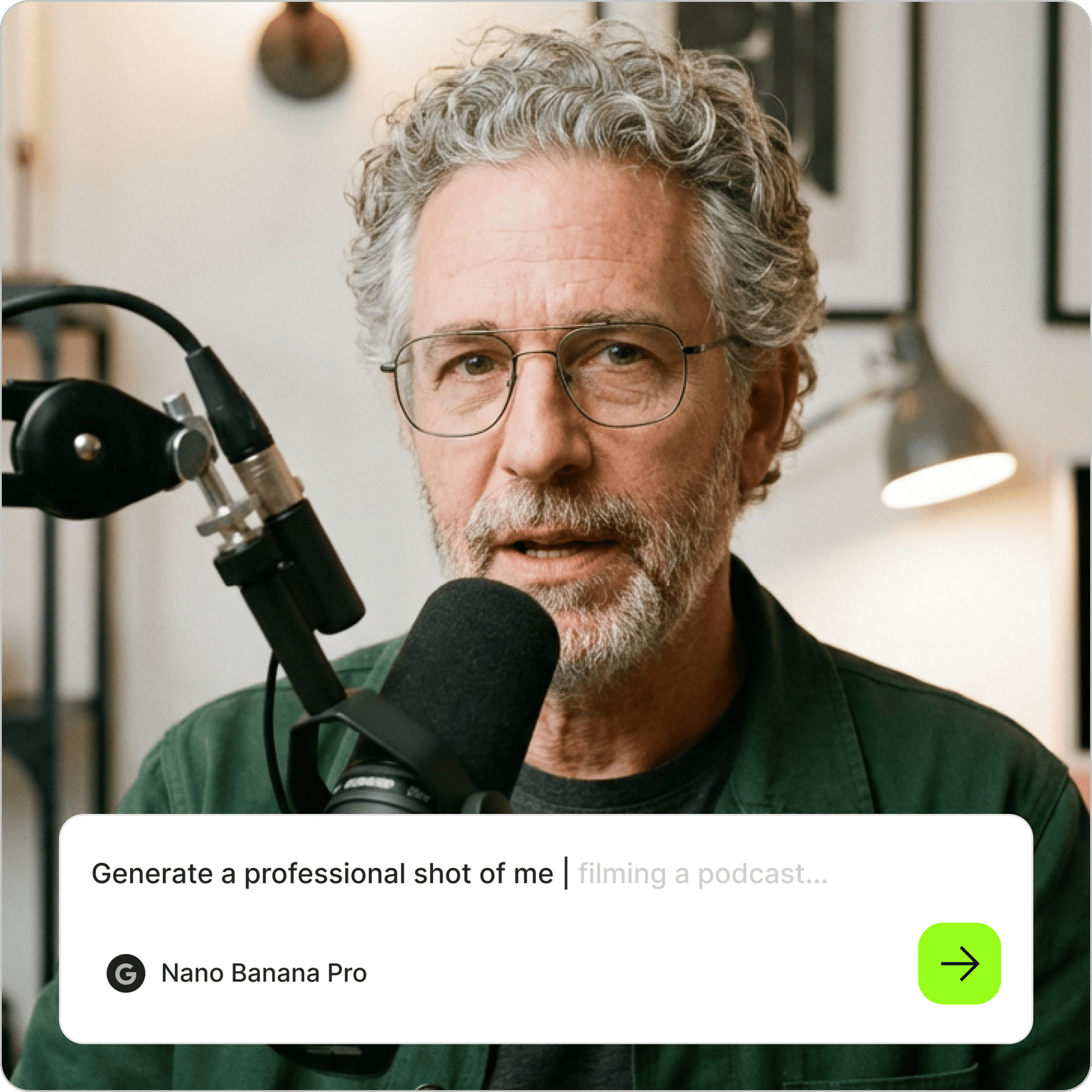
Get a full set of studio-style photos without a camera crew. With VEED's AI photoshoot generator, you describe the shoot in plain language: the setting, the outfit, the lighting, the mood. Add a reference photo of yourself or your product so the results follow the real thing, then generate and pick your favorites.
It works for personal milestones, like a birthday shoot with balloons and a cake, and for work, like brand portraits for a new website or product shots on a clean backdrop. If all you need is a profile picture, the AI headshot generator is the faster route.
How to create an AI photoshoot:
Step 01
Describe your photoshoot
Type the shoot you have in mind into the prompt field: "birthday photoshoot with gold balloons and a pink backdrop," "studio portrait in a navy blazer, soft window light," or "skincare bottle on wet stone in morning sun." Name the setting and the lighting.
Step 02
Add a reference photo
Upload a clear, well-lit picture of yourself or your product so the results follow the same face or item. Only use photos of yourself or of someone who gave permission. Then choose an aspect ratio and a visual style before you generate.
Step 03
Download, vary, or animate
Save the shots you like, or re-prompt until the result matches what you had in mind. Change one detail at a time, such as the backdrop or the pose, to build a set. To make a portrait move, animate it with image-to-video AI.
Learn More
Learn how to access AI image models:
Have your AI birthday photoshoot ready before the party
Birthday shoots are a popular place to start. Describe the number balloons, the cake, the dress or suit, and the backdrop color, then add your photo as the reference. You get portraits to post on the day or print on an invitation, with no photographer to schedule. The same approach covers graduations and holiday cards, so one afternoon can give you pictures for the rest of the year.
Build a full set of brand and product shots
A real shoot gives you options, and this one does too. Keep the reference photo and change one detail per prompt: the backdrop, the outfit, the angle, the time of day. Founders build a set for their website and a month of social posts. Sellers try one product on marble and on linen to see which fits the brand. For catalog-ready item shots, pair it with AI product photography.
Turn photoshoot portraits into talking videos
The portraits also work as the start of a video. Bring one to life with talking photo so it delivers a birthday thank-you or a product intro in your words. Pair it with AI voice cloning so the clip sounds like you, then add captions and music in the video editor. One session can cover both the profile photo and the announcement video.
FAQ
Describe the shoot in the prompt field, add a clear photo of yourself as the reference, and generate. Include the setting, the clothing, and the lighting you want, for example "outdoor portrait at golden hour in a white linen shirt." Then download the shots you like, or change one detail in the prompt to create more.
A good AI photoshoot prompt reads like a brief for a photographer. Name the subject, the location, the wardrobe, the lighting, and the framing, such as "waist-up portrait, charcoal backdrop, soft side light, black turtleneck." Specific details give more consistent results than a single word like "professional." Change one element per prompt when you want a matching set.
Yes, when you add a reference photo. The generator uses it to keep your face and features, so the results show you in a new setting and outfit. A sharp, front-facing, well-lit picture gives the closest match. Look over hands and small accessories before you post, and generate again if a detail looks off.
Generating a photoshoot with VEED uses AI credits. The cost depends on the AI model you choose and how many images you create, and you see it before you generate. Paid plans include AI credits, and the pricing page shows current plans and the credits that come with each.
Yes. Add a clear picture of the product as the reference and describe the scene, such as "glass serum bottle on a marble counter with soft morning light." The generator places the item in that setting. Check labels and logos closely, because small text can change during generation, and re-prompt if the packaging looks different from the real thing.
Loved by creators.
Loved by the Fortune 500
“
With VEED I didn't need 15 tutorials - I jumped straight in and started editing.
Gwenne Wilcox
Founder,
Brand Brainery
“
You can go beyond choppping things. VEED actually makes my videos look great.
Michael Glover
Demand Gen Manager,
ConvertFlow
“
The first four videos i created with VEED got over 40,000 impressions on LinkedIn.

Travis Tyler
Senior Content Producer,
PandaDoc
“
I found VEED at the right time: if you're making UGC ads and not using Eye Contact Correction and Noise Reduction on VEED you're missing out on ROI.
Sebastian Schurgers
Head of Growth Marketing,
Gronda
“
With VEED I didn't need 15 tutorials - I jumped straight in and started editing.
Gwenne Wilcox
Founder,
Brand Brainery
“
You can go beyond choppping things. VEED actually makes my videos look great.
Michael Glover
Demand Gen Manager,
ConvertFlow
“
The first four videos i created with VEED got over 40,000 impressions on LinkedIn.
Travis Tyler
Senior Content Producer,
PandaDoc
“
I found VEED at the right time: if you're making UGC ads and not using Eye Contact Correction and Noise Reduction on VEED you're missing out on ROI.
Sebastian Schurgers
Head of Growth Marketing,
Gronda
“
The first four videos i created with VEED got over 40,000 impressions on LinkedIn.
Travis Tyler
Senior Content Producer,
PandaDoc
“
I found VEED at the right time: if you're making UGC ads and not using Eye Contact Correction and Noise Reduction on VEED you're missing out on ROI.
Sebastian Schurgers
Head of Growth Marketing,
Gronda
“
With VEED I didn't need 15 tutorials - I jumped straight in and started editing.
Gwenne Wilcox
Founder,
Brand Brainery
“
You can go beyond choppping things. VEED actually makes my videos look great.
Michael Glover
Demand Gen Manager,
ConvertFlow
Discover more
- 3D Mockup Generator
- AI 3D Model Generation
- AI Animal Generator
- AI Architecture Generator
- AI Art Generator
- AI Background Generator
- AI Book Cover Generator
- AI Car Generator
- AI Cartoon Generator
- AI City Generator
- AI Clothing Generator
- AI Comic Generator
- AI Couple Photo Maker
- AI Creator
- AI Diagram Generator
- AI Doodle Generator
- AI Drawing
- AI Face Generator
- AI Favicon Generator
- AI Flag Generator
- AI Food Generator
- AI Furniture Design
- AI Game Generator
- AI Generated Boy
- AI Giantess
- AI Girl Generator
- AI Graffiti Generator
- AI Halloween Generator
- AI Headshot Generator
- AI House Generator
- AI Icon Generator
- AI Jersey Generator
- AI Jewelry Design
- AI Landscapes
- AI Logo Generator
- AI Manga
- AI Map Generator
- AI Meme Generator
- AI Mind Map Generator
- AI Monster Generator
- AI Painting
- AI Person Generator
- AI Pixel Art Generator
- AI Portrait Generator
- AI Poster Generator
- AI Product Design
- AI Profile Picture Generator
- AI Selfie Generator
- AI Sticker Generator
- AI Superhero Generator
- AI T-Shirt Design Generator
- AI Tattoo Generator
- AI Texture Generator
- AI Thumbnail Maker
- AI Vector Generator
- AI Wallpaper Generator
- Album Cover Maker
- Anime AI Generator
- Caricature Maker
- Character Generator
- Chibi Maker
- Clipart Maker
- Cyberpunk Character Creator
- Dark Fantasy AI
- Fantasy Character Creator
- Flower Generator
- Illustration Generator
- Mythical Creature Generator
- Pattern Generator
- Random Drawing Generator
- Random Image
- Realistic AI Image Generator
- Scene Generator
- Seedream
- Square Face Generator
- Text to Image
- Villain Generator
- Wall Art Generator
Explore related tools
More from VEED

The 16 Best AI Art Generators of All Time: Unleash Your Creativity!
Unlock your creativity! Check out our roundup of the best AI art generators to try in 2025.

VEED x Haiper: Bring Your Ideas to Life with AI Text-to-Video
VEED partnered with Haiper to create an AI text-to-video tool that turns prompts into videos. Discover more about this collaboration here

AI Video Production: What's Possible and Where to Get Started
Dipping your toes in AI video production? Use this starter guide to hit the ground running and produce your first masterpiece.
Trusted by 1M+ creators
When it comes to amazing videos, all you need is VEED
No credit card required
More than an AI photoshoot generator
The portraits you just made can anchor a whole week of content. VEED is an AI video creation platform, so a still from the shoot can speak on camera with Fabric 1.0 while you plan the next set. For a birthday, gather the best shots into a slideshow with the birthday video maker and add music. Sign up now to start creating.