


Trusted by 1M+ creators
AI Captioning
Localize your video content with the help of automatic AI captioning
No credit card required
4.6
2,100+ reviews















Localize your content using VEED’s powerful AI captioning
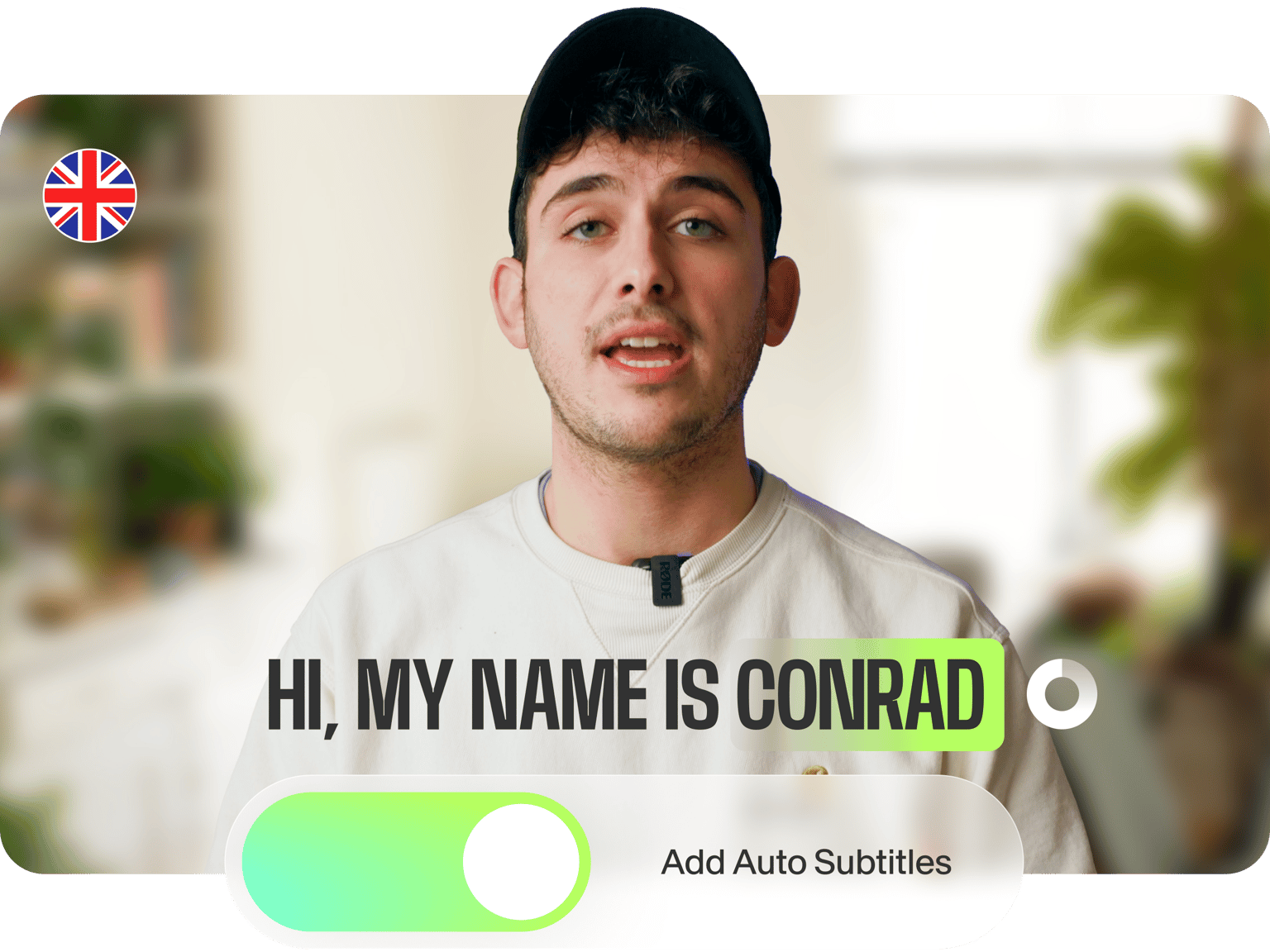
Let your content win more engagement on social media by adding automatic AI captions to your videos. Instantly add subtitles and create closed captions for your social media posts to ensure your audience watches your videos even on mute. Add Instagram captions—which can help you drive more likes and comments to your IG stories.
Transcribe your audio to text and translate your videos to multiple languages to create widely accessible content. You no longer have to painfully listen, pause, type text, and repeat. Our speech-recognition software can detect over 100 languages and accents and automatically generate captions for you!
How to auto-generate closed captions:
Step 01
Auto-generate captions
Select ‘Auto Subtitle’ from the subtitle tool, and the software will start transcribing. You can also upload a subtitle file. (You can also upload a subtitle file to edit or type your subtitles manually.)
Step 02
Change subtitle styles, personalize, animate, and more
You can change the style, font, and colors of your subtitles. Select from different animation styles and backgrounds. You can animate your subtitles and even highlight specific words!
Step 03
Export your video or download the subtitle file
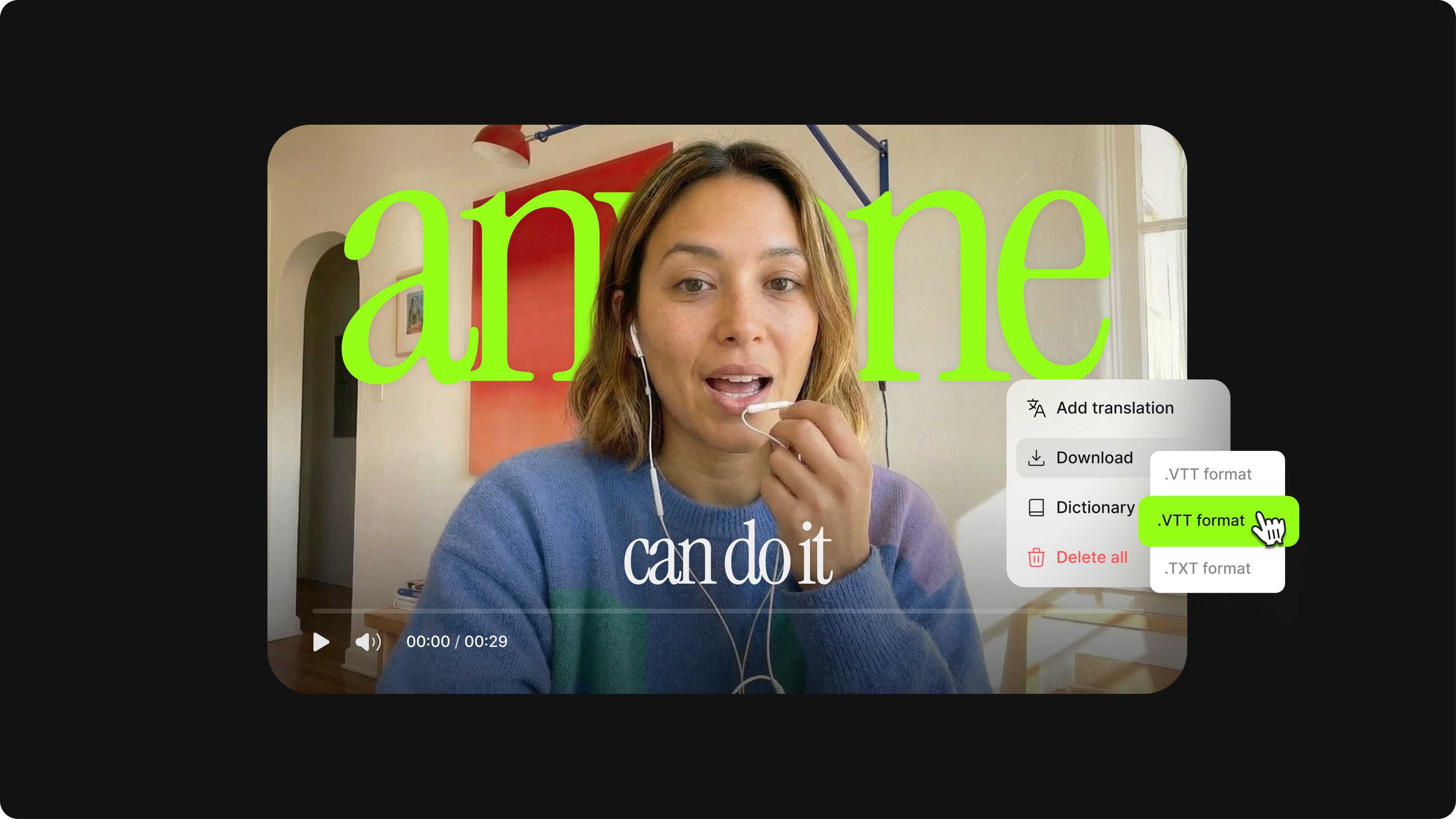
Export your video with the hardcoded subtitles or download the subtitle file (SRT, VTT, or TXT).
Learn More
Watch this walkthrough of our AI captioning software
Go global with our AI captions tool that recognizes accents
VEED’s powerful AI captioning can recognize different regional accents as well. You can generate captions for videos in over 100 different languages and accents. You can also use our AI video-to-text tool to help you transcribe your content in a snap. Adding captions to your video makes it easier to follow and more accessible to a range of viewers. Reach a global audience and break language barriers!
Use AI image captioning to help people find you
You can also use the power of VEED’s AI image captioning to lead more people to your content, website, and YouTube channel. Adding a text element (i.e., captions) to your videos makes them more searchable. Appear in more searches, and rank higher on results pages and feeds. Use for Google, YouTube, Facebook, IGTV, and more.
Customize, stylize, and edit for accuracy!
If you want to make any changes to the captions, simply click on the text and start typing. Watch edits appear on the video in real time. Add animations and highlights, such as a box highlight or a karaoke-style animation, to your subtitles! Adding these will make your videos more engaging. Explore our full suite of AI video editing tools to polish your final video.
FAQ
- Upload your video to VEED
- Click ‘Subtitles’ on the left
- Select ‘Auto Transcribe’
- Choose language and region
- Press ‘START’
- Edit captions
- Download
VEED is a powerful AI captioning software. You can automatically add closed captions to your videos. Just upload your video, and our AI will detect the language and generate subtitles for you. Generating, transcribing, and adding subtitles to your video is free to use for everyone. Only downloading subtitles as SRT files and translating to other languages requires a premium subscription.
VEED’s AI captioning tool features 95% accuracy. You can also edit words and phrases simply by clicking on a line of code and typing!
Easily! Firstly, auto-generate captions in the original language of the video. When your captions are ready, click the ‘Translate’ tab. In the dropdown menu, select the language you want it translated to. Count to three, and they should be ready! (Available in premium.)
Loved by creators.
Loved by the Fortune 500
“
With VEED I didn't need 15 tutorials - I jumped straight in and started editing.

Gwenne Wilcox
Founder,
Brand Brainery
“
You can go beyond choppping things. VEED actually makes my videos look great.

Michael Glover
Demand Gen Manager,
ConvertFlow
“
The first four videos i created with VEED got over 40,000 impressions on LinkedIn.

Travis Tyler
Senior Content Producer,
PandaDoc
“
I found VEED at the right time: if you're making UGC ads and not using Eye Contact Correction and Noise Reduction on VEED you're missing out on ROI.

Sebastian Schurgers
Head of Growth Marketing,
Gronda
“
With VEED I didn't need 15 tutorials - I jumped straight in and started editing.
Gwenne Wilcox
Founder,
Brand Brainery
“
You can go beyond choppping things. VEED actually makes my videos look great.
Michael Glover
Demand Gen Manager,
ConvertFlow
“
The first four videos i created with VEED got over 40,000 impressions on LinkedIn.
Travis Tyler
Senior Content Producer,
PandaDoc
“
I found VEED at the right time: if you're making UGC ads and not using Eye Contact Correction and Noise Reduction on VEED you're missing out on ROI.
Sebastian Schurgers
Head of Growth Marketing,
Gronda
“
The first four videos i created with VEED got over 40,000 impressions on LinkedIn.
Travis Tyler
Senior Content Producer,
PandaDoc
“
I found VEED at the right time: if you're making UGC ads and not using Eye Contact Correction and Noise Reduction on VEED you're missing out on ROI.
Sebastian Schurgers
Head of Growth Marketing,
Gronda
“
With VEED I didn't need 15 tutorials - I jumped straight in and started editing.
Gwenne Wilcox
Founder,
Brand Brainery
“
You can go beyond choppping things. VEED actually makes my videos look great.
Michael Glover
Demand Gen Manager,
ConvertFlow
Discover more
- AI Caption Generator
- Bangla Subtitles
- Bengali Subtitles
- Chinese Subtitles
- Closed Captioning Software
- Czech Subtitles
- Danish Subtitles
- Dynamic Subtitles
- English Subtitles
- Finnish Subtitles
- French Subtitles
- German Subtitles
- Greek Subtitles
- Hebrew Subtitles
- Hindi Subtitles
- Hungarian Subtitles
- Indonesian Subtitles
- Italian Subtitles
- Japanese Subtitles
- Korean Subtitles
- Malayalam Subtitles
- Norwegian Subtitling
- Polish Subtitles
- Punjabi Caption
- Romanian Subtitles
- Russian Subtitles
- Spanish Subtitles
- SRT File Creator
- Subtitles Arabic
- Subtitles Dutch
- Subtitles Marathi
- Subtitles Persian
- Subtitles Portuguese
- Tagalog Subtitling
- Tamil Subtitles
- Telugu Subtitles
- Thai Subtitles
- Turkish Subtitles
- Ukrainian Subtitles
- Urdu Subtitles
- Video Captioning Services
- Video Subtitling Services
- Vietnamese Subtitles
- VTT Creator
More from VEED

How to Download SRT Subtitle Files Online (Quick and Easy)
Want to bump up your engagement, improve video SEO, and make your content more inclusive? Here's how to download and upload SRT files for your next video!
12 Best Subtitle Fonts for Video Editing (Free and Paid Options)
Want videos that are more engaging because they're easier to follow along? Here's 12 of the best free and paid subtitle fonts for better video content.
What is an SRT File? How to Create & Upload SRT Files [Complete Guide]
This article covers how to create an SRT subtitle file from video, audio, or text
Trusted by 1M+ creators
When it comes to amazing videos, all you need is VEED
No credit card required
AI captioning, video editing, and more!
Online automatic captioning is just one of the AI-powered features of VEED. Explore our online video editor to transform your videos into stunning pieces of artwork. VEED’s powerful suite of AI video editing tools will help you create impactful videos, expand your reach on social media and build your online audience. Explore our AI tools today and start creating videos that make an impact!