


Trusted by 1M+ creators
Hungarian Subtitles
Generate Hungarian subtitles in seconds
No credit card required
4.6
2,100+ reviews















Get Hungarian Subtitles Absolutely Free
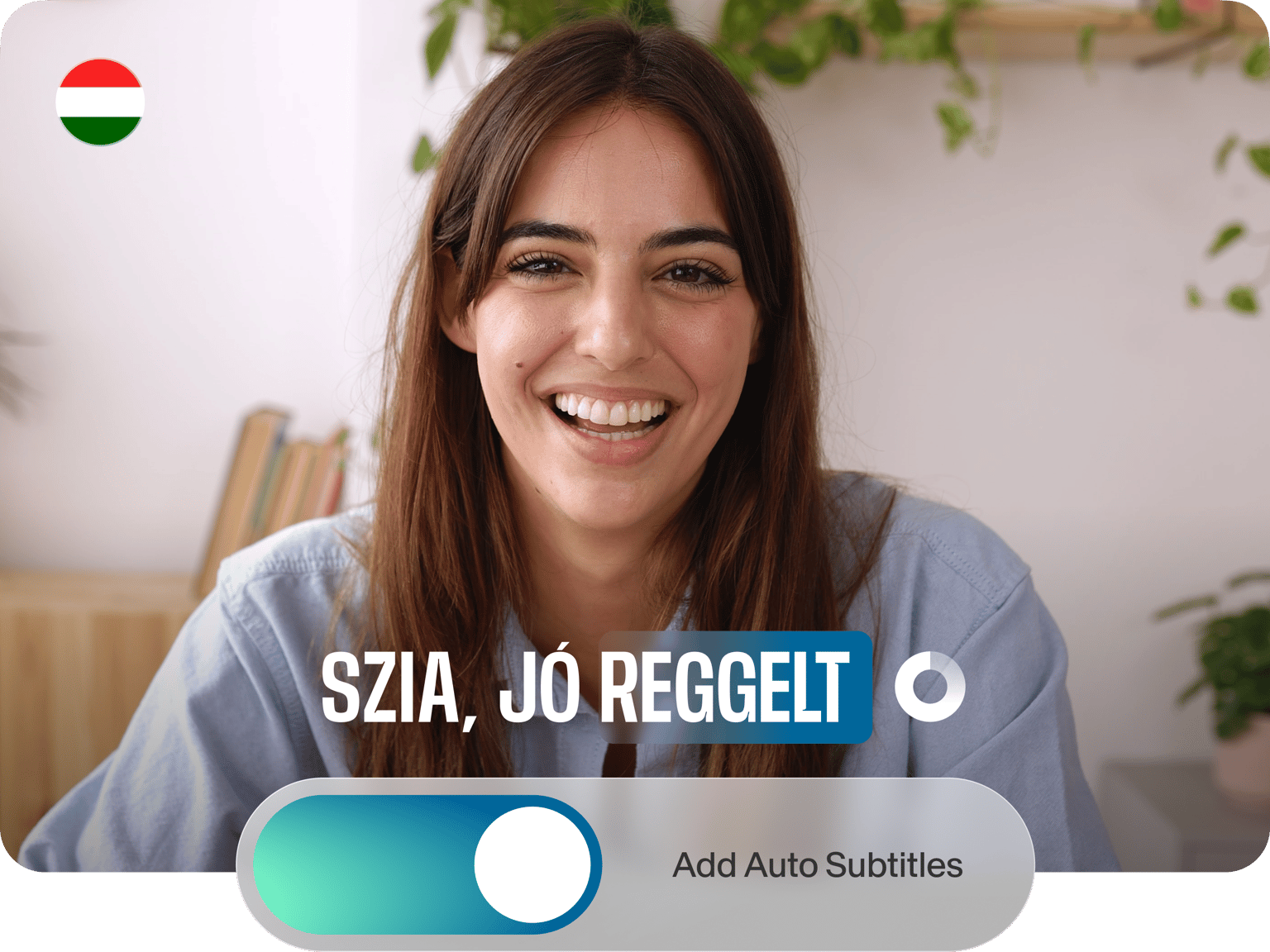
We see subtitles on YouTube and across social media. Why? Because adding subtitles helps deepen audience engagement. So why not generate Hungarian subtitles for your video for free using VEED? Our automatic subtitle generator uses speech recognition software to convert videos to text and then adds the text to the final MP4 file as high-quality subtitles. Translate your videos to multiple languages to make them more accessible!
How to Generate Hungarian Subtitles:
Step 01
Upload Video
Pick a file to upload to VEED’s video editor — either from one of your computer folders or by dragging and dropping a video into the editor.
Step 02
Click ‘Auto Subtitles’
Click ‘Auto Subtitles’ and select Hungarian. Now hit ‘Start’ to get the auto-transcriber to generate your Hungarian subtitles in seconds.
Step 03
Edit & ‘Export’
Before you render your project, you can edit the text and styles. When finished, click ‘Export,’ and VEED will create the MP4 file.
Learn More
‘How to Auto Generate Hungarian Subtitles’ Tutorial
Easy to edit
VEED generates the subtitles. You’re free to style them. Pick your favorite font, change the size, add a drop shadow, shift the screen position; you can even change the line height, ensuring every last detail fits your brand.
Multiple file formats available
When you’re done converting your audio to text and editing, it’s time to export. If you have a free account, VEED will render the subtitles directly into the MP4 file. Or upgrade your account to download SRT, TXT, and VTT files alongside several other formats.
FAQ
‘Auto Subtitles’ lets you add subtitles in hundreds of different foreign languages. If you create a video in a language, the chances are — our platform can auto-generate subtitles for it.
‘Auto Subtitles’ is available on VEED’s free plan and will generate your subtitles for free. If you want to translate the subtitles, you need to upgrade your account and use the ‘Audio Translator’ tool.
With VEED, you can quickly add subtitles to a video: Create your account for free Upload a video to the editor Select ‘Auto Subtitles’ Once you’ve set the language, click ‘Start’
Add subtitles to movies in your browser using VEED: 1. First of all, create your VEED account. 2. Import your video into VEED’s online video editor. 3. Click ‘Auto Subtitles’ and set the language. 4. Click Start to add subtitles to a movie.
Loved by creators.
Loved by the Fortune 500
“
With VEED I didn't need 15 tutorials - I jumped straight in and started editing.

Gwenne Wilcox
Founder,
Brand Brainery
“
You can go beyond choppping things. VEED actually makes my videos look great.

Michael Glover
Demand Gen Manager,
ConvertFlow
“
The first four videos i created with VEED got over 40,000 impressions on LinkedIn.

Travis Tyler
Senior Content Producer,
PandaDoc
“
I found VEED at the right time: if you're making UGC ads and not using Eye Contact Correction and Noise Reduction on VEED you're missing out on ROI.

Sebastian Schurgers
Head of Growth Marketing,
Gronda
“
With VEED I didn't need 15 tutorials - I jumped straight in and started editing.
Gwenne Wilcox
Founder,
Brand Brainery
“
You can go beyond choppping things. VEED actually makes my videos look great.
Michael Glover
Demand Gen Manager,
ConvertFlow
“
The first four videos i created with VEED got over 40,000 impressions on LinkedIn.
Travis Tyler
Senior Content Producer,
PandaDoc
“
I found VEED at the right time: if you're making UGC ads and not using Eye Contact Correction and Noise Reduction on VEED you're missing out on ROI.
Sebastian Schurgers
Head of Growth Marketing,
Gronda
“
The first four videos i created with VEED got over 40,000 impressions on LinkedIn.
Travis Tyler
Senior Content Producer,
PandaDoc
“
I found VEED at the right time: if you're making UGC ads and not using Eye Contact Correction and Noise Reduction on VEED you're missing out on ROI.
Sebastian Schurgers
Head of Growth Marketing,
Gronda
“
With VEED I didn't need 15 tutorials - I jumped straight in and started editing.
Gwenne Wilcox
Founder,
Brand Brainery
“
You can go beyond choppping things. VEED actually makes my videos look great.
Michael Glover
Demand Gen Manager,
ConvertFlow
Discover more
- AI Caption Generator
- AI Captioning
- Bangla Subtitles
- Bengali Subtitles
- Chinese Subtitles
- Closed Captioning Software
- Czech Subtitles
- Danish Subtitles
- Dynamic Subtitles
- English Subtitles
- Finnish Subtitles
- French Subtitles
- German Subtitles
- Greek Subtitles
- Hebrew Subtitles
- Hindi Subtitles
- Indonesian Subtitles
- Italian Subtitles
- Japanese Subtitles
- Korean Subtitles
- Malayalam Subtitles
- Norwegian Subtitling
- Polish Subtitles
- Punjabi Caption
- Romanian Subtitles
- Russian Subtitles
- Spanish Subtitles
- SRT File Creator
- Subtitles Arabic
- Subtitles Dutch
- Subtitles Marathi
- Subtitles Persian
- Subtitles Portuguese
- Tagalog Subtitling
- Tamil Subtitles
- Telugu Subtitles
- Thai Subtitles
- Turkish Subtitles
- Ukrainian Subtitles
- Urdu Subtitles
- Video Captioning Services
- Video Subtitling Services
- Vietnamese Subtitles
- VTT Creator
More from VEED

How to Download SRT Subtitle Files Online (Quick and Easy)
Want to bump up your engagement, improve video SEO, and make your content more inclusive? Here's how to download and upload SRT files for your next video!

How to Get the Transcript of a YouTube Video [Fast & Easy]
The easiest way to get the transcript of a YouTube video without jumping through a million hoops. Here's how.

How to Hardcode Subtitles with VEED
A lot of social media platforms don't actually allow you to upload SRT files with your videos. This is where hard coded subtitles comes in.
Trusted by 1M+ creators
When it comes to amazing videos, all you need is VEED
No credit card required
More than Hungarian subtitles
Creators, influencers, and marketers use VEED for all sorts of reasons. They produce educational content and how-to’s, training guides, even promotions. Because our simple online video editor makes life easy, helping you turn any video into a studio-quality production, often in a matter of minutes.