


Trusted by 1M+ creators
Deep Voice AI
Stand out and build audience trust with deep voice text-to-speech
No credit card required
4.6
2,100+ reviews















Deep voice generator: Create powerful AI voiceovers
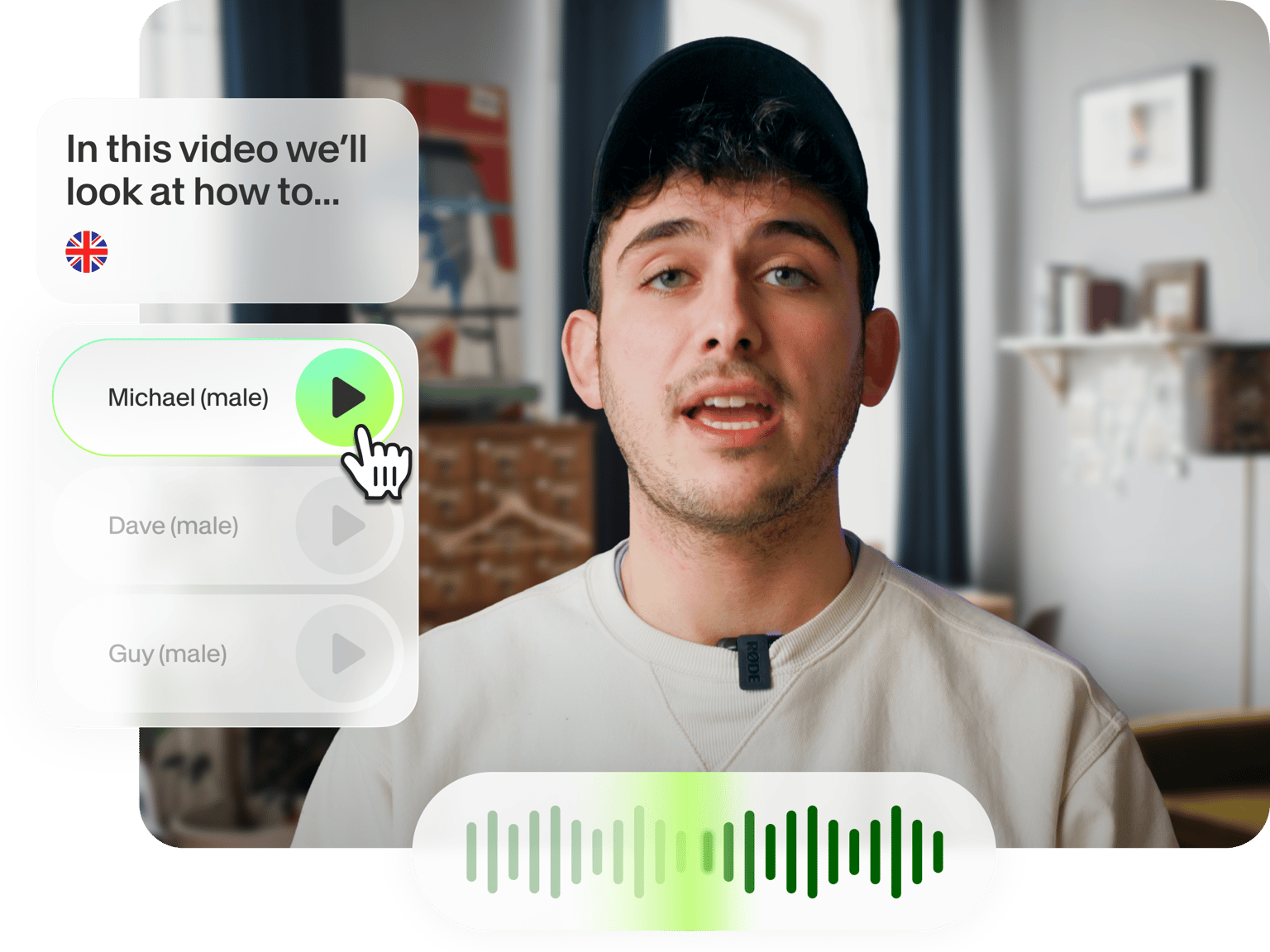
Turn your script into engaging and persuasive narration. Deep voices convey authority, wisdom, and credibility. Our text-to-speech tool is easy to use: enter your text and choose a deep voice AI. We offer a diverse selection of male and female voices. Get realistic and professional voiceovers — without the traditional costs of voiceover production. VEED isn't just another deep voice text-to-speech tool. It’s a complete video editor that lets you combine narration with footage, text, and background music. Create authoritative explainers, product demos, or training videos. Our deep voice generator helps you build trust and connection with your audience. Try our deep voice AI now for free.
How to generate a deep AI voice:
Step 01
Start a project
Create a blank project or upload your footage — a tutorial, product demo, presentation, etc.
Step 02
Choose a deep voice
Click ‘Audio’ in the left menu, then select ‘Text to Speech.’ Preview voices from our library. The descriptions can help you find your ideal deep voice AI.
Step 03
Create and export
Enter your script and generate text-to-speech. You can download the audio or keep editing. Enhance your video with text, subtitles, animations, and more.
Learn More
Watch this text-to-speech video tutorial:
Generate realistic deep AI voices
No robotic AI voices. Our deep voice AI generator turns your text input into lifelike and engaging narrations. Create professional voiceovers, audiobooks, commentaries, and more. With realistic AI speech, you can scale your content without the challenges of traditional production. You can also explore talking avatars to personalize your content.
Choose from diverse male and female voices
Our text-to-speech creator features various voice profiles — from narrative to educational. Choose a man's voice to narrate a product demo, or a confident woman’s voice to tell your brand story across social media campaigns. We provide different tones, from serious to upbeat and conversational. Find the perfect match for your content needs.
Create authoritative and memorable videos
VEED is not just a standalone voice generator. It combines text-to-speech with a complete video editing suite. Generate your deep voice and create a project. Add stock footage, text overlays, and auto-subtitles. This all-in-one approach saves you the trouble of juggling multiple software. Our drag-and-drop interface is easy to navigate, no matter your skill level.
FAQ
The deep voice generator is free to try with limited usage — ideal for creating a short clip or testing our tool. You can upgrade to a Pro plan for higher limits and access to all our AI tools.
Deep AI voices add gravitas to podcasts, especially genres like history and true crime. These voices are also great for e-learning, marketing content, and documentaries, where an authoritative or calming tone enhances the message.
VEED is an excellent male voice generator, with realistic AI voices and combined video editing tools. Our platform also offers voice cloning in over 25 languages. Create global content fast, save on voice talent costs, and manage everything in one platform.
Yes. Our AI voice library includes deep or low-pitched female voices with warm, soothing, energetic, or upbeat qualities. Look for descriptions like "confident," "calm," and "informative" to find the perfect deep female voice for your project.
Loved by creators.
Loved by the Fortune 500
“
With VEED I didn't need 15 tutorials - I jumped straight in and started editing.

Gwenne Wilcox
Founder,
Brand Brainery
“
You can go beyond choppping things. VEED actually makes my videos look great.

Michael Glover
Demand Gen Manager,
ConvertFlow
“
The first four videos i created with VEED got over 40,000 impressions on LinkedIn.

Travis Tyler
Senior Content Producer,
PandaDoc
“
I found VEED at the right time: if you're making UGC ads and not using Eye Contact Correction and Noise Reduction on VEED you're missing out on ROI.

Sebastian Schurgers
Head of Growth Marketing,
Gronda
“
With VEED I didn't need 15 tutorials - I jumped straight in and started editing.
Gwenne Wilcox
Founder,
Brand Brainery
“
You can go beyond choppping things. VEED actually makes my videos look great.
Michael Glover
Demand Gen Manager,
ConvertFlow
“
The first four videos i created with VEED got over 40,000 impressions on LinkedIn.
Travis Tyler
Senior Content Producer,
PandaDoc
“
I found VEED at the right time: if you're making UGC ads and not using Eye Contact Correction and Noise Reduction on VEED you're missing out on ROI.
Sebastian Schurgers
Head of Growth Marketing,
Gronda
“
The first four videos i created with VEED got over 40,000 impressions on LinkedIn.
Travis Tyler
Senior Content Producer,
PandaDoc
“
I found VEED at the right time: if you're making UGC ads and not using Eye Contact Correction and Noise Reduction on VEED you're missing out on ROI.
Sebastian Schurgers
Head of Growth Marketing,
Gronda
“
With VEED I didn't need 15 tutorials - I jumped straight in and started editing.
Gwenne Wilcox
Founder,
Brand Brainery
“
You can go beyond choppping things. VEED actually makes my videos look great.
Michael Glover
Demand Gen Manager,
ConvertFlow
Discover more
- Afrikaans Text to Speech
- AI Read Aloud
- AI Reader
- AI Voice Generator
- AI Voice Over
- Amharic Text to Speech
- Arabic Text to Speech
- Audiobook Maker
- Bangla Text to Speech
- Cantonese Text to Speech
- Chinese Text to Speech
- Convert Articles to Audio
- English Text to Speech
- French Text to Speech
- Georgian Text to Speech
- German Text to Speech
- Hebrew Text to Speech
- Hindi Text to Speech
- Icelandic Text to Speech
- Irish Text to Speech
- Italian Text to Speech
- IVR Recording
- Japanese Text to Speech
- Kazakh Text to Speech
- Korean Text to Speech
- Lao Text to Speech
- Malayalam Text to Speech
- Nepali Text to Speech
- Persian Text to Speech
- Realistic Text to Speech
- Russian Text to Speech
- Somali Text to Speech
- Spanish Text to Speech
- Speech in Swahili
- Tamil Text to Speech
- Text Reader
- Text to Audio
- Text to Podcast
- Text to Speech Albanian
- Text to Speech Armenian
- Text to Speech Bulgarian
- Text to Speech Catalan
- Text to Speech Converter
- Text to Speech Croatian
- Text to Speech Czech
- Text to Speech Danish
- Text to Speech Dutch
- Text to Speech Estonian
- Text to Speech Finnish
- Text to Speech Greek
- Text to Speech Gujarati
- Text to Speech Human Voice
- Text to Speech Hungarian
- Text to Speech Indonesia
- Text to Speech Khmer
- Text to Speech Latvian
- Text to Speech Lithuanian
- Text to Speech Malay
- Text to Speech Marathi
- Text to Speech MP3
- Text to Speech Norwegian
- Text to Speech Polish
- Text to Speech Portuguese
- Text to Speech Romana
- Text to Speech Serbian
- Text to Speech Slovak
- Text to Speech Slovenian
- Text to Speech Swedish
- Text to Speech Tagalog
- Text to Speech Telugu
- Text to Speech Thai
- Text to Speech Turkish
- Text to Speech Ukrainian
- Text to Speech Uzbek
- Text to Speech Voice Changer
- Text to Speech with Emotion
- Text to Talk
- Text to Voice Generator
- Text to Voice Over
- Urdu Text to Speech
- Vietnamese Text to Speech
- Zulu Text to Speech
Explore related tools
More from VEED

Video Dubbing Guide: Top Tips and Tools for Quality Voiceovers
Dubbing over a video doesn't have to be complicated. Well, that is, if you know what you're doing. Read on to learn more!

Emotional Engagement: Crafting Corporate Stories That Resonate
Learn how storytelling can transform corporate learning and the science behind effective narratives from Austin Welch.

Video Content Marketing: How to Create Videos That Convert
Want to get the most juice from your video content? Check out our video content marketing tools and techniques to drive ROI.
Trusted by 1M+ creators
When it comes to amazing videos, all you need is VEED
No credit card required
More than a deep voice generator
Explore more tools beyond voice generation. VEED supports your full workflow, from idea to final video. Come up with topic ideas and scripts with AI. Record your screen or generate videos by describing topics. You can even dub your content in multiple languages. Whether you're making ads, tutorials, or Reels, you can do it all on our platform. With VEED's intuitive interface, anyone can make professional videos. Create your first video today.