


Trusted by 1M+ creators
Podcast Intro Maker
Create professional podcast intros in minutes
No credit card required
4.6
2,100+ reviews















Make a podcast intro that instantly hooks your audience
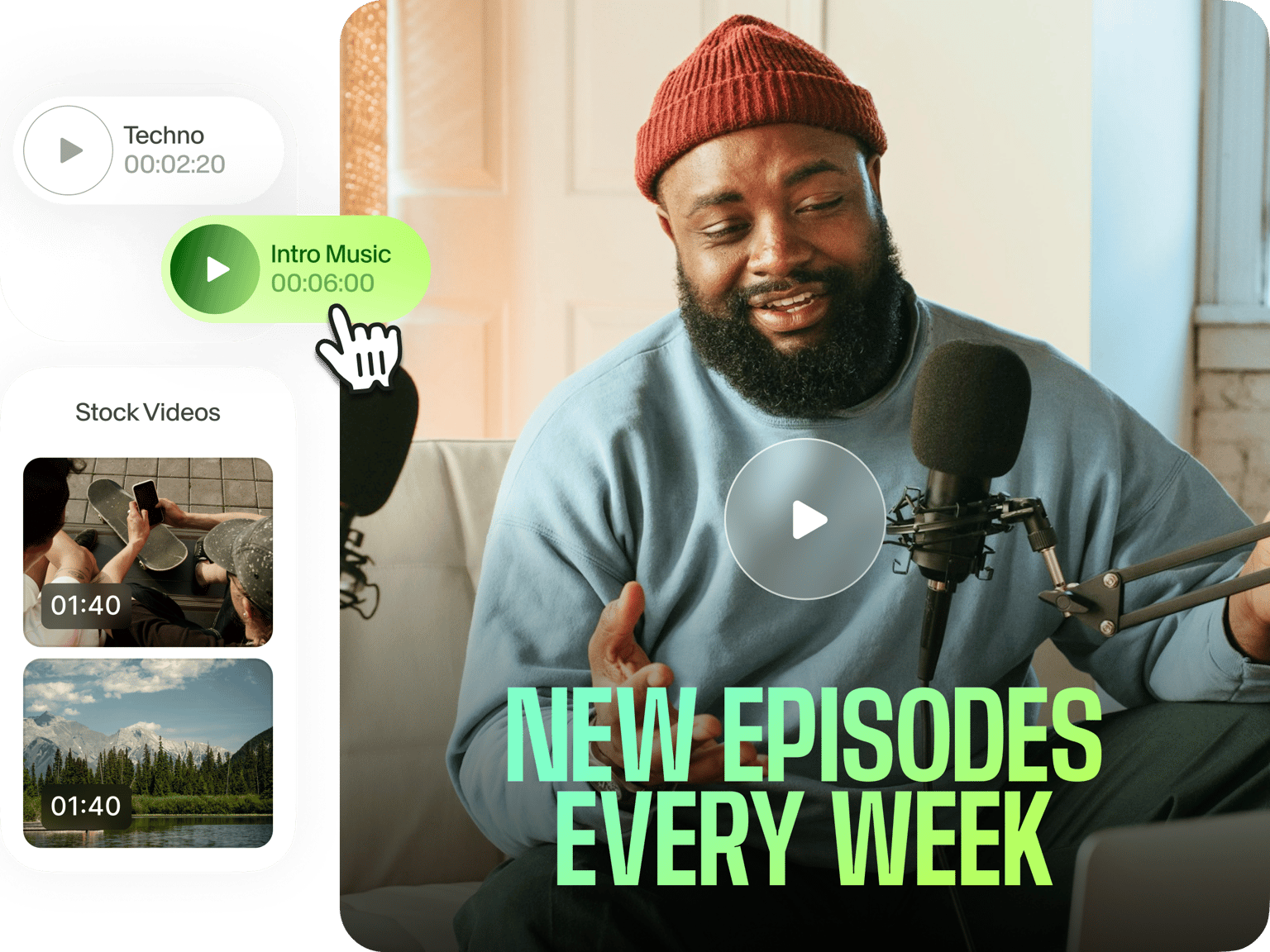
Make a professional podcast intro that grabs your viewers’ attention in the first few seconds. Our free podcast intro maker lets you create one in just a few clicks. And our brand kit lets you add your brand colors, fonts, and graphics, which you can apply across different videos. Give your content a professional edge while building brand recognition. If your podcast is only in audio format, you can also transform it into video to expand your reach to other platforms.
How to make a podcast intro video:
Step 01
Upload videos
Upload your intro recording and any podcast highlights you want to feature. You can drag and drop the files into the video editor.
Step 02
Create
Add eye-catching titles, transitions, and motion graphics. Incorporate background music, voiceovers, and other audio elements to set the perfect tone for your podcast.
Step 03
Export
Once you have the perfect intro, click ‘Download’ to export your video. Add it to your podcast recording, and hook your audience from the very first second!
Learn More
‘Podcast intro maker’ tutorial
Effortless podcast intro generator
Create podcast intro videos in a few clicks, free up time for conceptualizing and recording great podcast episodes. Have some background noise in your recording? With VEED, you can also quickly clean up your audio and achieve studio-quality sound with a click of a button.
Consistent branding across videos
Easily create animated logos with VEED — no advanced design or animation skills needed! We also have a brand kit feature, which lets you upload your graphics and use it across different projects. Stay on brand with consistent and polished graphics that make your videos stand out.
Wider reach by adapting audio to video
Looking to expand the reach of your audio-only podcast? VEED lets you transform recordings into dynamic videos in minutes. Add background art, sound waves, stock images, captions, and more. Repurpose your content for various platforms, including YouTube, Instagram, and TikTok.
FAQ
- First, create a new project in our video editor.
- Customize the text, font colors, and graphics to align the intro with your brand.
- Add your voice recording or use our text-to-speech tool to generate a professional-sounding voiceover.
- Finally, download your intro or add your podcast episode to your project before exporting.
Keep your intro between 15 seconds to 1 minute long. This is enough time to establish your podcast, introduce the hosts, and provide a quick synopsis of the episode without losing your audience's attention.
Beyond podcast intros, VEED lets you produce entire podcast episodes or promo videos easily. Enhance your videos with stock footage, images, or graphics to create a visually appealing experience for your viewers. You can also create a simple yet elegant podcast visualizer to complement your audio, making it more shareable on social media.
Use VEED's text-to-speech feature to generate natural-sounding AI voiceovers. Simply type in your script, choose a voice style that fits your podcast, and generate a voiceover. No need for expensive recording equipment or countless retakes.
Loved by creators.
Loved by the Fortune 500
“
With VEED I didn't need 15 tutorials - I jumped straight in and started editing.

Gwenne Wilcox
Founder,
Brand Brainery
“
You can go beyond choppping things. VEED actually makes my videos look great.

Michael Glover
Demand Gen Manager,
ConvertFlow
“
The first four videos i created with VEED got over 40,000 impressions on LinkedIn.

Travis Tyler
Senior Content Producer,
PandaDoc
“
I found VEED at the right time: if you're making UGC ads and not using Eye Contact Correction and Noise Reduction on VEED you're missing out on ROI.

Sebastian Schurgers
Head of Growth Marketing,
Gronda
“
With VEED I didn't need 15 tutorials - I jumped straight in and started editing.
Gwenne Wilcox
Founder,
Brand Brainery
“
You can go beyond choppping things. VEED actually makes my videos look great.
Michael Glover
Demand Gen Manager,
ConvertFlow
“
The first four videos i created with VEED got over 40,000 impressions on LinkedIn.
Travis Tyler
Senior Content Producer,
PandaDoc
“
I found VEED at the right time: if you're making UGC ads and not using Eye Contact Correction and Noise Reduction on VEED you're missing out on ROI.
Sebastian Schurgers
Head of Growth Marketing,
Gronda
“
The first four videos i created with VEED got over 40,000 impressions on LinkedIn.
Travis Tyler
Senior Content Producer,
PandaDoc
“
I found VEED at the right time: if you're making UGC ads and not using Eye Contact Correction and Noise Reduction on VEED you're missing out on ROI.
Sebastian Schurgers
Head of Growth Marketing,
Gronda
“
With VEED I didn't need 15 tutorials - I jumped straight in and started editing.
Gwenne Wilcox
Founder,
Brand Brainery
“
You can go beyond choppping things. VEED actually makes my videos look great.
Michael Glover
Demand Gen Manager,
ConvertFlow
Discover more
- 2D Intro Maker
- Anime Intro Maker
- Company Intro
- Cooking Intro
- DJ Intro Maker
- Dubstep Intro Maker
- Education Intro Maker
- Free video intro maker for Youtube
- Gaming Intro Maker
- Intro & Outro Maker
- Minecraft Intro Maker
- Movie Intro Maker
- Neon Intro
- News Intro Maker
- Sports Intro Maker
- Tech Intro
- TV Show Intro Maker
- Twitch Intro Maker
More from VEED

Podcasting 101: Everything you need to name, ideate, record, edit, and promote a podcast
A 5-step guide to start a podcast from generating a name to recording to promoting it.

How to Record a Google Meet Call (It’s Easier Than You Think)
Knowing how to record Google Meet calls can be a lifesaver, especially when you don't have the permissions to do so. Read on to learn how in this extensive guide.

How to Clean Up Audio in a Video With This One-Click Trick
Remove distracting background noises in a single click using VEED. Learn how in this guide!
Trusted by 1M+ creators
When it comes to amazing videos, all you need is VEED
No credit card required
More than a podcast intro maker
Create more than just podcast intros with VEED’s all-in-one video editor. Explore our other tools to take your podcast to the next level. Craft promo videos for social media, create explainer videos to dive deeper into your topics, and even auto-cut your recordings into YouTube shorts. With our diverse template library, you won’t have to create videos from scratch. Experience stress-free video editing; get started with VEED now for free!