


Trusted by 1M+ creators
AI Instructor
Create an AI instructor in minutes. Type your script and generate avatars for instructional videos
No credit card required
4.6
2,100+ reviews















Make engaging instructional videos with AI instructors
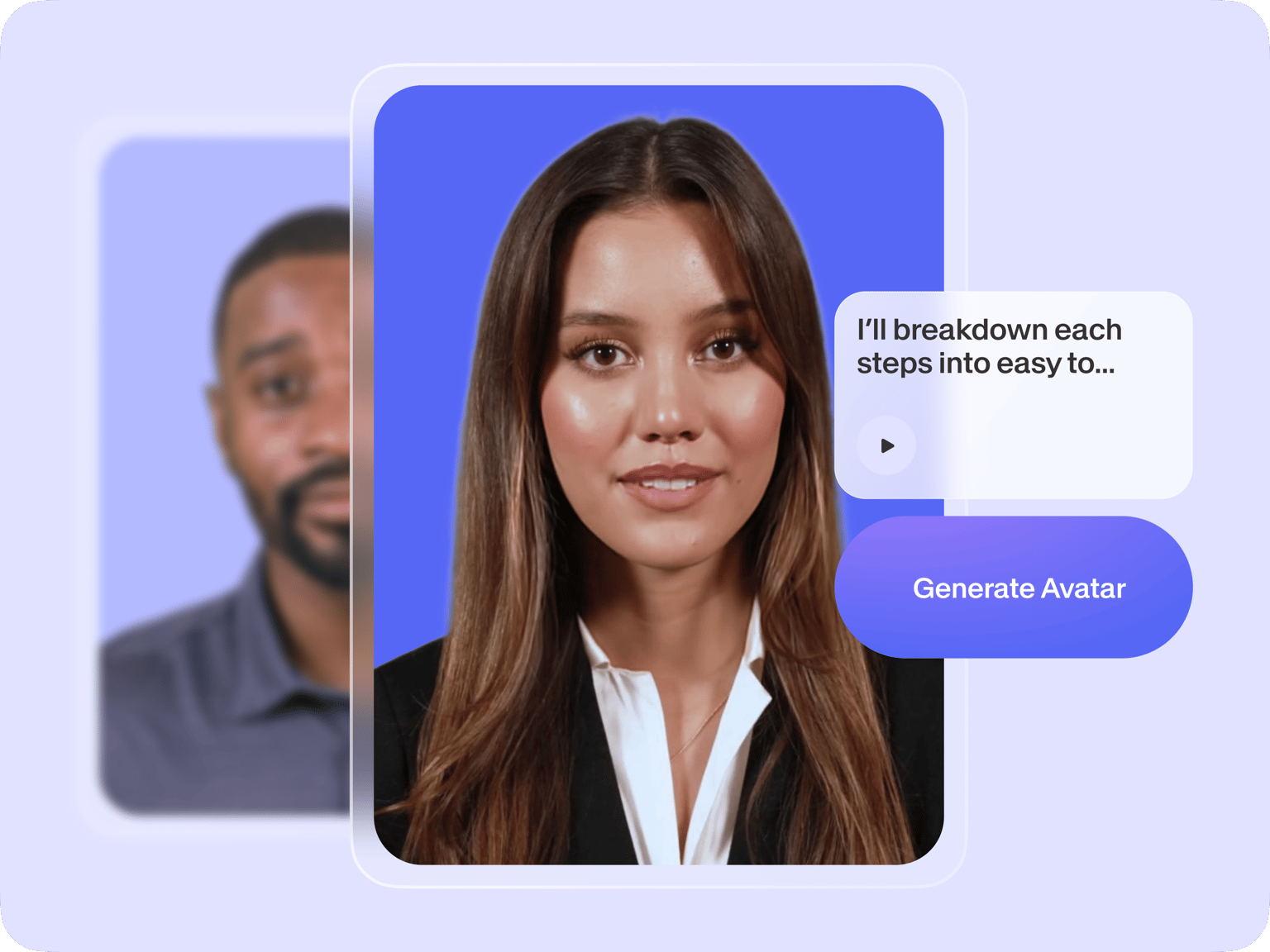
Our AI turns your script into realistic virtual instructors – no need to face a camera. Choose from 50+ preset characters or create an avatar that looks and sounds like you. Perfect for online courses, product demos, and employee training videos. Add subtitles, music, and footage to enhance your content. The text-to-speech avatars can speak multiple languages, helping you reach a wider audience effortlessly.
How to create a virtual instructor with AI:
Step 01
Choose an avatar
Choose from over 50 avatar presets with different styles, voices, and languages. You can also create a personal avatar that looks like yourself.
Step 02
Enter your script
Select a language and type your script. Our script generator can help you come up with the words. Generate a video and bring your AI instructor to life.
Step 03
Create instructional video
Enhance your video with text titles, subtitles, stock music, footage, and more. Our voice dubber lets you translate the audio into various languages.
Learn More
Learn how to make instructional videos with AI avatars:
Add lifelike AI instructors to your videos
Forget about dull text slides or endless screen recordings. Engage your audience with dynamic virtual presenters. Choose from our preset options or create an avatar that looks like you. Or turn your script into e-learning voiceovers. Share your expertise without the hassle of recording.
Auto-translate for multiple audiences
Select the language you want your AI instructor to speak. Plus, auto-generate subtitles in 120+ languages and choose a subtitle style that matches your brand. Make your instructional videos accessible to diverse audiences.
Explore more AI tools for pro-quality training videos
VEED helps you make great videos in minutes, whether you have a script or are starting with a blank page. Use text-to-video to create tutorial videos from text prompts. Or turn your script into a professional-sounding voiceover in your own voice. Our AI tools help you with every step of content creation.
FAQ
First, go to ‘AI Avatars’ under the Media section. Browse our stock avatars or create your own digital clone. Choose the language and type your script. Click ‘Generate Video’ to add your AI instructor to your training video or e-learning content. You can enhance your video with captions, stock footage, music, and more.
The AI avatar tool is free but with limited use. This lets you test the tool before upgrading to a paid subscription. Free users can also use our online video editor. For full details on features and limits, please visit our Pricing page.
Absolutely. Create a new project with or without your own footage. Then, you can:
- Add text, graphics, and stock animations from our library.
- Type your script and generate a talking avatar.
- Apply simple transitions and animation to static images.
All these tools are easy to use and accessible online. No need to download software.
Do not use the AI avatar generator to create harmful content, infringe any third-party rights, or defame anyone. Remember to tell anyone viewing your video that it is AI-generated. You can read the full terms here.
Loved by creators.
Loved by the Fortune 500
“
With VEED I didn't need 15 tutorials - I jumped straight in and started editing.

Gwenne Wilcox
Founder,
Brand Brainery
“
You can go beyond choppping things. VEED actually makes my videos look great.

Michael Glover
Demand Gen Manager,
ConvertFlow
“
The first four videos i created with VEED got over 40,000 impressions on LinkedIn.

Travis Tyler
Senior Content Producer,
PandaDoc
“
I found VEED at the right time: if you're making UGC ads and not using Eye Contact Correction and Noise Reduction on VEED you're missing out on ROI.

Sebastian Schurgers
Head of Growth Marketing,
Gronda
“
With VEED I didn't need 15 tutorials - I jumped straight in and started editing.
Gwenne Wilcox
Founder,
Brand Brainery
“
You can go beyond choppping things. VEED actually makes my videos look great.
Michael Glover
Demand Gen Manager,
ConvertFlow
“
The first four videos i created with VEED got over 40,000 impressions on LinkedIn.
Travis Tyler
Senior Content Producer,
PandaDoc
“
I found VEED at the right time: if you're making UGC ads and not using Eye Contact Correction and Noise Reduction on VEED you're missing out on ROI.
Sebastian Schurgers
Head of Growth Marketing,
Gronda
“
The first four videos i created with VEED got over 40,000 impressions on LinkedIn.
Travis Tyler
Senior Content Producer,
PandaDoc
“
I found VEED at the right time: if you're making UGC ads and not using Eye Contact Correction and Noise Reduction on VEED you're missing out on ROI.
Sebastian Schurgers
Head of Growth Marketing,
Gronda
“
With VEED I didn't need 15 tutorials - I jumped straight in and started editing.
Gwenne Wilcox
Founder,
Brand Brainery
“
You can go beyond choppping things. VEED actually makes my videos look great.
Michael Glover
Demand Gen Manager,
ConvertFlow
Discover more
- AI Actor
- AI Character Generator
- AI Influencer
- AI News Anchor
- AI Presenter
- AI Spokesperson
- AI Training Videos
- AI Tutor
- AI Tutorial Maker
- AI Twin
- Avatar Editor
- Avatar Maker
- Avatar Yourself
- Create a Person
- Digital Avatar
- Digital Human Creator
- Instant Avatar
- Interactive Avatar
- Make Your Own Character
- Metahuman Creator Online
- Streaming Avatar
- TikTok Avatar Maker
- Virtual Person
- VTuber Maker
Explore related tools
More from VEED

13 Effective How-To Videos (and Why They Work)
If you’re looking for inspiration to create your next how-to video, you’re in the right place. We’ve collected 12 effective how-to videos and analyzed them to see why they work.

Best AI Avatar Generators in 2026 (The Only List You'll Need)
Searching for the best AI avatar generator? We got you. Check out this expert round-up of the must-try generators out there.

8+ Best AI Voice Generators to Try in 2026
Searching for the best AI voice generator? We tested the top ones so you don't have to. Check out our comprehensive reviews of the best AI voice generators in this listicle.
Trusted by 1M+ creators
When it comes to amazing videos, all you need is VEED
No credit card required
More than instructional videos
VEED gives you many ways to create engaging and informative content. Have a long-form training video? Our AI clip generator automatically extracts key points, turning your longer tutorials into short, easy-to-watch segments. Beyond instructional videos, you can make other content like social media posts and student testimonials. Our all-in-one video editor helps you do it all. Try VEED now. Make professional-quality videos in a few clicks.