


Trusted by 1M+ creators
Infomercial Template
Create informative videos using infomercial templates. Add background music, text, and subtitles
No credit card required
4.6
2,100+ reviews















Create impactful infomercials with customizable templates
Our video maker’s snap-to-grid and drag-and-drop interface lets you effortlessly create impactful and engaging infomercial videos. Easily customize templates for TV commercials and social media marketing videos. Add product images, brand logos, text, and CTAs, and stitch them together creatively to present your products and services.
Tools you can use to create infomercial videos:
Step 01
Add text, images, music, and voiceovers
Add text and product images and animate them. You can also add music from our stock library. Use our AI text-to-speech tool to convert text into voiceovers.
Step 02
Use an AI avatar to present your ad
Select from over 50 AI avatar presets with diverse backgrounds, personalities, and voices to present your products and services.
Step 03
Start with a template, use magic cut, and add a CTA
Do a quick start with one of our customizable video templates. Or upload your raw video and let our AI magic cut tool enhance your footage. Add CTAs and other elements in one click!
Learn More
Learn more about creating infomercials in this video:
Transform your ideas into powerful informative visuals
VEED’s easy-to-use video maker toolkit helps you transform your ideas into compelling visuals that inform, educate, and effectively convert viewers into customers. You can also save your video as a custom template so you can quickly reproduce them. Custom video templates are available to our premium subscribers. Check our pricing page for more info.
Create multiple pieces of content quickly with AI
Use our AI tools to simplify your content creation process. Let an AI avatar present your products and services. VEED features over 50 avatar presets with diverse personalities, backgrounds, and styles. Convert text to voiceover in seconds. You can also remove background noise from your recordings in one click.
Increase your reach with accessible videos
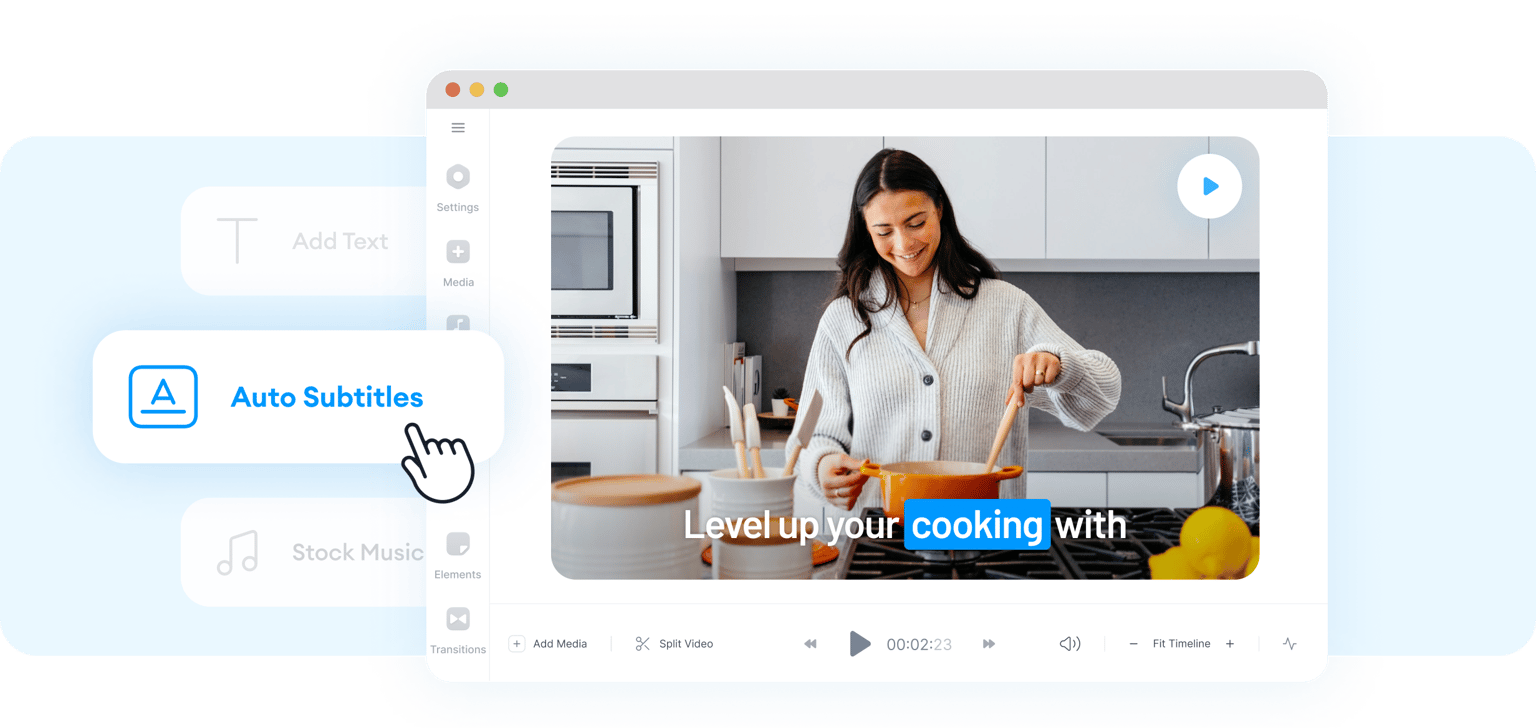
Our AI-powered caption generator lets you instantly add subtitles to your videos so you can reach a wider audience. Capture viewers who prefer watching videos without sound. It’s also an effective marketing strategy that can put your content on top of search results. Translate videos to multiple languages instantly and unlock a global market.
FAQ
While there are many video editing apps that allow you to create infomercial videos online, VEED stands out because of its intuitive Timeline and drag-and-drop interface. You can create promo videos and video ads in a matter of minutes, saving you hours and money in video production. Plus, you will have access to tools like our auto-subtitle generator, instant translations, and a wide range of AI features. Clean your audio in one click, remove your video’s background, and more.
It’s important to tailor your marketing videos to your target audience. Identify who they are and make sure to address their pain points. Focus on the first few seconds of your video and ensure that it’s providing the most important information. Above all, ensure that your video is of the highest quality. VEED gives you all the tools you need to achieve all that. Our video editing software makes marketing video creation pain-free!
Absolutely! VEED lets you add logos and even animate them to make them more prominent. You can also add your brand colors, custom fonts, and more.
Our premium subscribers get access to our full library of royalty-free stock videos and audio. Check our pricing page for more info.
Loved by creators.
Loved by the Fortune 500
“
With VEED I didn't need 15 tutorials - I jumped straight in and started editing.

Gwenne Wilcox
Founder,
Brand Brainery
“
You can go beyond choppping things. VEED actually makes my videos look great.

Michael Glover
Demand Gen Manager,
ConvertFlow
“
The first four videos i created with VEED got over 40,000 impressions on LinkedIn.

Travis Tyler
Senior Content Producer,
PandaDoc
“
I found VEED at the right time: if you're making UGC ads and not using Eye Contact Correction and Noise Reduction on VEED you're missing out on ROI.

Sebastian Schurgers
Head of Growth Marketing,
Gronda
“
With VEED I didn't need 15 tutorials - I jumped straight in and started editing.
Gwenne Wilcox
Founder,
Brand Brainery
“
You can go beyond choppping things. VEED actually makes my videos look great.
Michael Glover
Demand Gen Manager,
ConvertFlow
“
The first four videos i created with VEED got over 40,000 impressions on LinkedIn.
Travis Tyler
Senior Content Producer,
PandaDoc
“
I found VEED at the right time: if you're making UGC ads and not using Eye Contact Correction and Noise Reduction on VEED you're missing out on ROI.
Sebastian Schurgers
Head of Growth Marketing,
Gronda
“
The first four videos i created with VEED got over 40,000 impressions on LinkedIn.
Travis Tyler
Senior Content Producer,
PandaDoc
“
I found VEED at the right time: if you're making UGC ads and not using Eye Contact Correction and Noise Reduction on VEED you're missing out on ROI.
Sebastian Schurgers
Head of Growth Marketing,
Gronda
“
With VEED I didn't need 15 tutorials - I jumped straight in and started editing.
Gwenne Wilcox
Founder,
Brand Brainery
“
You can go beyond choppping things. VEED actually makes my videos look great.
Michael Glover
Demand Gen Manager,
ConvertFlow
Discover more
More from VEED

How to Make a Reel on Instagram (Like a Pro)
Learn how to make a reel on Instagram with our step-by-step guide. Create engaging reels that captivate, entertain, and boost your brand.
.png)
How to Make Reels with Photos for Instagram (2026 Guide)
Learn how to easily make reels with photos that your Instagram followers will love.

Best Aspect Ratios for Videos: The Only Guide You’ll Ever Need
Searching for the best aspect ratio for video? Read to learn what aspect ratios are, how they impact the viewing experience, and the best ratio for video.
Trusted by 1M+ creators
When it comes to amazing videos, all you need is VEED
No credit card required
Customizable infomercial templates, background music, and more
With VEED, creating infomercial videos is pain-free. But it’s only one of the awesome features of our powerful video editing software. Record videos and audio from your browser using our webcam recorder, remove and replace your video’s background instantly, remove filler words from your recordings, and more. Explore our full suite of tools today!