


Trusted by 1M+ creators
Twitch Intro Maker
Easy-to-use Twitch intro maker and video editor for streamers and content creators
No credit card required
4.6
2,100+ reviews















Create Twitch intro videos for your streaming channel
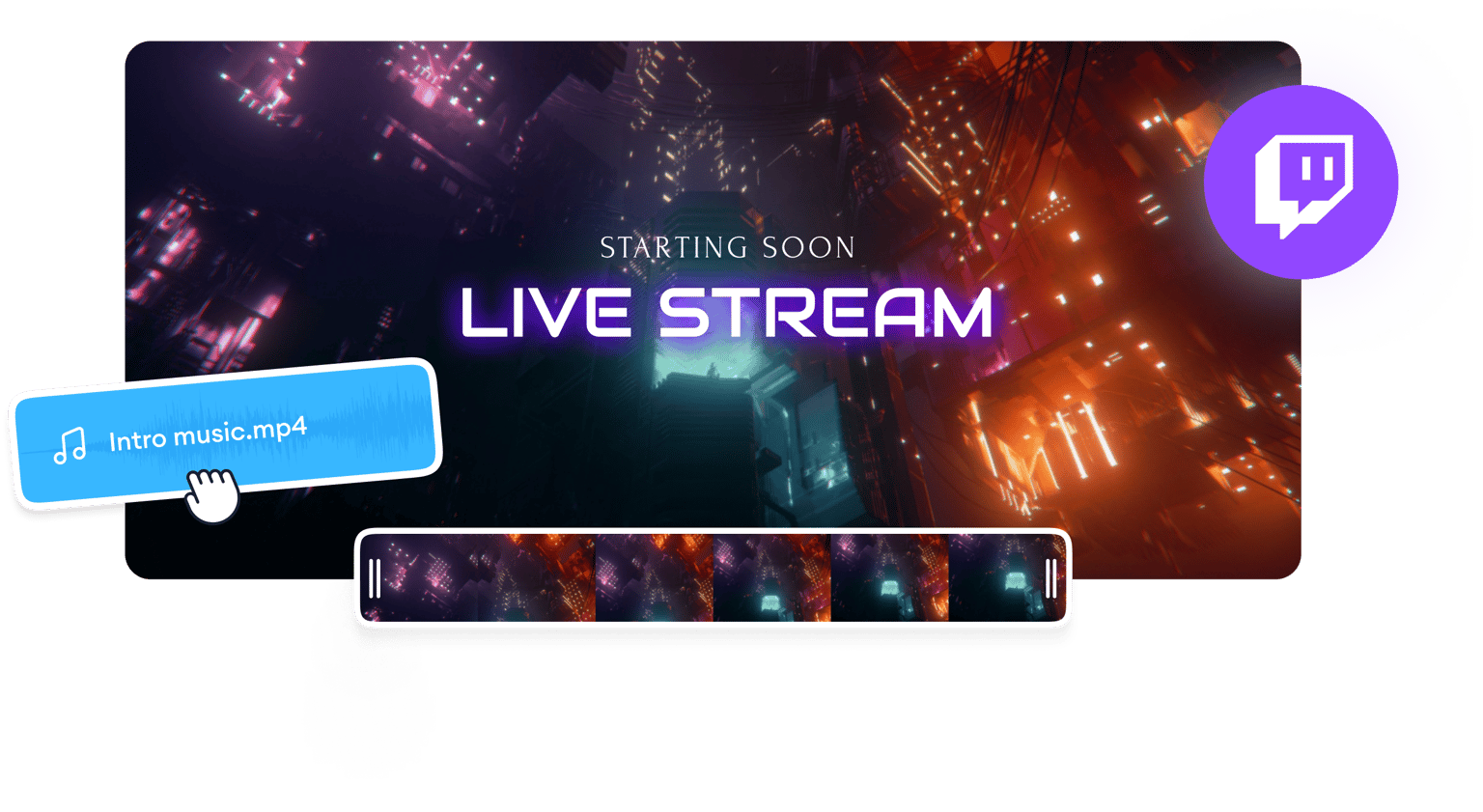
Create intro videos for your Twitch channel in a few clicks with VEED’s professional video maker and editor. With our snap-to-grid timeline, you can spend more time polishing your Twitch and YouTube videos instead of figuring out complex tools. Plus, you can choose from our wide selection of Twitch intro templates so you don’t need to start from scratch!
How to create a Twitch intro video:
Step 01
Upload, record, or choose an intro template
Upload your video to VEED’s super-fast servers. Or record one using our webcam recorder. You can also start with an intro video template.
Step 02
Create your intro
VEED features a wide selection of professional video editing tools that you can use to create intro videos. You can add animations from our stock library, add sound effects, background music, animated text, subtitles, and more!
Step 03
Share with your fans
Export your video in the best quality—VEED lets you export up to 4K video quality. Post your video on your Twitch channel and cross-post to other video-sharing and social media platforms.
Learn More
Watch this to learn more about our intro video maker:
Easily add animations to your Twitch intro videos
With our ever-growing library of stock audio and videos, you can add animated clips for your Twitch intro video. You can also animate images, subtitles, text, and other elements. Make your Twitch intro video pop! Our premium subscribers get full access to our royalty-free stock library. Check our pricing page for more info.
Customize video templates in a snap
VEED offers various intro video templates that you can use to create your Twitch intro video. Our intro templates are highly customizable. Add your logo or branding images, fonts, and colors. This is crucial in creating brand awareness campaigns on social media. You can also animate your logo to make sure it gets noticed!
Resize and repurpose your videos for social media
Promote your Twitch channel and get even more subscribers by optimizing your videos for different video-sharing and social media platforms. Use our presets to resize your video instantly or do it manually by adjusting the size from the settings. Create custom video templates so you can reproduce and edit videos for different platforms in a breeze.
FAQ
You can start with an intro template—VEED offers a huge range of video templates you can use to create different intro videos. Or use our complete suite of professional video editing tools to create one from scratch. Add royalty-free audio and video clips from our stock library and more!
VEED lets you create Twitch gaming intro videos for free. You can remove the VEED watermark by subscribing to our premium plans. Check our pricing page for more info.
With VEED, you can create your gaming intro video for your Twitch channel straight from your browser. You can access your projects from any device.
Creating an intro video for your Twitch gaming channel is one of the best and easiest ways to get more subscribers. It will entice people to click on your videos and watch them!
Loved by creators.
Loved by the Fortune 500
“
With VEED I didn't need 15 tutorials - I jumped straight in and started editing.

Gwenne Wilcox
Founder,
Brand Brainery
“
You can go beyond choppping things. VEED actually makes my videos look great.

Michael Glover
Demand Gen Manager,
ConvertFlow
“
The first four videos i created with VEED got over 40,000 impressions on LinkedIn.

Travis Tyler
Senior Content Producer,
PandaDoc
“
I found VEED at the right time: if you're making UGC ads and not using Eye Contact Correction and Noise Reduction on VEED you're missing out on ROI.

Sebastian Schurgers
Head of Growth Marketing,
Gronda
“
With VEED I didn't need 15 tutorials - I jumped straight in and started editing.
Gwenne Wilcox
Founder,
Brand Brainery
“
You can go beyond choppping things. VEED actually makes my videos look great.
Michael Glover
Demand Gen Manager,
ConvertFlow
“
The first four videos i created with VEED got over 40,000 impressions on LinkedIn.
Travis Tyler
Senior Content Producer,
PandaDoc
“
I found VEED at the right time: if you're making UGC ads and not using Eye Contact Correction and Noise Reduction on VEED you're missing out on ROI.
Sebastian Schurgers
Head of Growth Marketing,
Gronda
“
The first four videos i created with VEED got over 40,000 impressions on LinkedIn.
Travis Tyler
Senior Content Producer,
PandaDoc
“
I found VEED at the right time: if you're making UGC ads and not using Eye Contact Correction and Noise Reduction on VEED you're missing out on ROI.
Sebastian Schurgers
Head of Growth Marketing,
Gronda
“
With VEED I didn't need 15 tutorials - I jumped straight in and started editing.
Gwenne Wilcox
Founder,
Brand Brainery
“
You can go beyond choppping things. VEED actually makes my videos look great.
Michael Glover
Demand Gen Manager,
ConvertFlow
Discover more
- 2D Intro Maker
- Anime Intro Maker
- Company Intro
- Cooking Intro
- DJ Intro Maker
- Dubstep Intro Maker
- Education Intro Maker
- Free video intro maker for Youtube
- Gaming Intro Maker
- Intro & Outro Maker
- Minecraft Intro Maker
- Movie Intro Maker
- Neon Intro
- News Intro Maker
- Podcast Intro Maker
- Sports Intro Maker
- Tech Intro
- TV Show Intro Maker
More from VEED
How to add text to a video in iMovie
If your just getting started editing videos, iMovie is a great place to start! But adding text to a video in iMovie is unfortunately a little bit limited and harder than it should be. In this post I am going to teach how to do this using just iMove.
.png)
How to Make Reels with Photos for Instagram (2026 Guide)
Learn how to easily make reels with photos that your Instagram followers will love.

Facebook Video Ads Size Guide [All Video Ad Types Included]
Not sure about the size of your Facebook video ad? Learn about all the different specs you need to know in this handy guide.
Trusted by 1M+ creators
When it comes to amazing videos, all you need is VEED
No credit card required
More than a Twitch intro maker
VEED is so much more than a Twitch intro maker. It’s a professional all-in-one video editing software that lets you create multiple video content for all your social media pages quickly and without the learning curve. With fast rendering times, absolutely no ads, and an intuitive editor timeline, you can spend your valuable time creating your best work instead of getting frustrated with tools that keep on crashing. Try VEED today and start growing your following by creating and sharing amazing video content!