


Trusted by 1M+ creators
Instagram Animation
Create animated clips from animated Instagram templates and stock videos. Use VEED’s Instagram animation maker
No credit card required
4.6
2,100+ reviews















Create engaging animated Instagram videos
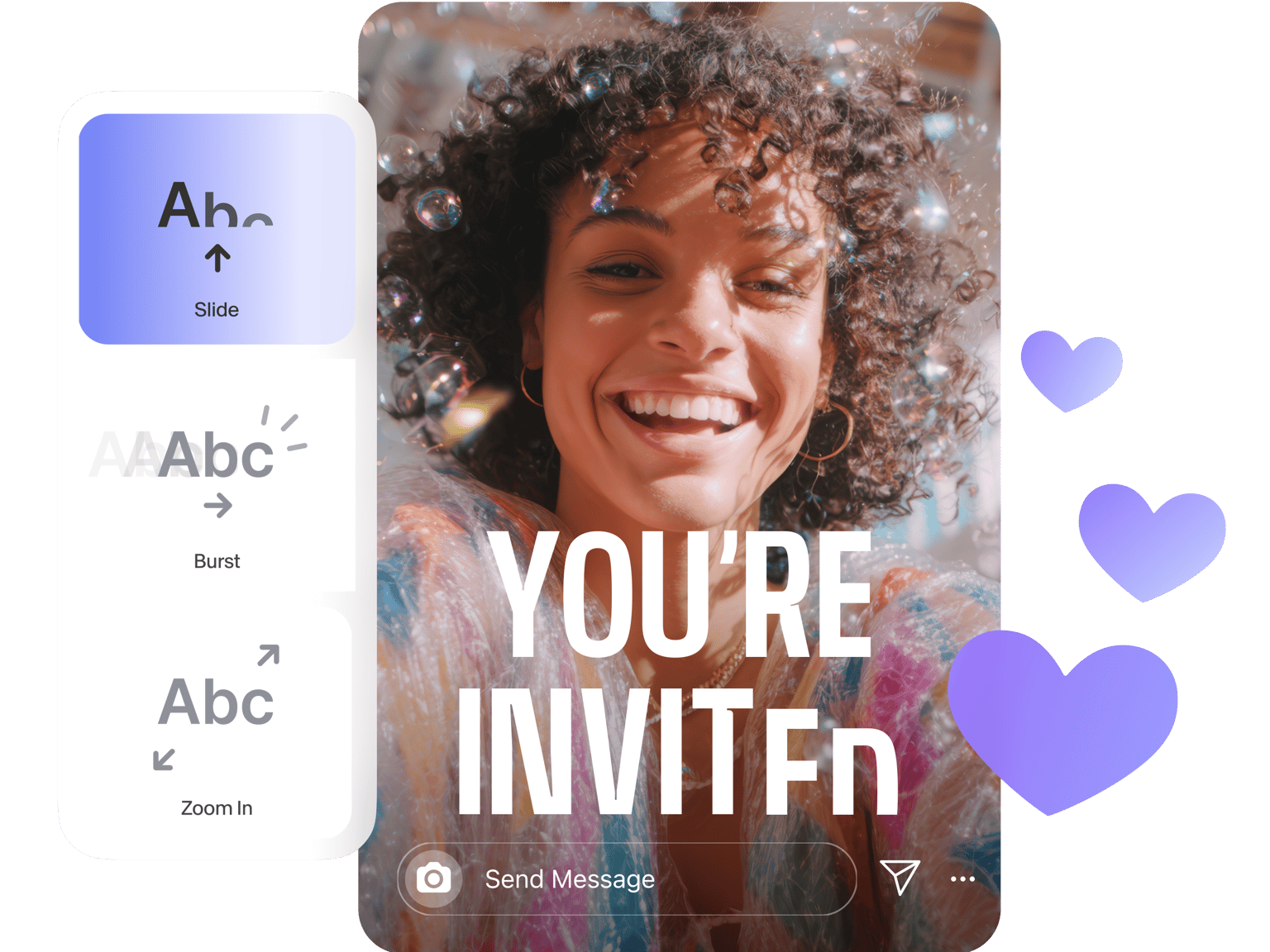
Use VEED’s animation maker to create engaging and powerful animated Instagram videos. Whether you're a professional social media marketer or a content creator, our animation maker empowers you to craft cool and engaging animated clips online with ease. Animate text, logos, and graphics to create eye-catching motion graphic effects.
How to use VEED’s Instagram animation maker:
Step 01
Select from our stock library
Search for “animation” on VEED’s stock media selection. You can also type specific videos you’re looking for, like “animated dog.” You can add as many clips as you want!
Step 02
Animate elements
Edit your clips to create the perfect animated video. You can add text and animate it; add shapes, animated stickers, animated music visualizers, and more.
Step 03
Share
Click on Export. Download your video or share directly on different Instagram platforms!
Learn More
Walkthrough of our Instagram animation maker:
Engage with your Instagram network
Make animated video clips for your Instagram stories and Instagram campaigns that keep your audience hooked and boost viewer engagement. With VEED, you don't need any design experience.
Video content creation in a cinch
VEED's Instagram animation maker simplifies the animation process, allowing you to effortlessly compile animated characters using templates and stock media. Choose from a variety of video templates, or upload your own footage to personalize your animations.
Add a personalized touch
Customize your animations by adding your own videos and text. You can use VEED’s AI tools to generate a script and add voiceover. Enhance your video content, presentations, Instagram posts, and more, making them stand out and leave a lasting impression.
FAQ
There are plenty of video editors out there that allow you to create your own animations. However, VEED stands out because of its endless personalization features. Plus, you can do it all in just a few clicks.
VEED is compatible with iPhone, Android, and all mobile devices. Just go to VEED on your mobile browser and start editing your video!
Absolutely! You can use our Brand Kit to add your logo, fonts, and more. Add animations by clicking on those elements and then “animation.” Choose from our super cool animation effects.
Adding a filter, funny emoji, cute sticker, and some text can go a long way in making your videos look cool!
Loved by creators.
Loved by the Fortune 500
“
With VEED I didn't need 15 tutorials - I jumped straight in and started editing.

Gwenne Wilcox
Founder,
Brand Brainery
“
You can go beyond choppping things. VEED actually makes my videos look great.

Michael Glover
Demand Gen Manager,
ConvertFlow
“
The first four videos i created with VEED got over 40,000 impressions on LinkedIn.

Travis Tyler
Senior Content Producer,
PandaDoc
“
I found VEED at the right time: if you're making UGC ads and not using Eye Contact Correction and Noise Reduction on VEED you're missing out on ROI.

Sebastian Schurgers
Head of Growth Marketing,
Gronda
“
With VEED I didn't need 15 tutorials - I jumped straight in and started editing.
Gwenne Wilcox
Founder,
Brand Brainery
“
You can go beyond choppping things. VEED actually makes my videos look great.
Michael Glover
Demand Gen Manager,
ConvertFlow
“
The first four videos i created with VEED got over 40,000 impressions on LinkedIn.
Travis Tyler
Senior Content Producer,
PandaDoc
“
I found VEED at the right time: if you're making UGC ads and not using Eye Contact Correction and Noise Reduction on VEED you're missing out on ROI.
Sebastian Schurgers
Head of Growth Marketing,
Gronda
“
The first four videos i created with VEED got over 40,000 impressions on LinkedIn.
Travis Tyler
Senior Content Producer,
PandaDoc
“
I found VEED at the right time: if you're making UGC ads and not using Eye Contact Correction and Noise Reduction on VEED you're missing out on ROI.
Sebastian Schurgers
Head of Growth Marketing,
Gronda
“
With VEED I didn't need 15 tutorials - I jumped straight in and started editing.
Gwenne Wilcox
Founder,
Brand Brainery
“
You can go beyond choppping things. VEED actually makes my videos look great.
Michael Glover
Demand Gen Manager,
ConvertFlow
Discover more
More from VEED
How to add text to a video in iMovie
If your just getting started editing videos, iMovie is a great place to start! But adding text to a video in iMovie is unfortunately a little bit limited and harder than it should be. In this post I am going to teach how to do this using just iMove.
.png)
How to Make Reels with Photos for Instagram (2026 Guide)
Learn how to easily make reels with photos that your Instagram followers will love.

Facebook Video Ads Size Guide [All Video Ad Types Included]
Not sure about the size of your Facebook video ad? Learn about all the different specs you need to know in this handy guide.
Trusted by 1M+ creators
When it comes to amazing videos, all you need is VEED
No credit card required
Instagram animation, graphics, elements, and more!
VEED is a comprehensive and incredibly easy-to-use AI video editing software that allows you to do so much more than just animating text. You can add other personalized elements such as logos, stickers, images, and more. It is also a complete video editor. You can change your video settings to fit any Instagram platform; resize your video, crop, flip, and rotate it.Try our transcription and video editing app today!