


Trusted by 1M+ creators
AI Clip Generator
Clip maker AI that extracts viral-worthy clips from your videos. Try for free
No credit card required
4.6
2,100+ reviews















Create viral video clips in minutes
Turn your podcasts, webinars, and long videos into scroll-stopping clips — or create AI video clips from scratch. Simply upload your video or describe your clip idea. Our free AI clip generator and video clip generator handle the rest automatically. Create clips for Reels, YouTube Shorts, and TikToks in minutes.
Skip the manual editing and endless scrubbing through footage. Tell our AI what topics to highlight from existing content. Beyond clip creation, our auto-editing technology handles silence removal and filler word cutting. Plus, it generates dynamic captions to make your content stand out.
How to make clips with our AI video cutter:
Step 01
Upload video and set preferences
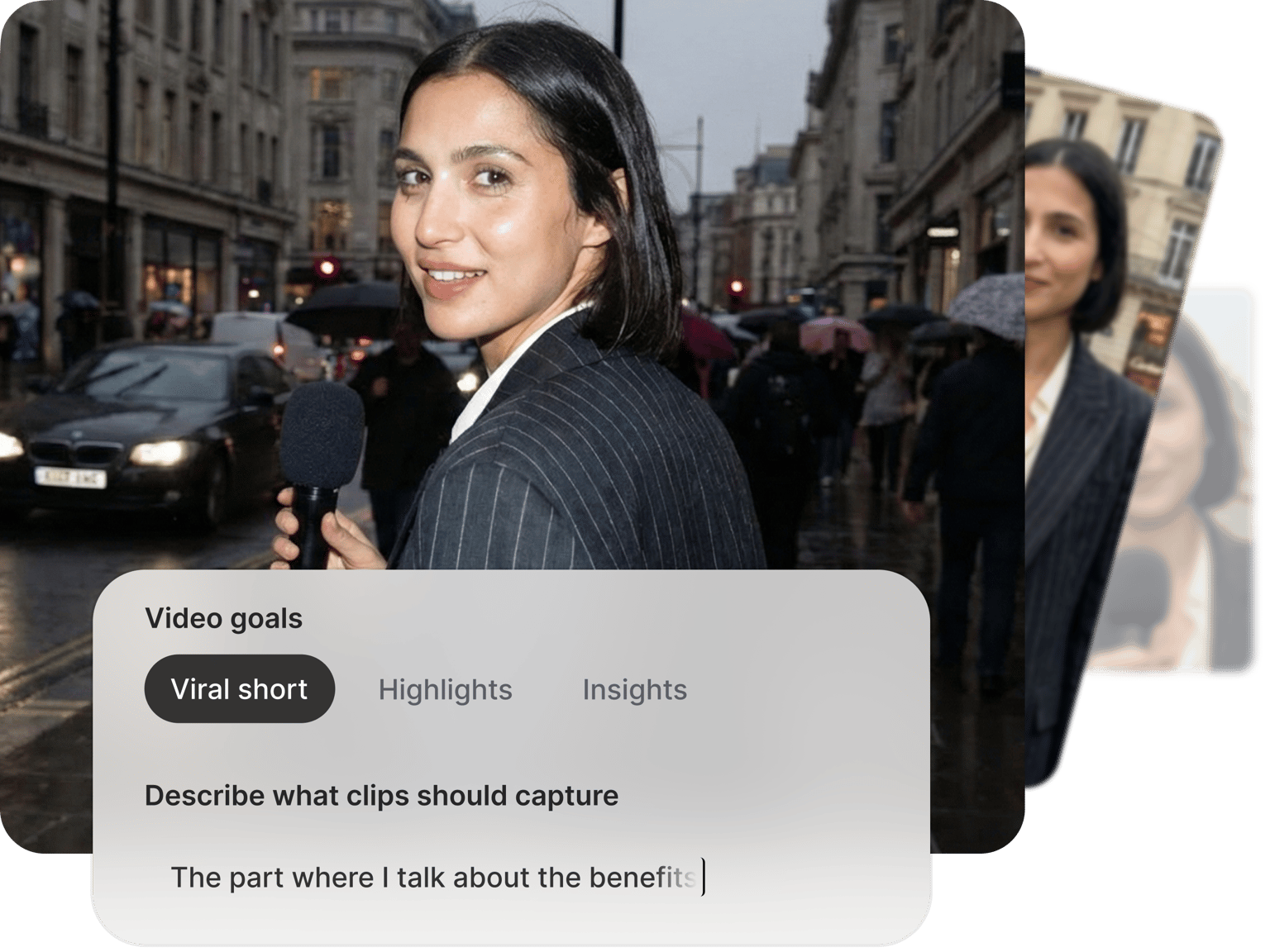
Import your long-form content. Customize your clip settings, including video format, length, and caption style. You can also enter a prompt to guide the AI toward specific moments you want to extract.
Step 02
Create clips from your video
Our AI video clip maker analyzes your video to identify compelling quotes and content patterns that perform well on social media. Perfect for YouTube Shorts, Instagram Reels, and TikTok content.
Step 03
Enhance and download clips
Preview your clips and make adjustments using our transcript-based editor — extend clips by highlighting additional sentences or trim by removing text. Export your AI clips, or keep editing to add B-roll images, background music, and your logo.
Learn More
Watch this AI clip generator walkthrough:
Clip maker that turns long videos into shareable clips
No need to scrub through hours of footage. Our AI clip maker extracts the best segments from your long-form content. Create clips and YouTube shorts faster with AI. Whether you need viral clips or insightful snippets, our AI short clip maker speeds up your production.
Best AI clip generator with intelligent automation
Unlike basic AI clip tools, VEED's AI automatically analyzes your content for flow, impact, clarity, and relevance to help you identify clips with viral potential. Our scoring system makes clip selection more efficient. The final choice of what resonates with your audience is always yours. Personalize your clips with custom caption fonts, logos, and stock music to match your brand.
Create clips from ideas or scripts
Need to create AI clips from scratch? Generate clips just by typing prompts. Our text-to-video clip generator turns your text prompts into videos with footage and narration. Perfect for explainer videos and product demos. You can also create lifelike AI avatars or clone your voice to personalize your content.
FAQ
Upload your video, set your clip preferences, and let our clip maker analyze the content. The tool extracts engaging moments and creates video clips ready for social platforms.
VEED is one of the fastest ways to create clips from webinar recordings. Upload your webinar, set your clip length and format, and our AI generates ready-to-share clips. The transcript-based editor makes it easy to fine-tune any clip by editing text. From upload to export, you can be done in 5-10 minutes.
The AI requires videos with spoken dialogue to identify engaging moments. It works with podcasts, webinars, training videos, interviews, educational content, and any other video where people are speaking.
Create video clips for multiple platforms and purposes:
- YouTube Shorts and TikTok videos for social growth
- Instagram Reels for brand awareness
- Podcast highlights for audience engagement
- Product demo clips and promotional teasers for marketing
- Educational clips for employee training
Each generated clip receives scores for Flow, Impact, Clarity, and Relevance (rated out of 10). These metrics help you identify which clips are most likely to perform well with your audience.
Yes. Customize fonts, colors, and styles to match your branding. Paid users can save their subtitle styles to a brand kit for consistent visuals across all projects. You can also load a clip in our editor to add your logo and other custom assets.
Our AI clip generator is free to try. You can upgrade to a Pro plan for full access to the clip generator, our AI creation tools, and watermark-free exports.
Loved by creators.
Loved by the Fortune 500
“
With VEED I didn't need 15 tutorials - I jumped straight in and started editing.

Gwenne Wilcox
Founder,
Brand Brainery
“
You can go beyond choppping things. VEED actually makes my videos look great.

Michael Glover
Demand Gen Manager,
ConvertFlow
“
The first four videos i created with VEED got over 40,000 impressions on LinkedIn.

Travis Tyler
Senior Content Producer,
PandaDoc
“
I found VEED at the right time: if you're making UGC ads and not using Eye Contact Correction and Noise Reduction on VEED you're missing out on ROI.

Sebastian Schurgers
Head of Growth Marketing,
Gronda
“
With VEED I didn't need 15 tutorials - I jumped straight in and started editing.
Gwenne Wilcox
Founder,
Brand Brainery
“
You can go beyond choppping things. VEED actually makes my videos look great.
Michael Glover
Demand Gen Manager,
ConvertFlow
“
The first four videos i created with VEED got over 40,000 impressions on LinkedIn.
Travis Tyler
Senior Content Producer,
PandaDoc
“
I found VEED at the right time: if you're making UGC ads and not using Eye Contact Correction and Noise Reduction on VEED you're missing out on ROI.
Sebastian Schurgers
Head of Growth Marketing,
Gronda
“
The first four videos i created with VEED got over 40,000 impressions on LinkedIn.
Travis Tyler
Senior Content Producer,
PandaDoc
“
I found VEED at the right time: if you're making UGC ads and not using Eye Contact Correction and Noise Reduction on VEED you're missing out on ROI.
Sebastian Schurgers
Head of Growth Marketing,
Gronda
“
With VEED I didn't need 15 tutorials - I jumped straight in and started editing.
Gwenne Wilcox
Founder,
Brand Brainery
“
You can go beyond choppping things. VEED actually makes my videos look great.
Michael Glover
Demand Gen Manager,
ConvertFlow
Discover more
- AI Content Generator for YouTube
- AI Gaming Clip Maker
- AI Podcast Clip Generator
- AI Podcast Editing
- AI Podcast Generator
- AI Product Video Generator
- AI Shorts
- AI Video Clip Generator
- AI Video Clipper
- AI Video Marketing
- AI Viral Clip Maker
- Automatic Clip Maker
- Image Sequence to Video
- Jump Cut Video
- Long Video to Short Video AI
- Product Video Maker
- Short Form Video Editor
- TikTok Clip Maker
- Twitch Clip Maker
- Twitch Clipper
- Video Automation Software
- Video Clipping Services
- Video Editing Services
- YouTube Video Editing Services
Explore related tools
More from VEED

The Best OpusClip Alternative of All Time
Searching for a reliable OpusClip alternative? VEED Clips offers more than just content repurposing. Read on to learn more.

VEED Clips: Instant Repurposing for Social Media, Powered by Sieve
Built by VEED and powered by Sieve, Clips uses AI to create engaging video clips from long-form content. Learn more about this partnership in this post.

Beyond Likes and Shares: Building a Social Media Strategy That Grows Your Business
So you’re posting regularly, maybe a few times a week. But without a solid social media strategy, even your best content efforts can feel like shouting into the void.
Trusted by 1M+ creators
When it comes to amazing videos, all you need is VEED
No credit card required
More than an AI video clip generator
VEED is an AI video creation platform where you can generate, enhance, and repurpose videos all in one workflow. Turn long recordings into social clips, generate new videos from text, or polish existing footage — all without switching tools. Marketers use VEED to make video that looks like their brand made it, not AI. Sign up now to get started. Download the VEED mobile app on iOS.