


Trusted by 1M+ creators
AI Image Resizer
Resize images without losing quality. Scale photos to exact dimensions for any platform
No credit card required
4.6
2,100+ reviews















Resize images without losing quality
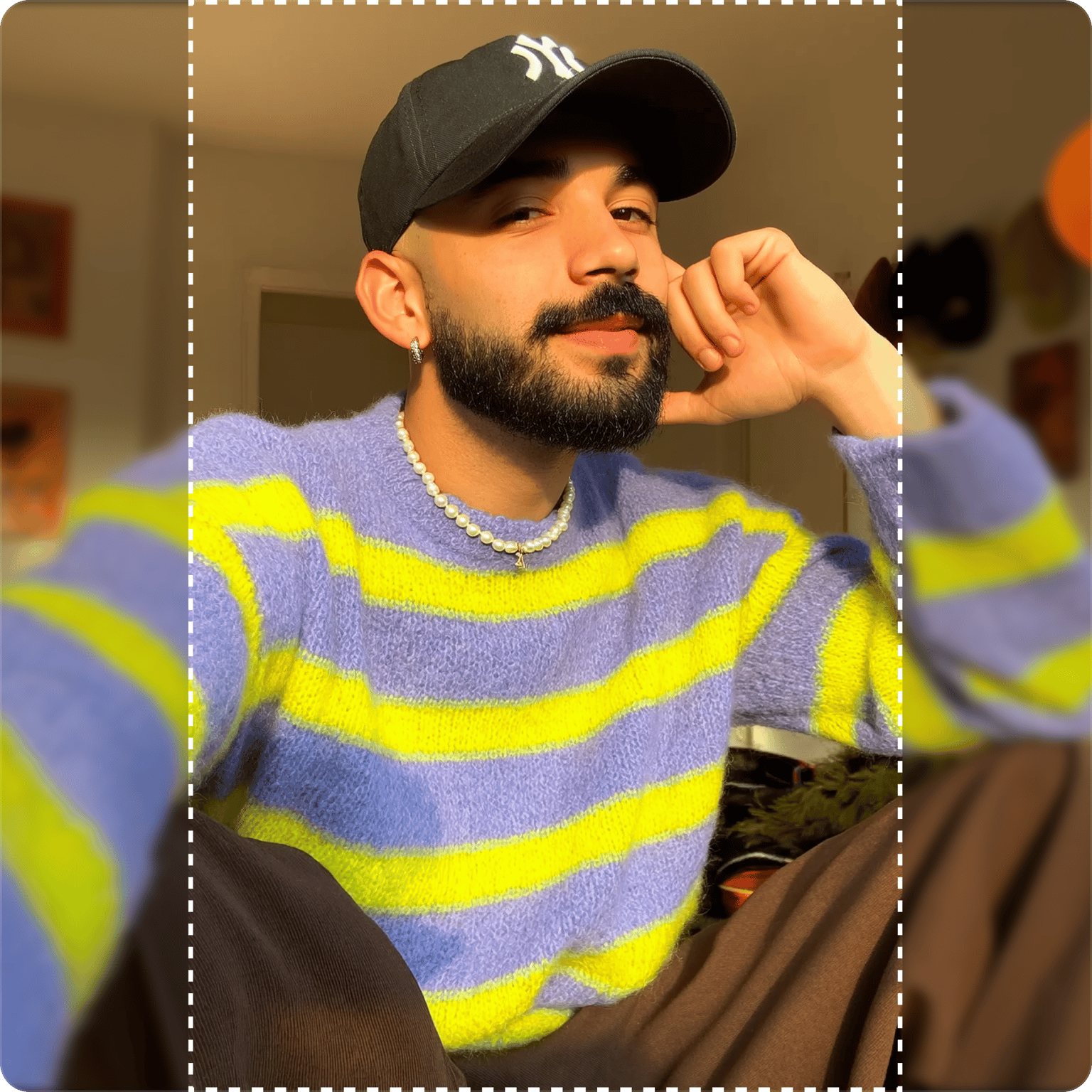
VEED's AI image resizer scales your photos to any dimension while preserving clarity. Upload an image and select your target size in the ‘Reframe image’ menu. The AI adjusts dimensions intelligently, filling expanded areas when needed. No blur, no pixelation, no awkward cropping. Resize for Instagram, YouTube, LinkedIn, and more in one click. Works as an image downscaler for shrinking files or an AI photo resizer for adjusting aspect ratios. Simple, browser-based image resizer AI. Try it now.
How to resize an image:
Step 01
Upload your image
Upload the photo you want to resize. Works with JPG, PNG, and other common formats. For low-resolution images, upscale your image first to enhance quality before resizing.
Step 02
Choose your target size
Select a platform preset (Instagram, YouTube, TikTok, LinkedIn, Facebook) or general presets like tall portrait, square, or wide landscape. The AI resizes your image and fills any expanded space.
Step 03
Download your resized image
Preview the result and download. Your resized image maintains quality and fits your target dimensions perfectly.
Learn More
Also learn how to resize videos:
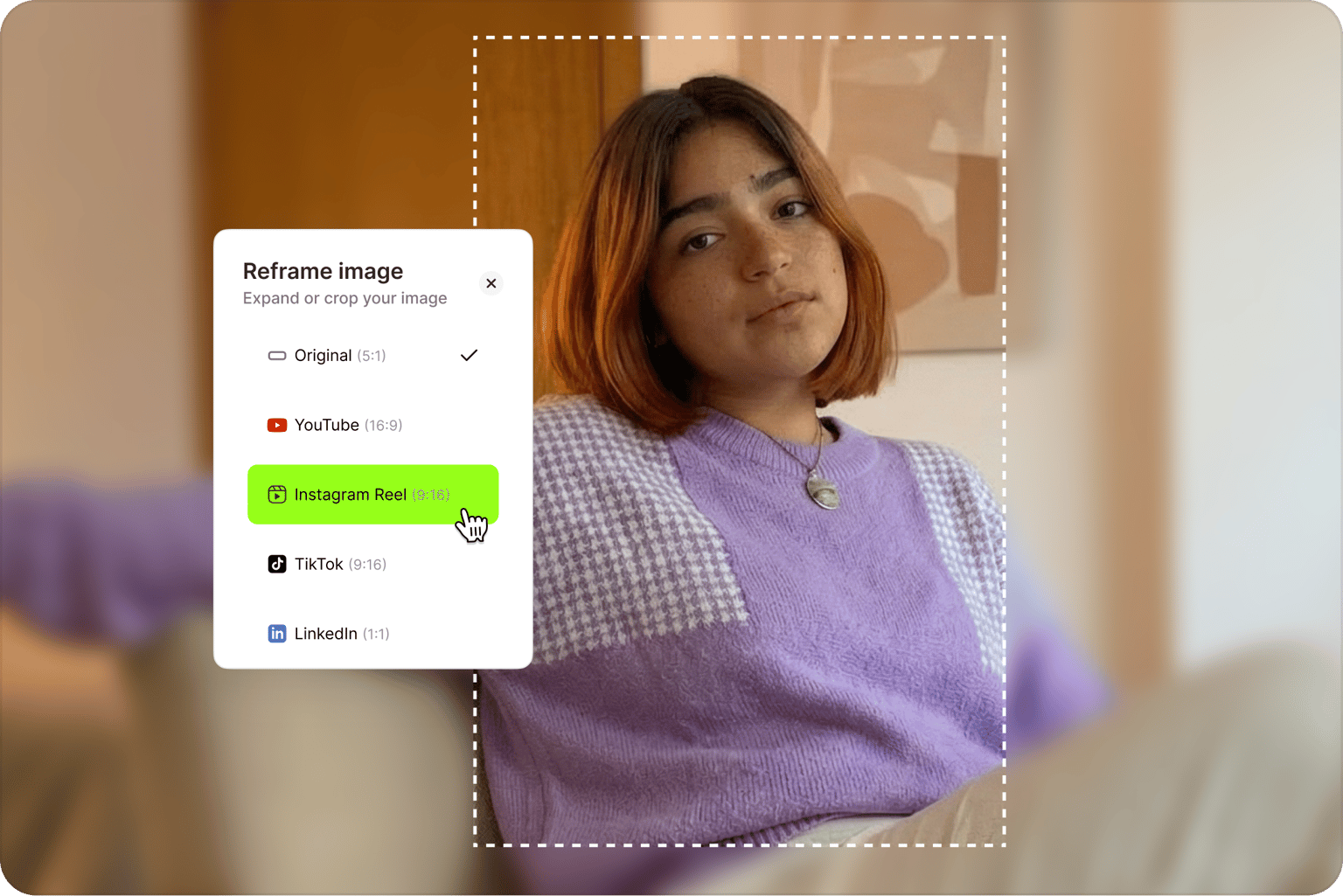
AI image resizer that preserves quality
Resize photos without the blur and pixelation of basic resizing tools. VEED's AI resizer intelligently scales images, maintaining sharpness at any dimension. Works as an image downscaler to shrink picture size for social media, email, websites, or print. You can also adjust aspect ratios while keeping your subject crisp. The AI fills expanded areas seamlessly when changing dimensions. No manual editing needed.
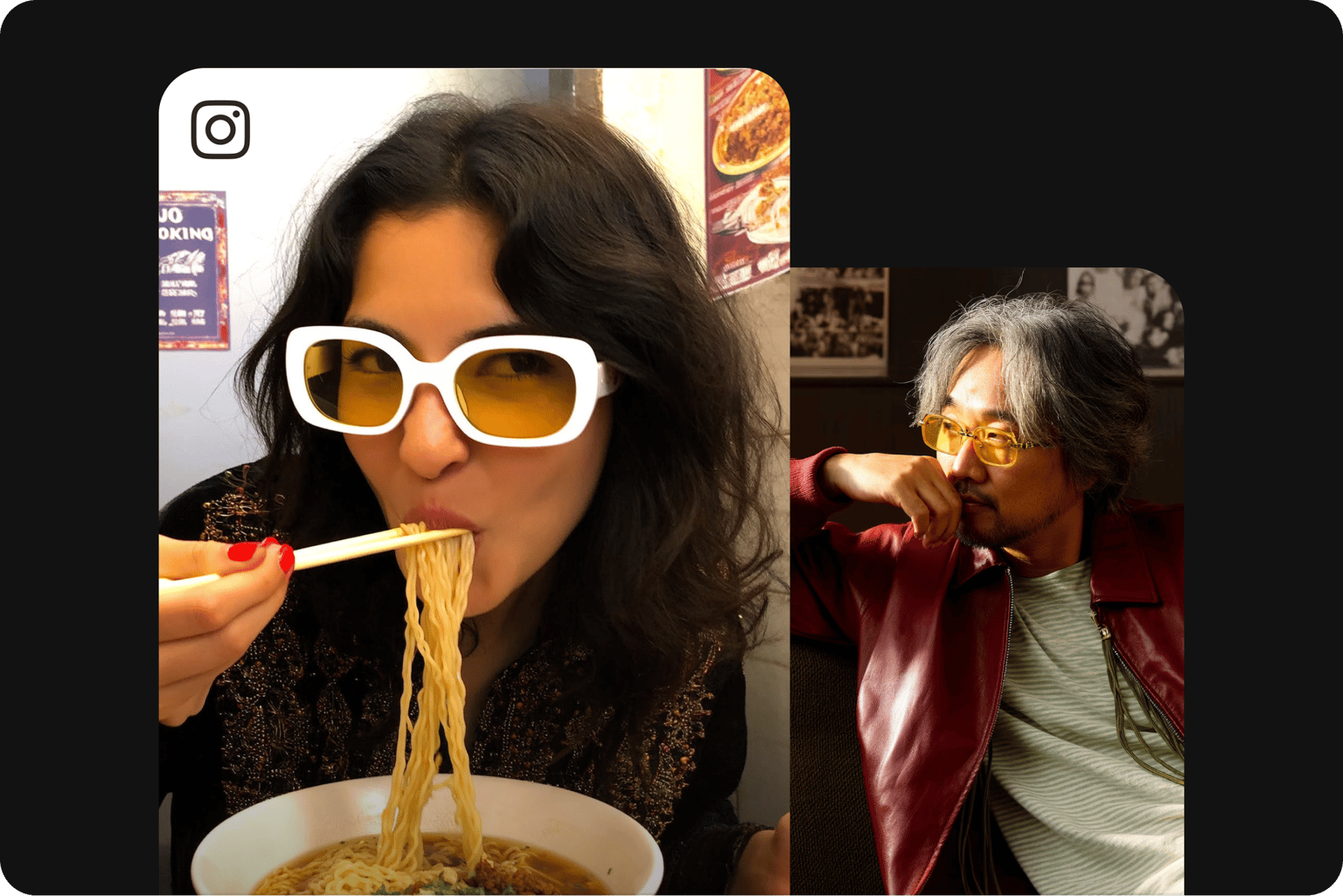
Resize images for Instagram and more
Simple to use. One-click presets for various platforms. Resize images for Instagram Reels (9:16), Stories (9:16), and posts (1:1). Fit YouTube thumbnails (16:9), LinkedIn, and Facebook posts. The AI adjusts your image to exact dimensions while keeping your subject intact. Stop cropping out important details. Resize image for social media, email, print, or your website in seconds.
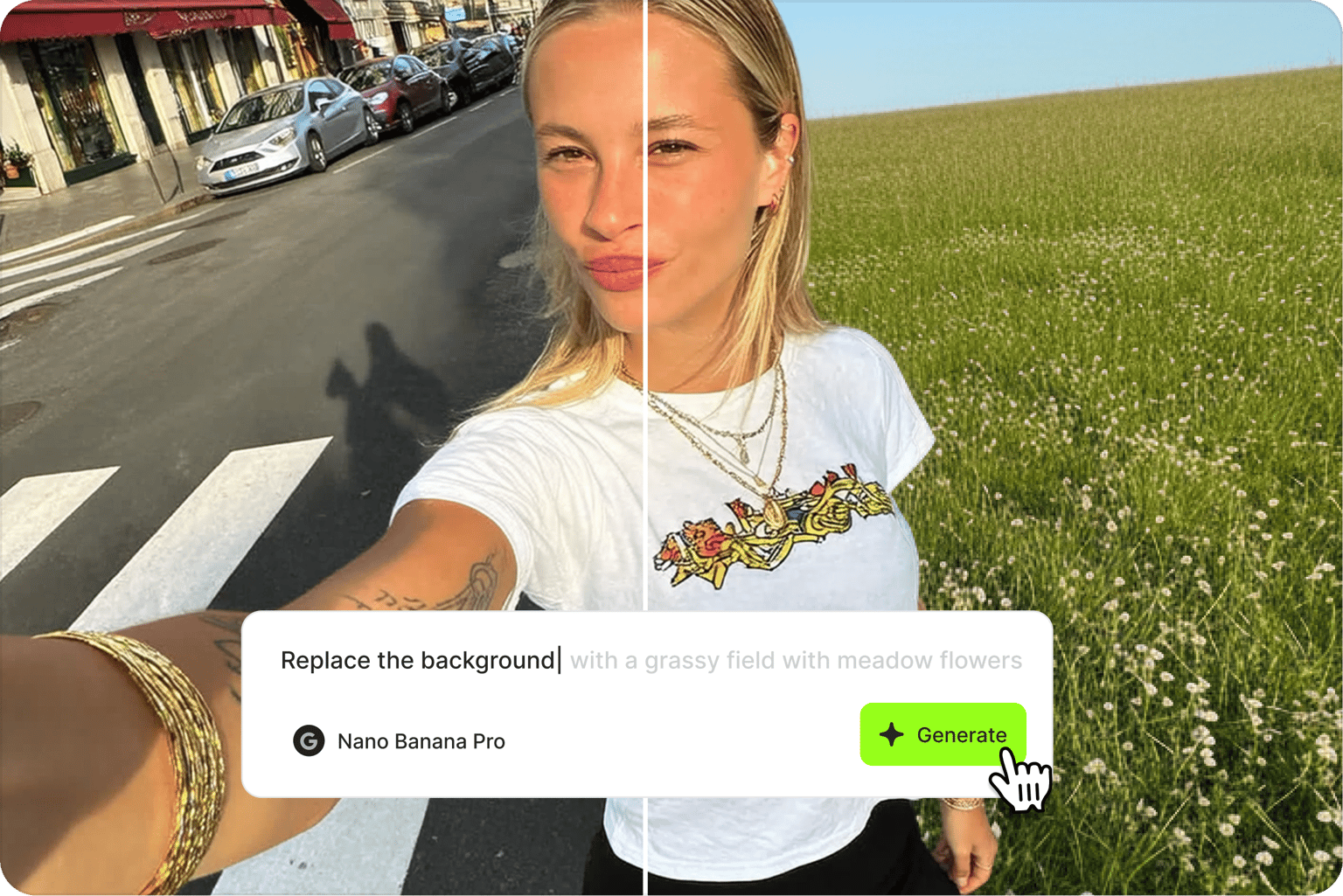
Go beyond resizing with AI image editing
Need more than photo resizing? VEED's AI image editor handles comprehensive edits. Change backgrounds, remove unwanted elements, adjust colors, or apply style transformations. Simply type a prompt describing your edits. Start with a quick resize, then move into full creative editing. All your AI image tools in one browser-based platform.
FAQ
To resize without losing quality:
- Start with the highest resolution source image available
- Use AI image resizing instead of basic scaling tools
- When you enlarge an image, the AI fills expanded areas rather than stretching pixels
- For very low-resolution images, upscale first to enhance detail before resizing
VEED's AI image resizer handles this automatically, preserving clarity at any size.
- Resizing: Resizing scales your image to new dimensions, adjusting the entire photo to fit.
- Extending (outpainting): Keeps your original image intact and generates new content beyond its borders.
Our AI image extender does both, resizing your image while filling in the extended space
An image shrinker does one type of resizing. It reduces image dimensions or file size for faster loading, email attachments, or storage. VEED's AI image resizer works as both a photo shrinker and an AI downscaler, letting you reduce size while maintaining visual quality.
Resize images for any platform with our presets:
- Instagram: Reels, Stories, posts
- YouTube: Thumbnails (16:9) and Shorts (9:16)
- TikTok: Videos (9:16)
- LinkedIn: Profile pictures and carousel posts (1:1), Vertical videos (9:16)
- Facebook: Posts and profile pictures
See our ‘Reframe image’ menu for the full list of platforms.
Yes. VEED also offers a video resizer with platform presets. Resize videos for social media without cropping your subject. Need to reduce a video’s file size? Our video compressor shrinks files while preserving quality.
VEED's AI image resizer requires a paid subscription with AI credit add-ons. You get access to aspect ratio presets, AI-powered resizing, and image editing tools. Check our pricing page for current plans and details.
Loved by creators.
Loved by the Fortune 500
“
With VEED I didn't need 15 tutorials - I jumped straight in and started editing.

Gwenne Wilcox
Founder,
Brand Brainery
“
You can go beyond choppping things. VEED actually makes my videos look great.

Michael Glover
Demand Gen Manager,
ConvertFlow
“
The first four videos i created with VEED got over 40,000 impressions on LinkedIn.

Travis Tyler
Senior Content Producer,
PandaDoc
“
I found VEED at the right time: if you're making UGC ads and not using Eye Contact Correction and Noise Reduction on VEED you're missing out on ROI.

Sebastian Schurgers
Head of Growth Marketing,
Gronda
“
With VEED I didn't need 15 tutorials - I jumped straight in and started editing.
Gwenne Wilcox
Founder,
Brand Brainery
“
You can go beyond choppping things. VEED actually makes my videos look great.
Michael Glover
Demand Gen Manager,
ConvertFlow
“
The first four videos i created with VEED got over 40,000 impressions on LinkedIn.
Travis Tyler
Senior Content Producer,
PandaDoc
“
I found VEED at the right time: if you're making UGC ads and not using Eye Contact Correction and Noise Reduction on VEED you're missing out on ROI.
Sebastian Schurgers
Head of Growth Marketing,
Gronda
“
The first four videos i created with VEED got over 40,000 impressions on LinkedIn.
Travis Tyler
Senior Content Producer,
PandaDoc
“
I found VEED at the right time: if you're making UGC ads and not using Eye Contact Correction and Noise Reduction on VEED you're missing out on ROI.
Sebastian Schurgers
Head of Growth Marketing,
Gronda
“
With VEED I didn't need 15 tutorials - I jumped straight in and started editing.
Gwenne Wilcox
Founder,
Brand Brainery
“
You can go beyond choppping things. VEED actually makes my videos look great.
Michael Glover
Demand Gen Manager,
ConvertFlow
More from VEED
Best AI Image Generators: Top Tools for Creating Stunning Visuals in 2026
From text prompts to breathtaking visuals in mere seconds, AI image generators have revolutionized the way we create digital art. Whether you're building content for social, school, or just for fun, turning ideas into visuals has never been easier. This guide breaks down the best AI image generators of 2025. You'll see what each tool does well, where it struggles, and who it’s built for, so you can pick the right one for your goals and budget.

AI Art Prompts: How to Write Better Prompts, Creative Examples, and Tools to Try
Getting your AI art prompts is the key to winning with generative AI tools. Learn how to write better prompts here.

How to Cartoonize Your Photo with AI (Step-by-Step Guide)
Learn how to cartoonize your photo using AI, and how to use ChatGPT to craft the perfect visual prompt to bring your unique style to life.
Trusted by 1M+ creators
When it comes to amazing videos, all you need is VEED
No credit card required
More than an AI picture resizer
VEED lets you do more than just resize images. Access AI creation tools for images and videos all in one platform. Upscale low-resolution images, extend video backgrounds with AI outpainting, and edit images by typing prompts. Generate images from scratch or animate existing ones into video. Whether you're building social media content, video ads, or marketing campaigns, VEED's AI video creation platform keeps your workflow in one place. Sign up now.