


Trusted by 1M+ creators
Musical Slideshows
Create memorable slideshows with music; perfect for weddings, birthdays, and other special occasions
No credit card required
4.6
2,100+ reviews















Celebrate special moments by creating a musical slideshow
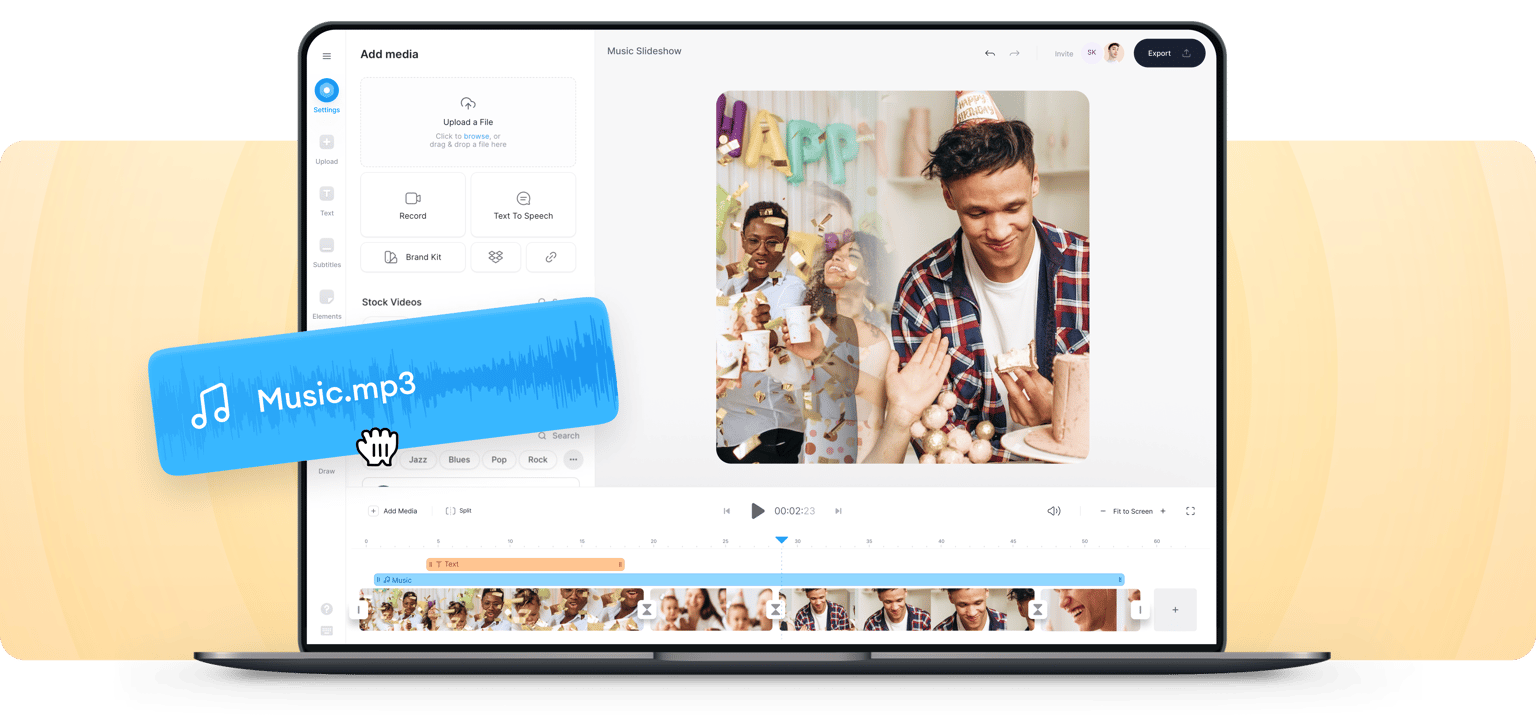
Your special moments can be even more magical—and best of all—immortalized when you create a video slideshow with music! With VEED, you can combine photos and videos and add music to create memorable slideshows that you can share with your loved ones. You can even use our tool to create slideshow videos for your business. You can promote yourself, your artwork, or products and services.
How to create a musical slideshow:
Step 01
Upload, record, or start with a template
Upload your video to VEED or record yourself using VEED’s webcam recorder. You can also upload your slides and turn them into a video. Or start with our customizable templates!
Step 02
Add music, animations, images, and more!
Add music, images, text, subtitles, and more. Create the best slideshow with all your favorite elements to celebrate your special memories.
Step 03
Share it with your loved ones!
Export your video and share it with your friends and loved ones. You can select a social media preset to optimize posting for different platforms!
Learn More
Here are more video editing ideas for your slideshow
Highly customizable slideshow creator
Our musical slideshow creator offers endless possibilities to create unique and personalized slideshows for any occasion. With a variety of themes, transitions, and music options to choose from, you can customize every aspect of your slideshow. Add your own music or choose from our extensive library of songs to create the perfect soundtrack for your slideshow. Our tool allows you to create slideshows that truly capture the essence of your special moments and make them unforgettable.
Add royalty-free music, sound effects, and more
You can audio tracks, sound effects, background music, and voiceovers to your slideshow video. Add transitions between video clips. Animate different elements in your videos such as stickers and music visualizers. You can annotate your videos, too. Select from our royalty-free stock audio and video clips to add to your musical slideshow (available to premium subscribers).
Make your slideshow video accessible to all
If you want to create musical slideshows for your business, you can use VEED to add subtitles as well. Slideshow videos are so much more effective when they include subtitles. This way, more people will be able to understand your content. A lot of people on social media also pay more attention when they watch videos with subtitles. VEED can automatically generate subtitles for you. Just click on Auto Subtitle under the Subtitles tab!
FAQ
VEED lets you quickly combine your video with music tracks. You can add your own audio files or select from our wide library of royalty-free stock audio.
VEED’s professional video maker is free to use. You can use our wide variety of pro video editing tools to create beautiful musical slideshow videos! However, some features are available to premium subscribers only. Such as having full access to our stock library.
Yes, you can—however, make sure you attribute the original music creators if you are using their music publicly or for marketing purposes. With VEED, you can add royalty-free stock music without needing to put attributions.
While there are many other free video editors out there, VEED stands out because of its ease of use and incredibly clean interface.
Loved by creators.
Loved by the Fortune 500
“
With VEED I didn't need 15 tutorials - I jumped straight in and started editing.

Gwenne Wilcox
Founder,
Brand Brainery
“
You can go beyond choppping things. VEED actually makes my videos look great.

Michael Glover
Demand Gen Manager,
ConvertFlow
“
The first four videos i created with VEED got over 40,000 impressions on LinkedIn.

Travis Tyler
Senior Content Producer,
PandaDoc
“
I found VEED at the right time: if you're making UGC ads and not using Eye Contact Correction and Noise Reduction on VEED you're missing out on ROI.

Sebastian Schurgers
Head of Growth Marketing,
Gronda
“
With VEED I didn't need 15 tutorials - I jumped straight in and started editing.
Gwenne Wilcox
Founder,
Brand Brainery
“
You can go beyond choppping things. VEED actually makes my videos look great.
Michael Glover
Demand Gen Manager,
ConvertFlow
“
The first four videos i created with VEED got over 40,000 impressions on LinkedIn.
Travis Tyler
Senior Content Producer,
PandaDoc
“
I found VEED at the right time: if you're making UGC ads and not using Eye Contact Correction and Noise Reduction on VEED you're missing out on ROI.
Sebastian Schurgers
Head of Growth Marketing,
Gronda
“
The first four videos i created with VEED got over 40,000 impressions on LinkedIn.
Travis Tyler
Senior Content Producer,
PandaDoc
“
I found VEED at the right time: if you're making UGC ads and not using Eye Contact Correction and Noise Reduction on VEED you're missing out on ROI.
Sebastian Schurgers
Head of Growth Marketing,
Gronda
“
With VEED I didn't need 15 tutorials - I jumped straight in and started editing.
Gwenne Wilcox
Founder,
Brand Brainery
“
You can go beyond choppping things. VEED actually makes my videos look great.
Michael Glover
Demand Gen Manager,
ConvertFlow
Trusted by 1M+ creators
When it comes to amazing videos, all you need is VEED
No credit card required
More than a musical slideshow maker
VEED is a comprehensive video editing software that lets you do so much more than just create musical slideshow videos! From creating slideshows, business videos, training videos, and social media videos to promo videos—VEED is the best software to use. With VEED, you can add your slides to your videos, add images, text, subtitles, and more. You can also upload audio and include background music in your videos. Try VEED now and start sharing incredible stories through videos!