


Trusted by 1M+ creators
Facebook Cover Video Maker
Make Cover Videos for Facebook Pages, free and online
No credit card required
4.6
2,100+ reviews















Create a Cover Video for Facebook, Online
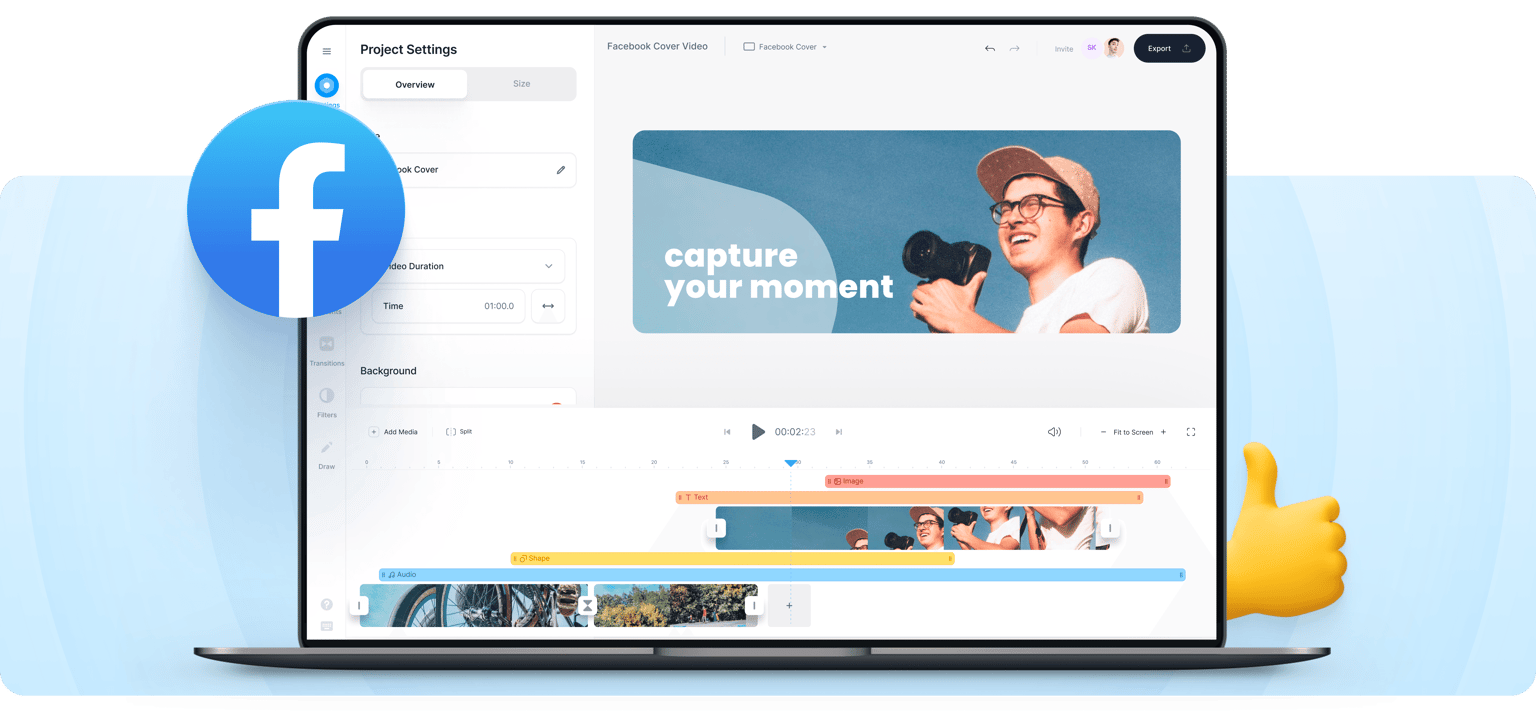
Need to make an attention-grabbing cover video for your Facebook page? If yes, say hello to VEED’s facebook video maker! You can use VEED’s simple but powerful online ad maker! VEED is a comprehensive video editing software that is suitable for beginners and pros alike. You don’t need to have any video editing experience, and you can do everything straight from your browser. It only takes a few clicks!
How to Create a Facebook Cover Video:
Step 01
Upload
Upload your video to VEED. You can drag and drop your video files into the editor. VEED supports multiple video file types.
Step 02
Personalize
Create your cover video by adding images, background music, text, and more. Just click on Elements and start customizing!
Step 03
Export
Export your video in the format that you prefer. You can download your video in MP4 format, MOV, AVI, and more to make it compatible with Facebook.
Learn More
‘How to make a Facebook Cover Video’ Tutorial
Personalise your videos
Give your videos a personal touch with our special effects and filters. Upload your own images and logo and drag them onto your video. VEED is the best tool to help you make videos that express your brand and get your story out there!
Make an impression
Want to leave a lasting impression on your visitors? Look no further than VEED’s online cover video maker. Add a whole host of cool features - stickers, emojis, logos, text, progress bars, music - and create top-notch videos in only a few clicks.
Add subtitles, audio isn’t enough!
Make your cover video more accessible to everyone by adding subtitles. Not everyone watched videos on Facebook with sound. But worry not, VEED can auto-generate subtitles for you! Simply click on the Subtitle tool, click Auto Subtitle, and edit as needed!
FAQ
Record a video with a camera, your mobile phone, or directly from VEED using your webcam. Upload the recorded file to VEED and start editing. You can then download the edited video to your device and upload it to Facebook!
VEED’s Facebook cover video maker is free! With VEED, creating an account is optional (and still free!). However, with a VEED account, you can save and access your projects any time, from any device!
Unfortunately not. Since April 2021, Facebook has removed the cover video feature, and only shows a “thumbnail” of the video instead. But that doesn’t mean it’s game over for cover videos! Cover videos are great as intro videos and for adding in your video album for visitors to see. You can also pin or feature posts with a cover video.
Facebook recommends sharing videos as MP4 or MOV. However, you can also share videos in the ASF, MKV, FLV and MPEG formats.
Loved by creators.
Loved by the Fortune 500
“
With VEED I didn't need 15 tutorials - I jumped straight in and started editing.

Gwenne Wilcox
Founder,
Brand Brainery
“
You can go beyond choppping things. VEED actually makes my videos look great.

Michael Glover
Demand Gen Manager,
ConvertFlow
“
The first four videos i created with VEED got over 40,000 impressions on LinkedIn.

Travis Tyler
Senior Content Producer,
PandaDoc
“
I found VEED at the right time: if you're making UGC ads and not using Eye Contact Correction and Noise Reduction on VEED you're missing out on ROI.

Sebastian Schurgers
Head of Growth Marketing,
Gronda
“
With VEED I didn't need 15 tutorials - I jumped straight in and started editing.
Gwenne Wilcox
Founder,
Brand Brainery
“
You can go beyond choppping things. VEED actually makes my videos look great.
Michael Glover
Demand Gen Manager,
ConvertFlow
“
The first four videos i created with VEED got over 40,000 impressions on LinkedIn.
Travis Tyler
Senior Content Producer,
PandaDoc
“
I found VEED at the right time: if you're making UGC ads and not using Eye Contact Correction and Noise Reduction on VEED you're missing out on ROI.
Sebastian Schurgers
Head of Growth Marketing,
Gronda
“
The first four videos i created with VEED got over 40,000 impressions on LinkedIn.
Travis Tyler
Senior Content Producer,
PandaDoc
“
I found VEED at the right time: if you're making UGC ads and not using Eye Contact Correction and Noise Reduction on VEED you're missing out on ROI.
Sebastian Schurgers
Head of Growth Marketing,
Gronda
“
With VEED I didn't need 15 tutorials - I jumped straight in and started editing.
Gwenne Wilcox
Founder,
Brand Brainery
“
You can go beyond choppping things. VEED actually makes my videos look great.
Michael Glover
Demand Gen Manager,
ConvertFlow
Discover more
Trusted by 1M+ creators
When it comes to amazing videos, all you need is VEED
No credit card required
More than a Facebook cover video maker
With VEED, you can do so much more than just create cover videos! VEED is a powerful video editor that lets you edit your entire video. Create intros and outros for your video ads, add text, captions, and credits. Whether it’s a YouTube explainer video, TikTok dance-off, Instagram Reel or a business video, VEED can do it all. You can split, trim, and cut your videos for easier customization. It’s free and online, no credit card needed!