.png)
In March 2023, the world went into a frenzy when OpenAI launched ChatGPT-4. This turning-point in artificial intelligence sent shockwaves around the globe as it unlocked new creative possibilities.
As the excitement around ChatGPT-4's potential for written content reached its peak, another groundbreaking development was unfolding on the side — AI video tools. These tools are turning what was once a time-consuming and complex process into a streamlined, user-friendly experience.
That said, there is still a gap between people’s current understanding of the role of AI and the actual potential of this fairly novel tech. In this article, we will go beyond the buzz of AI, and provide a snapshot of the current landscape of AI video marketing, and explore how brands like yours can use it to win at video.
Jump to a specific section:
- Video is King, and Before AI it Used to Come at a Cost
- How AI is Enabling Businesses Like Yours Create Better Videos with Ease
- The ROI of Using AI for Video Creation
- Combining Non-AI Tools with AI to Win
- Will AI Fully Replace the Need for a Human to Create Videos?
- Embracing the New Future
[#TOC1]Video is King, and Before AI it Used to Come at a Cost[#TOC1]
If given a choice, people would rather watch an engaging clip than read a blog post. In fact, people on average consume 17 hours of online video content every week. This is why social media algorithms tend to push and promote videos more than other formats.
Besides being the most engaging medium, video also results in greater memory retention. People on average retain over 95% of the information they get from a clip, compared to only 10% on text.
However, before the age of AI, those results came at a cost. Video can be the most challenging content medium to produce for brands who have yet to incorporate AI into enhancing their workflow.
Here’s how a workflow without AI can be like:
- Expensive: it costs a lot to produce an engaging, professional-looking video. If you’re going to do it yourself with traditional professional-grade software you’ll require expensive equipment. If not, you’ll need to outsource to an agency or a freelancer, which will cost you thousands of dollars and time to onboard.
- Time-Consuming: from planning to shooting/editing, it takes anywhere from hours to days to map out, record, and complete a high-quality video from scratch.
- Difficult to Tweak: unlike a text document or a blog post, you can’t make changes to a video with ease. You have to go back to the editing software, make the required changes and adjustments, and then export it all over again (or rely on someone else to do it for you). You might even need to reshoot footage at times.
These challenges prevent many brands from making more videos sustainably and consistently. However, the arrival of AI tools has started to alleviate these challenges.
In this next section we’ll cover how AI can help you reduce bottlenecks and make the process easier for your business.
[#TOC2]How AI is Enabling Businesses Like Yours Create Better Videos with Ease[#TOC2]
Here are some practical ways businesses like yours are using AI to create professional-looking videos faster than ever.
Improving Accessibility with Instant Subtitles

Simply including subtitles can increase your video watch time by a whopping 80%, since a lot of people watch videos on mute. Without subtitles, your video is basically dead to these people.
Whirpool Training Content Designer, Yvnonne Gettins, shared that her team in Canada was spending hundreds and hundreds of dollars using a subtitling service to subtitle videos in both English and French. In some cases, such as this one, including subtitles in your official videos is a legal requirement, where if you don’t comply with Bill 96 you can be fined between $700 and $90,000.
When asked how she addressed this challenge, Gettins shared: “With VEED, we can upload our videos and have it do the automatic translations and add the subtitles with essentially one click. And it’s included in the cost, which was life-changing. It really was the main selling feature for us.”
“Prior to using VEED, I could churn out a video or two at most per week by myself. And now, thanks to VEED, each trainer that we have on our team can do a couple per week as well. That’s 8x more than what was happening before.”
Yvonne Gettins, Training Content Designer, Whirlpool
Thanks to VEED, you can now generate subtitles with the click of a button. Our customers claim they’re able to make subtitles about 25x faster. No need to manually type out or time the subtitles yourself, as it’s all done for you — with AI. You can even translate your subtitles instantly to reach a global audience.

Make Quality Videos Quickly and Easily

No matter how big or small your business, there are some basic prerequisites that all of your videos must meet in order to look professional. These include things like good audio, high quality footage, a clean background, and making solid eye contact with the camera for maximum engagement with your viewers. If your videos lack even one of these things, you’re not quite “there” yet.
Before, it was intimidating, and even impossible for some, due to time, skill, and budget restraints, to achieve these must-haves.
But with AI video tools, it has all become a matter of making only a few clicks:
- Studio-Level Sound: no need for an expensive microphone or to look for a quiet place to record your videos. Simply remove distracting background noise and make your voice sound crispier with VEED’s AI-powered Clean Audio feature.
- Fix Eye Contact: record your videos while reading your scripts, and adjust your gaze to look into the “camera” during post-production with VEED’s Eye Contact Correction.
- Remove Video Background: have a background that doesn’t look very appealing or professional? With VEED, you can remove the background in your videos with the click of a button, and even replace it with something else.
- Enhance Video Quality: videos shot on iPhones and webcams often turn out grainy. There are AI tools out there that allow you to instantly enhance and upscale the quality of your videos by creating pixels out of nothing.
- Blurring Faces: when recording in public, you need to be mindful of the privacy of the people who walk into your frame. At the very least, blurring their faces is a must, but manually doing that for every person is tough. Luckily, there are AI tools that can recognize and blur the faces of unwanted subjects in your video frame instantly.
Localizing and Personalizing Video Content at a Fraction of the Cost
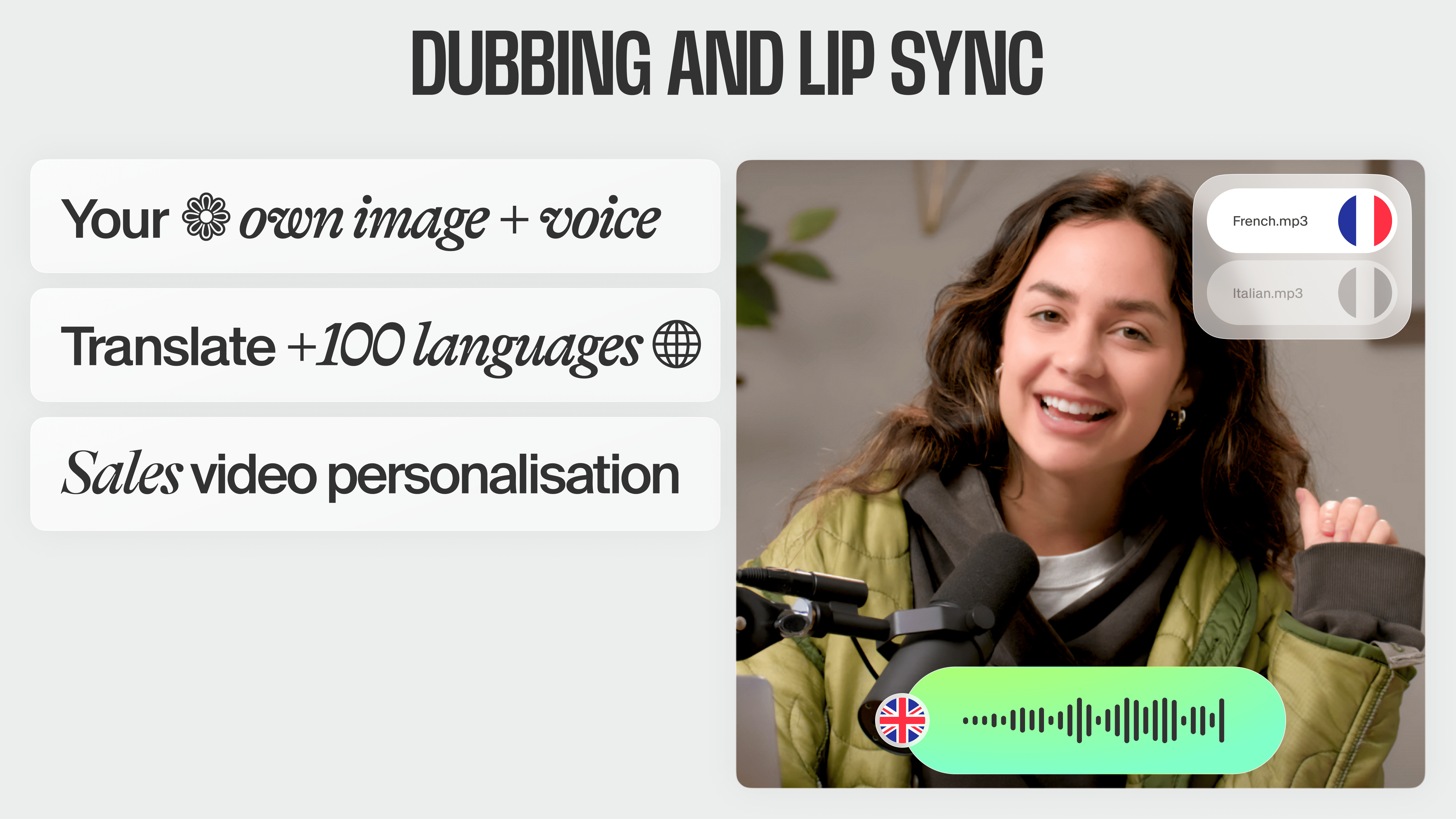
AI voice translations and lip syncing powered by AI is revolutionizing video marketing for businesses seeking to scale their outreach or reach a global audience. This tech is allowing businesses to not just instantly localize their content, but also personalize it at scale.
For instance, your sales reps have to record personalized video pitches for their leads and clients. Before AI, they had to re-record the same message for each individual only to include their name in the video. Whereas now, they can simply just record once and use AI lip syncing and dubbing to swap out the names, saving them a great deal of time.
This tech is also enabling companies to effortlessly localize their content without the need for expensive translation services or time-consuming manual dubbing. With just a few clicks, businesses can adapt their videos to different languages and regions, expanding their reach and engagement.
Saving Time with Text-Based Video Generation and Instant Editing

Creating something from scratch and editing long clips to make them punchier can be a hassle. This is especially true if you’re a small team with tight deadlines. Luckily, there are AI solutions out there that cater to these specific challenges.
Text to Video: Generate a video from a text prompt
Generative AI tools, such as VEED’s AI Text-to-Video and VideoGPT, allow you to instantly generate a full-blown video by just typing out what you want.
Simply provide your idea, direction, and a few other key details to the generative AI tool in text form, and it will generate a ready-to-go video based on your prompt. You can then tweak these AI-generated videos to your liking.
Magic Cut: Replace hours of editing with a single click
As for editing a raw video to make it cleaner (by removing mistakes and repetitions) and punchier (by removing filler words and silences), you can use Magic Cut by VEED. This tool replaces hours of video editing with just a single click..
Magic Cut takes a long, imperfect, and raw footage, and converts it into a perfectly clean video. It removes repetitions, unwanted ums and ahs, and filler words. This post-production process of cleaning and preparing your video content used to take hours or even days. But thanks to Magic Cut, now all it takes is one click.
Generating a Virtual Face for Your Videos with Avatars

Talking head videos, which feature a person speaking directly into the camera, have grown in popularity over the years. That said, it’s not always feasible to set up a studio, hire actors, or just take the time out of your busy day to shoot these videos.
Thanks to VEED’s hyper-realistic AI avatars, however, you no longer need to worry about any of the above.
Simply select an avatar, choose its voice, and type out what you want it to say. Hit generate, and in a matter of minutes, you’ll have a professional-looking talking head video that looks a hundred percent legit and natural.
If you’re a VEED Enterprise user, you can even create a custom avatar of yourself that looks and sounds exactly like you. You can use your avatar to fill in for you when you don’t have the bandwidth to record the talking head videos yourself.
[#TOC3]Combining Non-AI Video Tools with AI to Win[#TOC3]
While AI tools have revolutionized the way we approach the video creation process, the key to winning is to combine AI with other tools and tactics.
Here are some ideas.
Use Templates to Boost Production Speed and Guarantee Consistently On-Brand Videos
If you want to increase the speed, reduce the cost of making videos, and making sure they turn out on-brand, templates are the way to go.
When we launched Eye Contact Correction at VEED, we got everyone in the company to create their own versions of demo videos for this tool, and share them on their LinkedIn profiles. To realistically achieve this, we gave everyone a video template they could use.

As VEED employees started to share their demos of the ECC tool on their personal LinkedIn profiles, the word spread like wildfire. Collectively, we received 1.4 million views, 688 comments, and over 250 reposts as a result of this employee advocacy initiative. All of this was made possible with a template that empowered the entire team to make these videos.
_________________________________________________________
_________________________________________________________
Instead of turning to the video team or hiring a video agency, people across your company can similarly take a template, tweak it based on their project requirements, and get ready to publish.
That way, you reduce bottlenecks and increase production speed. In addition, you enable everyone in your company to create branded professional-looking videos with more confidence — without bothering the video team or hiring an agency.
Repurpose Videos for Social to Increase the Reach and Impact of Your Content

Each channel has its own requirements and specs when it comes to sharing videos. For example, you may have shot a video for YouTube in landscape mode, but Instagram prefers a vertical orientation due to their focus on reels. This makes shooting and editing content a pain. Luckily, video editing tools, like VEED, allow you to easily repurpose your videos into different formats and specs.
Upload your video, choose the desired spec from the list, and you’re good to go. Certain modern tools today even use AI to adjust the frame according to the movement of the subjects across different specs. For instance, if you recorded a landscape video and converted it into a vertical one, the AI will adjust the video so that the subject doesn’t go out of frame.
Use Stock Libraries to Supplement Your Video’s Storytelling

Imagine this: you recorded the perfect talking head video. But as you sit down to edit, it seems bland; as if it’s missing something. Sounds familiar?
What your video lacks is some supplementary footage, music, and sound effects to fill in the gaps and make your video’s storyline more engaging.
Joshua Nakhumwa, a VEED customer and content creator, shares: “No one wants to just hear you talk in dead silence.”
Luckily, VEED offers a native, built-in stock library where you can find high-quality footage, sound effects, music, and more to fill in the gaps in your video projects. The best part is that it comes built into the editor, which means you can add the stock content directly to your projects without ever leaving the editor.
If you don’t find anything suitable in the stock library, VEED also offers generative AI tools that can help with that. Use the AI Music Generator to instantly compose a suitable background tune by just describing the type of feel you’re aiming for. Similarly, you can use the AI Text to Video tool to curate the perfect B-roll footage for your projects.
As for video thumbnails, you could check out the host of (both free and paid) AI image generators on the web.
[#TOC4]The ROI of Using AI for Video Creation[#TOC4]
As AI unlocks new creative possibilities, video creation is becoming easier. But what exactly does your business get out of it?
Here’s a quick breakdown:
Work Faster
What used to take weeks, sometimes even months, can now be achieved in a matter of a few hours or days. As teams are able to work more efficiently, they also free up the time to focus on other aspects of either their video workflow or business as a whole.
Show, Don’t Tell
Your audience would rather you show them something, instead of telling them about it. With AI empowering your video creation process, your teams can now easily demonstrate your ideas to your audience instead of just talking about them.
Get More Engagement
Instead of sending your prospects an email or a powerpoint presentation, send them a sales video. That way, you’re more likely to get 4x more engagement. That means: 4x more meetings and 4x more revenue. Thanks to AI tools, your teams can generate videos easier than ever before, and therefore do a better job of engaging your audience.
Enable Anyone to Make a Video
Before, teams across a company used to rely solely on agencies, freelancers, or the marketing team for help with video projects. Now, anyone can make a decent, professional-looking video.
Meet Expectations
In an increasingly video-first world, your customers are beginning to expect videos from your brand just like a slidedeck is expected during a sales pitch. As AI tech grows, it will only make the video creation process easier, thereby making it easier for teams to meet these growing content expectations.
[#TOC5]Will AI Fully Replace the Need for a Human to Create Videos?[#TOC5]
The short answer? No, it will not.
While AI streamlines the production process and empowers people to create content quickly, it lacks the intuitive understanding,creative decision-making, and original personal experiences that humans bring to the table.
Our philosophy is that human creativity is the cornerstone of impactful storytelling and brand messaging in video content.
AI tools, while sophisticated, do not possess the ability to understand nuanced emotions, cultural contexts, or the subtle art of narrative pacing that resonates with audiences on a deeper level. Even if they one day are able to achieve this, AI will never have its own unique life experiences and opinions to shape the angles of its content — a quality that, at its core, is human.
The question we should be asking ourselves isn’t whether AI will replace humans, but rather how we can use AI to work faster and better than ever before.
The collaboration between AI tools and human creativity represents a harmonious blend, each complementing the other. AI can handle the more tedious, time-consuming tasks, allowing you to focus on the aspects of video production that require a human touch. This synergy not only increases productivity but also enhances the quality of the final product.
[#TOC6]“The Future is Here — It’s Just Not Evenly Distributed”[#TOC6]
We read and hear about all the breakthroughs in AI being done every day. When these tools first came out, they weren’t 100% perfect. Today, they’ve improved significantly, and will only continue to get better.
The AI video tech is definitely not widespread right now, however businesses and people are catching up to it slowly. There is lots of money being invested in this technology. For example, Microsoft invested a whopping $10 billion into OpenAI in 2023. All of this points to one thing: an exciting future where videos become the norm, and a lack of budget and technical skills are no longer roadblocks, is right around the corner.
The choice is yours: Do you want to be an early adopter and start benefiting from the wonders of AI today or years from now? Give it a try yourself and you’d be surprised at just how much it can improve your team’s workflow.