
About 74% of trainers use video as part of their training delivery. And for good reason: 75% of employees are more likely to watch a video than read text.
That said, 67% of employees say they just don’t give training videos their full attention.
But why’s that?
It's because most training videos suck.
They fail to engage their viewers. In our current age, we've become accustomed to consuming videos in a certain way. Training leaders must understand how visual communication works, and the best place to look for that is the vast library of social media.
Let’s dive into what you, as a trainer, can learn from the world of social media to create engaging training content that won’t get ignored.
Jump to a specific lesson:
- Lesson #1: How to Stop Viewers in Their Tracks
- Lesson #2: How to Make Employees Watch the Entire Video
- Lesson #3: How to Make Your Videos More Memorable
[#TOC1]Social Media Lesson #1 — Attention: How to Stop Viewers in Their Tracks[#TOC1]
With our phones within arm's reach 24/7 and countless distractions on our laptops, grabbing attention is harder than ever. As trainers, our training videos need certain qualities to compete for the attention of our employees.
Here are the essentials.
The X-Second Rule
The first few seconds of a training video are crucial. This is when viewers decide if they will give their full attention, or not. Without capturing attention early, viewers might zone out and miss the message, rendering the video less effective.
Here are some tactics that can help you win during those first few seconds:
- Start with a crazy statistic (like we did in the beginning of this guide)
- Pose an intriguing question that forces the trainees to think
- A random fact that’s related to the topic of the video
- Use an inside joke or a common industry problem
Here’s an example of a training video we made in-house on YouTube thumbnail creation. As you can see, at the beginning, we spend a lot more time giving the viewers reasons to watch the video. Towards the end, we don’t put that much effort on editing.

The timeline looks a lot busier and more dynamic at the beginning, because that’s where we’re trying to grab the attention of our viewers.
Sound Effects
Sound effects are highly underrated. They are super-effective in pulling viewers back to the video and keeping them engaged.
Suppose you’re watching a training video, and you get distracted by a LinkedIn notification or a WhatsApp message on your phone. As a result, at around the 10-minute mark, you miss a crucial graphic that pops up in the video.
But, if there was a sound effect around that mark — like a little notification pop or a ding — it would likely inform you of the important on-screen graphic, drawing your attention towards it.
To show you an example of just how important sound effects are, here is the timeline of an episode from a video podcast called “The Editing Podcast.”

In the snapshot above, you can see that the timeline has more layers of sound effects than the actual footage (the top-part). We’re not saying that your timeline needs to look like this; only that you should take inspiration and utilize sound effects to your advantage.
[#TOC2]Social Media Lesson #2 — Completion: How to Make People Watch the Entire Video[#TOC2]
Once you grab the attention of your viewers, the goal is to ensure they watch the training video to completion. Social media creators who manage to keep viewers engaged until the end succeed by focusing on a few key techniques. You can use them in your training videos as well.
The Hook Sandwich
Most training videos look like this: you have the main hook, the content in between, and then you have the main payoff.
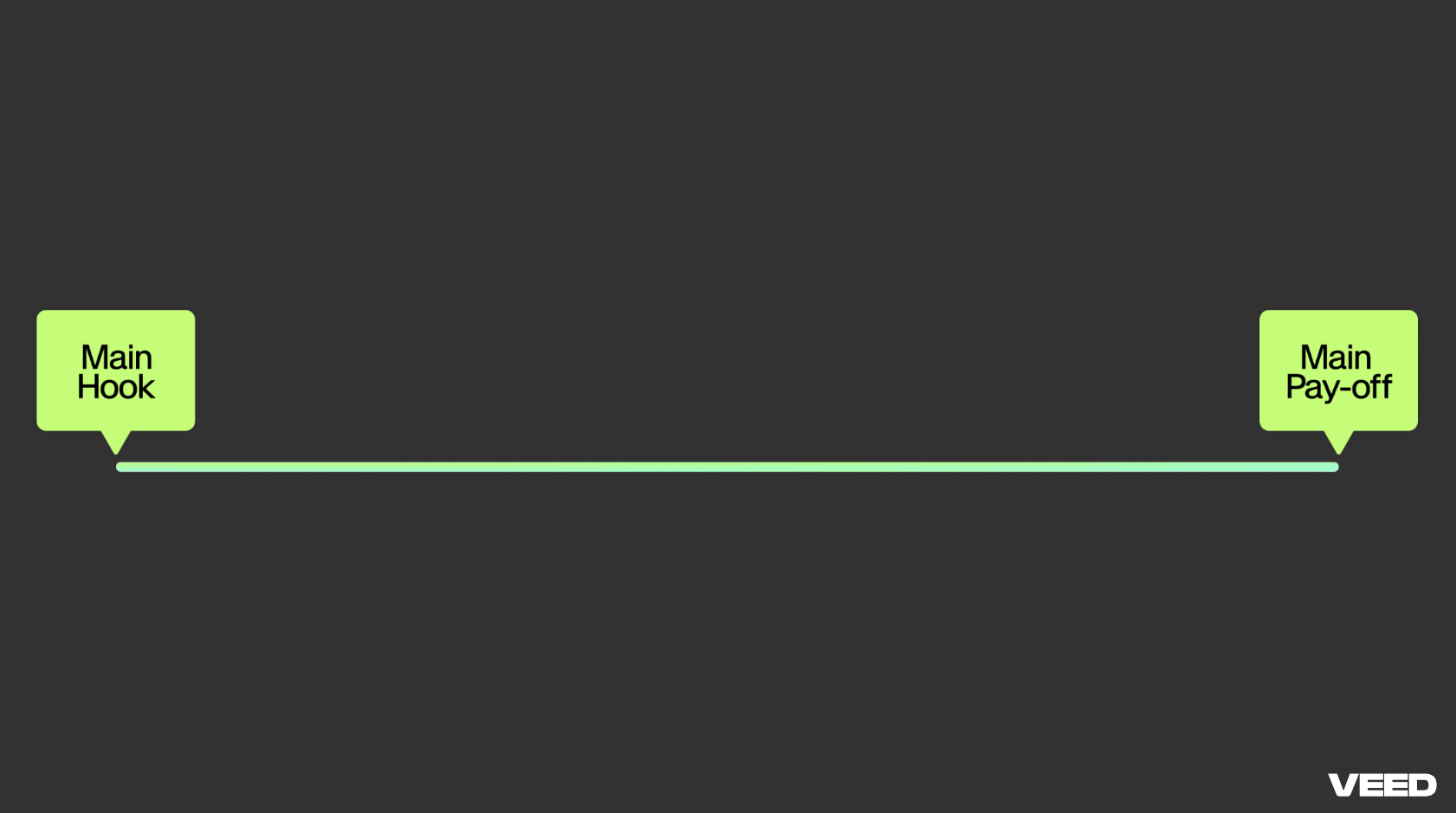
Pretty simple, correct?
However, in order to keep your viewers engaged throughout, you have to give them the “hook sandwich.”
In this sandwich, you still have the main hook and the payoff — however, throughout the video, you’ve got plenty more hooks with plenty more payoffs, sprinkled with well-timed hook reminders.
That way, you don’t just hook your viewers at the beginning. Instead, you continuously convince them to keep watching the video.

Pattern Interrupt
Imagine a talking head training video that doesn’t change shots or tone. Would you watch it to completion, while giving it your full attention?
Probably not.
This is where the concept of “pattern interrupt” comes into play. Pattern interrupt keeps viewers engaged by breaking the flow and the monotony of the video. You do this by switching things up to keep your video dynamic and engaging.
Here are some examples of what this could look like in a training video:
- A simple shot of the trainer that gets zoomed in or out as they say something profound
- On-screen text highlighting some important points, accompanied by sound effects
- Some B-roll (supplementary) footage that takes the shot away from the trainer
This Instagram reel from Claire Aylard, social media content creator at VEED, perfectly demonstrates pattern interrupt in action.
The above reel is about 38 seconds long, but it has 21 different shots. That’s about a new shot every 1.8 seconds.
Would you want to apply the same number of shots to your training videos? Maybe not. But, use the same concept and balance it out with what makes sense. There’s not a magic number for how many shots you need — so do what feels right.
Conciseness and Clarity
Ensuring videos are concise and clear is crucial. And this begins with how you construct your script.
There are two ways you can do this:
- Write Out Your Script Word for Word: that way, you can hit every single detail in your video.
- Write Out High-Level Bullet Points: if you’re a little more comfortable in front of the camera, you can use bullet points to guide you.
At VEED, we tend to script our intros word-for-word to pack in the value and grab the attention of our viewers, while the main content is structured with bullet points to maintain clarity. This allows us to deliver all the information in a super clear and concise manner.
A similar approach could be applied to your training videos.
Micro-Learning
Micro-learning involves breaking down training videos into shorter, more digestible segments.
This method not only makes content less daunting, but also aligns with the trend of shorter videos on social media, helping to maintain attention and improve retention. Almost every social network is focusing more on shorter clips, as attention spans are getting shorter.
Say you have a 45-minute long training video. Instead of having your employees watch a mammoth of a video, we recommend breaking them into 9 separate 5-minute clips.

Watching a single 45-minute video seems like a daunting task. Watching a 5 minute video, however, feels achievable. Not only does this help with completion, but also with retention, which we’ll dive into shortly. The reason being: you’re not going to watch all 9 videos at once. Instead, you’d watch them over a period of time. And because you’d watch them over a period of time, you’re more likely to absorb the information due to the constant interaction with the topic.
[#TOC3]Social Media Lesson #3 — Retention: How to Make Your Videos More Memorable[#TOC3]
Helping viewers retain information is the ultimate goal of training videos. If viewers can't remember the content, it means your training video missed the mark.
Here are some key things that successful social content creators use to make their videos more memorable:
Storytelling
Storytelling is a powerful tool.
We remember stories. What we don’t remember is a sequence of random information thrown at us.
Even videos with poor editing or visuals can perform well if they tell a compelling story. Incorporating storytelling into training videos makes them more relatable and engaging.
For example, Google’s onboarding videos narrate a new employee’s first day through a story, making it more relatable and entertaining.
Visuals
The next key factor of making your videos memorable are visuals.
Good visuals are crucial, as video is a "show, don't tell" medium. Always accompany your script with relevant visuals to keep the audience engaged.
Imagine a talking head video about how to tie a shoelace. It’s a lot harder to just listen to someone talk about how to tie a shoelace. We’d rather watch a video of that same person actually demonstrating the process that has velcro-obsessed toddlers perplexed.
The same example can be applied to virtually any type of training video. Instead of just talking through a key safety process in your video, show them exactly how to follow said process, one step at a time.
Interactive Elements
Platforms like Instagram and TikTok offer interactive elements like quizzes and polls. They’re also a critical part of training videos.
Interactive elements such as quizzes and polls can enhance engagement and retention. However, there’s one medium that’s the best source of interaction: comments.
Commenting is a way for you to allow your viewers to share their thoughts, interact with other learners, and directly engage with the trainer.
Here are video retention graphs from two of our educational videos on YouTube.

We’ve seen this over and over again. The video at top has a lower completion rate compared to the video at the bottom. In the video on top, we don’t have a call to action/invite the viewers to ask questions and engage with the video. However, in the video at the bottom, we do, by asking questions like “What do you think of this?”
Do something similar in your training videos. Ask questions and call them to comment on your videos. This is part of the reason why the videos hosted on your VEED account allow viewers to comment.
Repetition
In every single one of our training videos, we repeat the information three times:
- Once at the beginning, when we announce all the information we’re going to cover in the video
- Second time when we actually show them how to do whatever it is we’re covering
- Third time at the end when recapping everything we’ve just discussed
This helps people remember the information. Follow a similar approach in your training videos where you repeat the key info at least 3 times.
Ending Note
By applying these social media techniques to training videos, L&D teams can enhance attention, completion, and retention. Focus on grabbing attention early, using hook sandwiches, incorporating pattern interrupts, utilizing micro-learning, and storytelling to create engaging and memorable training content.
Good luck!


