Constantly re-recording videos to fix minor mistakes or update your message is a frustrating drain on time, budget, and creativity.
What if fixing mistakes in recorded footage was as simple as correcting written text?
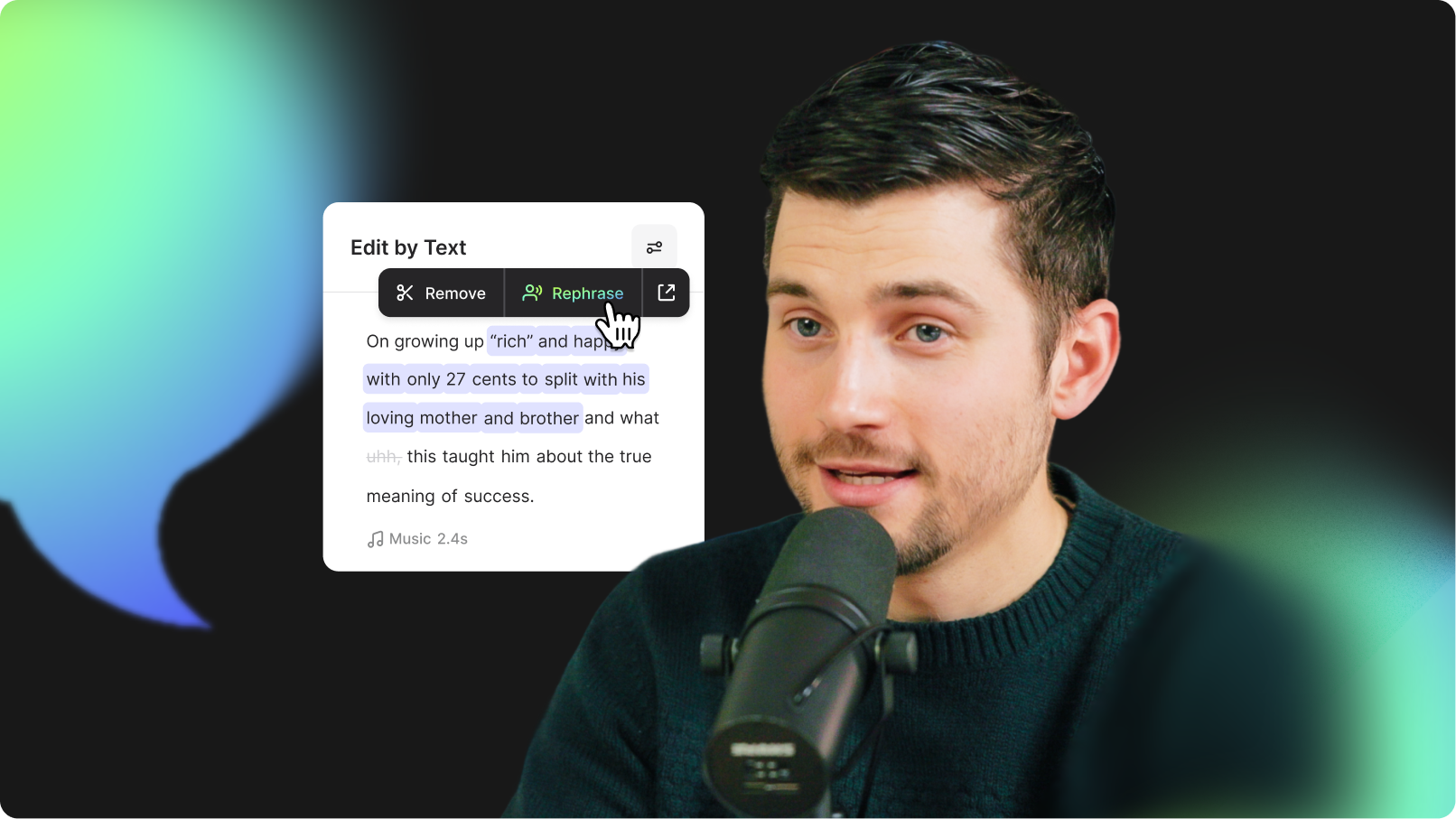
That's exactly what VEED's AI Rephrase delivers—a convenient way to remix your content by seamlessly correcting and refining your video's audio, all while preserving your visuals and original voice.
What is AI Rephrase?
AI Rephrase makes it easy to update spoken text in your videos—without re-recording or re-editing. Whether you're fixing a mistake, personalizing content for different clients, or updating content, AI Rephrase generates new audio in the original speaker’s voice. Keep your visuals, swap the words, and stay in control of your message, even after production wraps.
Key benefits
- Cost Savings: Avoid costly re-recording and re-editing processes.
- Time Efficiency: Update content instantly, saving time and effort.
- Enhanced Message Control: Quickly and easily refine your message post-production.
- Faster Speed to Market: Accelerate your content publishing timeline.
- Improved Personalization: Customize messages effortlessly for specific prospects or audiences.
- Better Content Longevity: Refresh content regularly without starting from scratch.
- Consistent Branding: Maintain brand voice and consistency across all videos.
What is AI Rephrase useful for?
AI Rephrase is ideal for multiple scenarios, including:
- Script fixes: Correct mispronunciations or inaccuracies quickly.
- Prospect personalization: Easily customize one video for multiple clients or markets.
- Campaign refresh: Update campaign themes, dates, or specific messages without additional production.
How to use AI Rephrase?
Using AI Rephrase is incredibly easy. Upload your recorded footage or fire up an existing project on VEED.
1. Select the clip that you want to rephrase on the timeline. Next, click on Edit with Script. At this point, if you already haven’t done this, VEED will auto-transcribe your video (it won’t take long).

2. Next, select the part of the transcript you wish to rephrase.

3. Click on Rephrase, and then type out what you want the speaker to say instead. Once done, click on Generate.

And that’s pretty much it! Replay the part of the video and you’ll see that it has been flawlessly rephrased with AI magic.
Replace spoken words using AI
AI Rephrase ensures your video content remains relevant, accurate, and personalized. Simplify content updates, reduce costs, and deliver impactful messages faster. Try AI Rephrase and take your video production workflow to the next level.
.jpg)
.png)