How to Use Hailuo AI Video Generator: Complete Guide for 2025

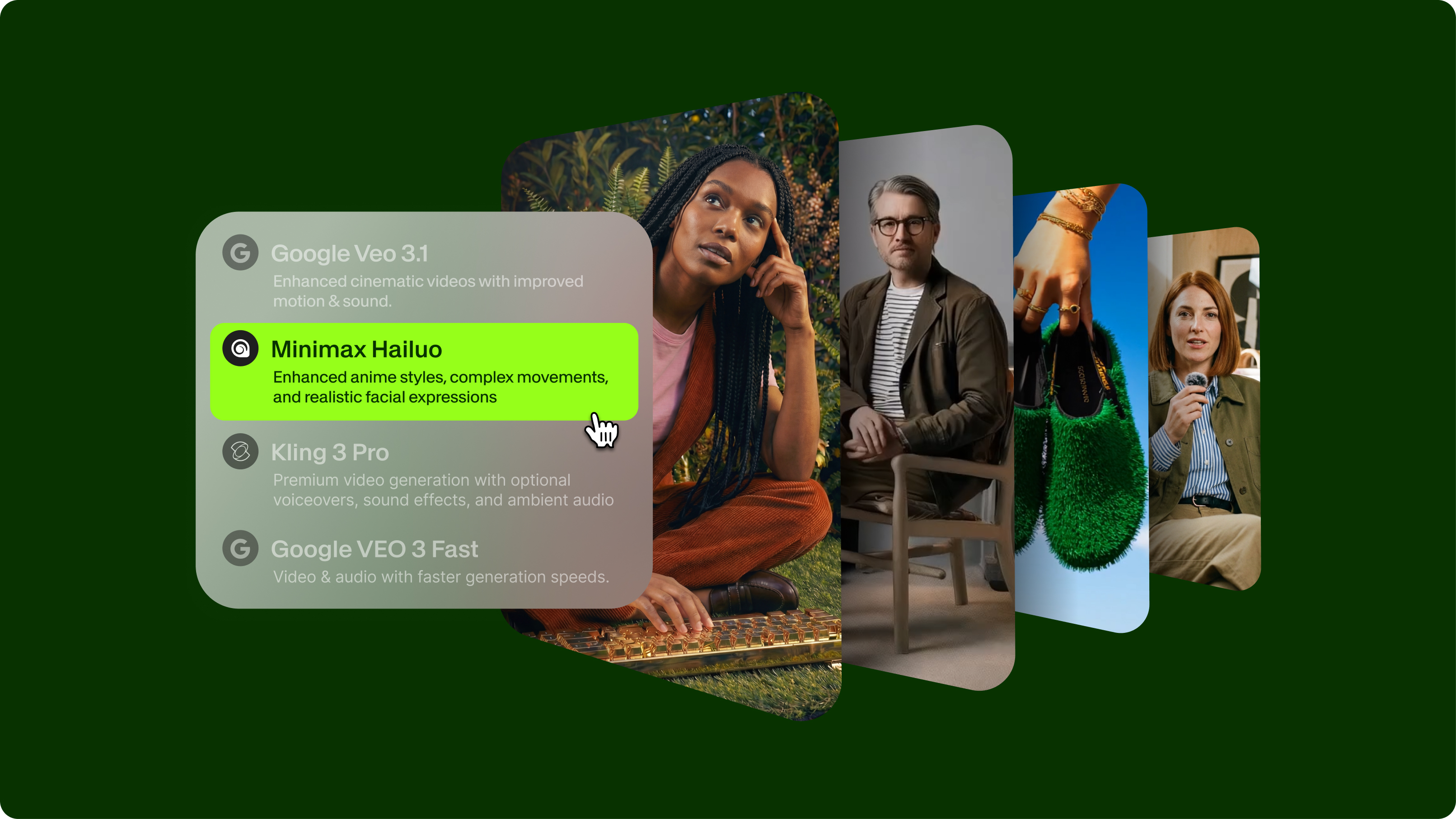
Summary / Key Takeaways:
- Access Hailuo AI through VEED's AI Playground, where you can test multiple models (Hailuo 01, 02 Standard, 02 Pro, 2.3, and 2.3 Fast) alongside other leading AI video generators in one centralized platform.
- Hailuo generates 6-10 second cinematic video clips from text prompts or images, specializing in artistic, dream-like visuals with enhanced facial recognition and product stability, perfect for creative social media content and e-commerce.
Creating video content for social media used to mean hours of filming, editing, and revisions. Learning how to use Hailuo AI changes that entirely. This AI video generator turns text descriptions into cinematic clips in minutes, giving you a faster way to create AI videos without cameras or editing software.
The Hailuo AI video generator lets you type what you want to see, wait a few minutes, and download a ready-to-post video clip. No filming equipment, no technical skills, and no expensive freelancers.
This guide shows you how to use Hailuo AI from start to finish: setting up your account, creating your first AI video, understanding Hailuo AI pricing plans, and combining your clips with editing tools for professional results.

What is Hailuo AI?
Overview of MiniMax and Hailuo technology
Hailuo AI is an AI-powered video generation platform created by MiniMax, a Shanghai-based company founded in late 2021. With about $600 million in funding from Alibaba and Tencent, MiniMax built a team of former SenseTime computer vision experts to develop this technology. It's a great alternative to Veo 3.
The platform uses machine learning models trained on massive video datasets to understand visual storytelling, natural motion, physics, and cinematic composition. This training lets Hailuo AI interpret text descriptions and generate video clips that look professionally shot.
Current model versions:
- Hailuo 01: Original model (786p resolution, 6-second videos)
- Hailuo 01 Live: Specialized for animating drawings and sketches
- Hailuo 02: Latest model (720p-1080p, 6-10 second videos with better realism)
How to create videos with Hailuo AI on VEED
Now that you understand what Hailuo AI is, let's walk through the process of creating your first video.
Step 1: Sign up for a VEED account at VEED.IO
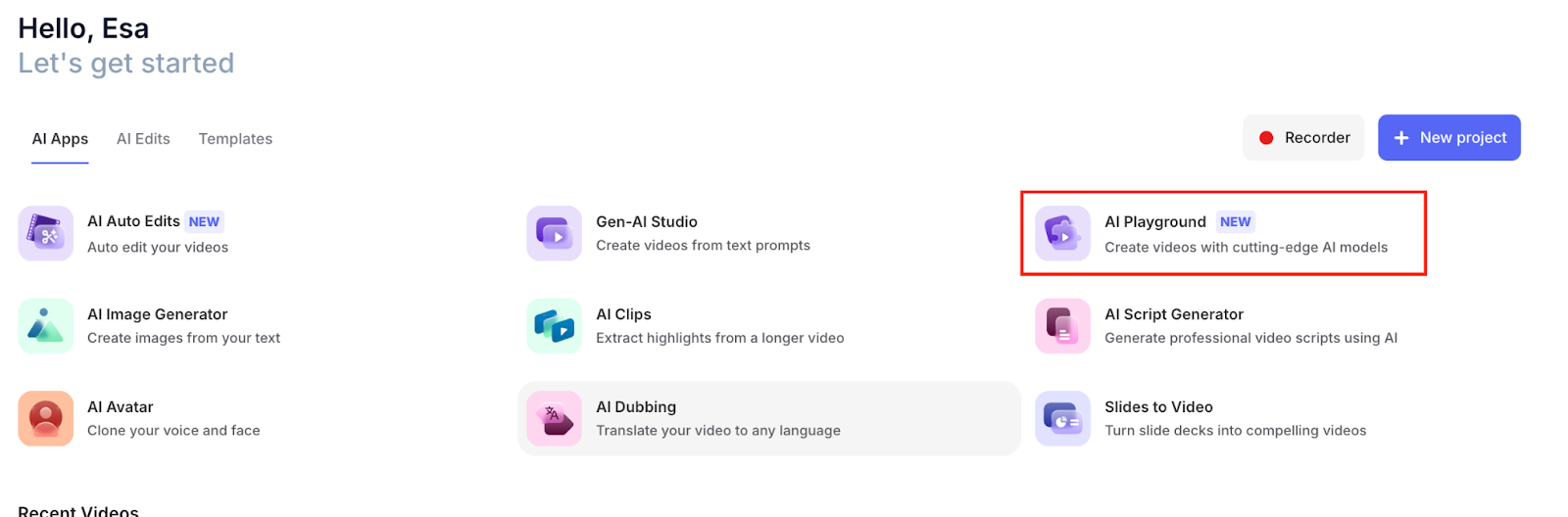
Step 2: Navigate to VEED's AI Playground
Step 3: Select your preferred Hailuo model from the dropdown:
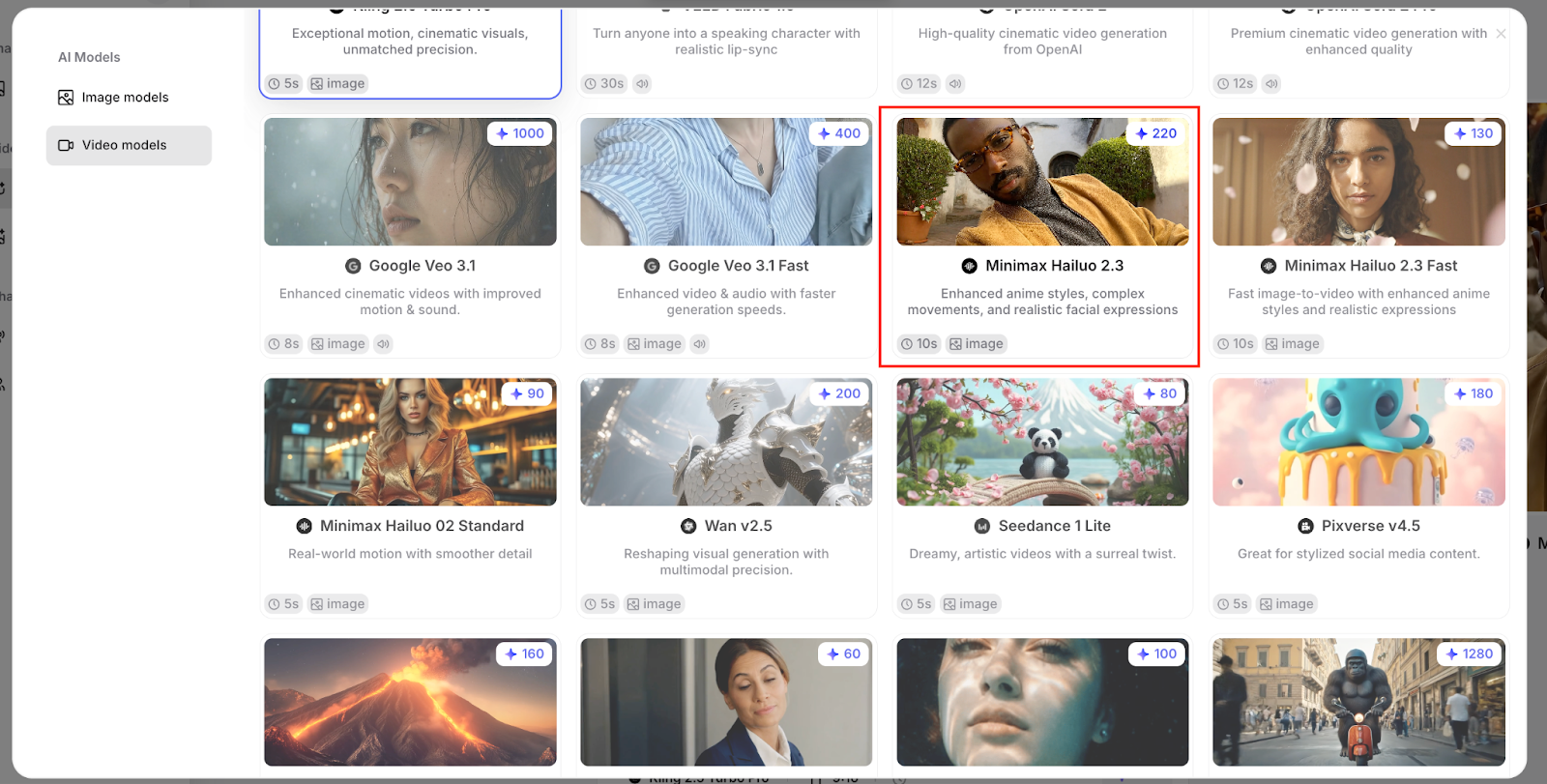
- MiniMax Hailuo 01 (original)
- Hailuo 02 Standard (efficient)
- Hailuo 02 Pro (high quality)
- Hailuo 2.3 (latest, enhanced features)
- Hailuo 2.3 Fast (speed-optimized)
Step 4: Choose your generation type:
- Text-to-video: Describe your scene in text
- Image-to-video: Upload an image and describe motion
Step 5: Generate and edit:
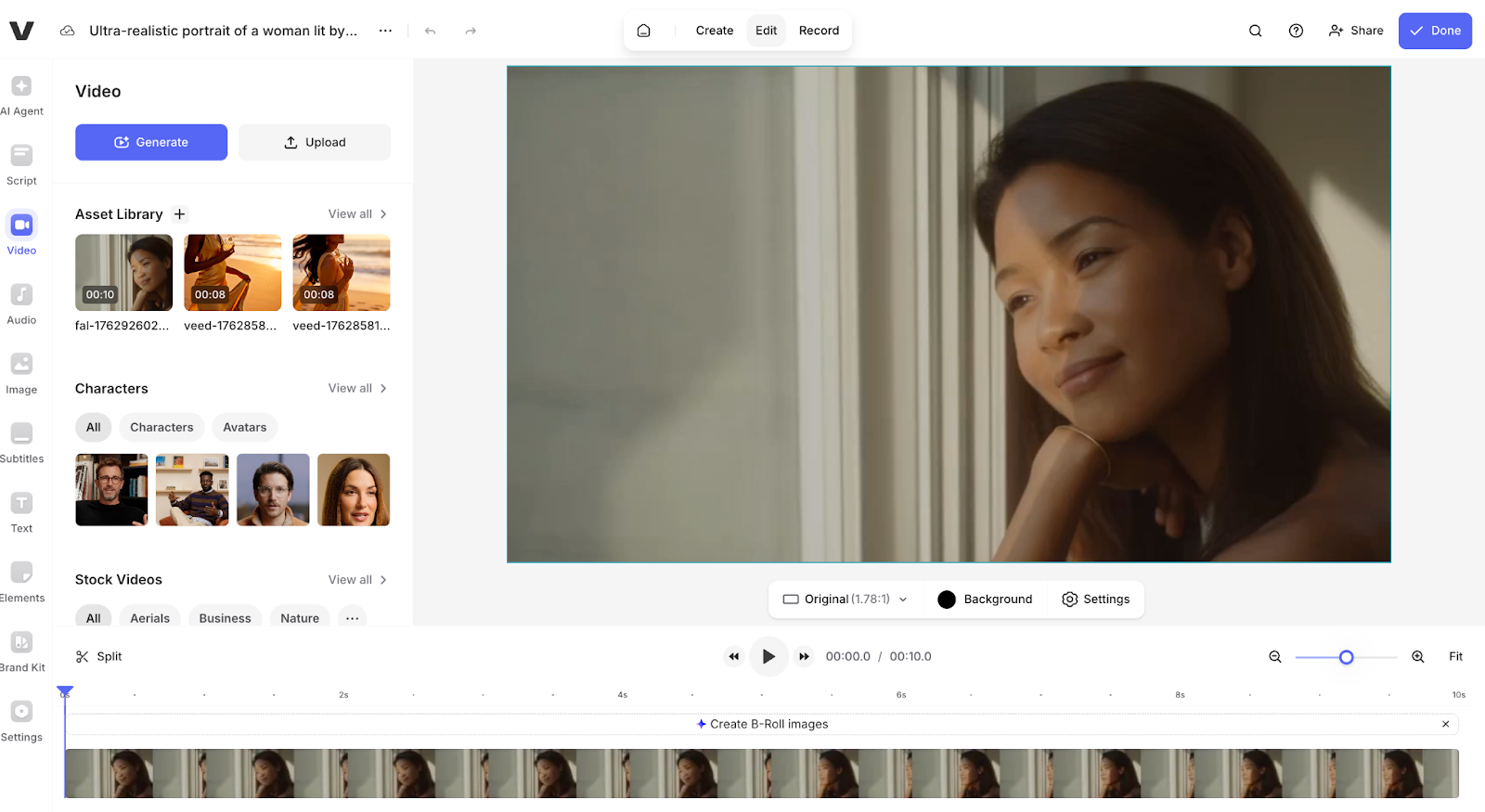
- Click Generate and wait for completion
- Use VEED's built-in video editor to enhance your clip
- Add music, transitions, text, subtitles, and branding
- Export your finished video
Integrating Hailuo AI into your VEED workflow
The AI + editing workflow
Hailuo AI generates impressive video clips, but professional content requires more than raw AI output. VEED's integrated platform turns AI-generated clips into polished, platform-ready videos by combining rapid generation with professional editing tools.
Why AI generation needs editing
Raw Hailuo videos are silent 6-10 second clips without text, transitions, or branding. Professional content needs:
- Audio elements: Music, sound effects, voiceovers, and ambient sound
- Text components: Readable captions, titles, CTAs, and subtitles
- Visual polish: Transitions between clips, color grading, and filters
- Brand consistency: Logos, custom fonts, and color schemes
- Platform optimization: Proper formatting and aspect ratios for different social channels
- Narrative structure: Multiple clips arranged into coherent sequences
VEED's all-in-one platform eliminates the need to export from Hailuo and import into separate editing software. Generate and edit in the same workspace for a seamless creative process.
The complete VEED + Hailuo workflow
1. Planning phase
- Define your video's purpose and target platform
- Storyboard your scenes and plan your narrative arc
- Write detailed prompts for each video segment
- Decide which Hailuo model fits your quality and budget needs
2. Generation phase
- Access VEED's AI Playground
- Select your Hailuo model (01, 02 Standard, 02 Pro, 2.3, or 2.3 Fast)
- Generate your base clips using text-to-video or image-to-video
- Create variations by testing prompts across different models
- Compare results from Hailuo, Veo, Kling, and other models side-by-side
- Download your best AI-generated clips
3. Editing phase
- Import your Hailuo clips directly into VEED's video editor
- Arrange clips in your desired sequence on the timeline
- Add smooth transitions between AI-generated segments
- Layer background music from VEED's unlimited stock library
- Include sound effects that match your video's action
- Add text overlays, titles, and lower thirds with readable fonts
- Generate auto-subtitles for accessibility and silent viewing
- Apply color correction to maintain visual consistency
- Insert your branding elements using VEED's Brand Kit
- Crop or resize for platform-specific requirements
4. Refinement phase
- Review your complete video for pacing and flow
- Adjust audio levels and add fade effects
- Fine-tune timing on text appearances
- Test different thumbnail options
- Get team feedback using VEED's collaboration tools
5. Export phase
- Export in optimized formats for your target platform
- Create multiple versions (TikTok vertical, Instagram square, YouTube horizontal)
- Download platform-ready content with proper formatting, branding, and audio
Benefits of using Hailuo through VEED
All-in-one workflow: Generate AI videos and edit them professionally in the same platform without switching between tools.
Model comparison: Test your prompt across multiple AI video models (e.g., Hailuo, Veo, Kling) to find the best results for your specific needs.
Professional editing suite: Access VEED's complete video editor immediately after generation to add the finishing touches that Hailuo can't provide:
- Music and sound effects (Hailuo generates silent videos)
- Text overlays and readable captions (AI struggles with text rendering)
- Transitions between multiple clips
- Color grading and filters
- Brand kits with logos and custom fonts
- Platform-specific formatting (TikTok, Instagram, YouTube)
Team collaboration: Share projects, collect feedback, and work together with team members on AI-generated content.
Simplified billing: One subscription covers video editing and access to multiple AI generation models, eliminating the need to manage separate accounts.
Hailuo AI vs other models in VEED's AI Playground
When working in VEED's AI Playground, you can compare Hailuo against other leading models:
Each model has different credit costs and capabilities, which you can test directly in the AI Playground before committing to large-scale production.
What makes Hailuo AI stand out
- Cinematic aesthetic: Unlike photorealistic competitors like Kling AI, Hailuo specializes in artistic, dream-like visuals with bold colors and painterly compositions, making it great for creative storytelling over documentary-style realism.
- Speed: Faster generation times (2-5 minutes) compared to many alternatives let you iterate quickly and produce high volumes.
- Accessibility: Beginner-friendly interface with preset prompts and intuitive camera controls means you don't need technical expertise to create professional-looking cinematography.
Hailuo AI pricing and plans
VEED provides access to Hailuo AI (MiniMax) models through AI Playground, which offers a centralized platform for testing and comparing multiple AI video generation models. Instead of managing separate accounts across different platforms, you can access Hailuo alongside models like Google Veo, Kling AI, PixVerse, Seedance, and others in one workspace.
Available Hailuo models in VEED's AI Playground:
- Hailuo 01: Original model (768p resolution, 6-second videos)
- Hailuo 02 Standard: Efficient version (720p-768p, 6 seconds, optimized for speed)
- Hailuo 02 Pro: Advanced model (1080p, 6-10 seconds, enhanced realism)
- Hailuo 2.3: Latest model with improved facial recognition and product movement
- Hailuo 2.3 Fast: Speed-optimized version (6 seconds, ~55 seconds generation time)
VEED pricing plans
VEED utilizes a credit-based system for AI-generated videos. Each plan includes monthly credits that work across all AI models in the playground, including Hailuo. Credit costs vary by model and settings.
Lite plan
Cost: $9/month (billed annually) or $24/month (billed monthly)
Includes:
- Watermark-free videos
- 5 GB storage
- 1080p HD export quality
- Up to 25-minute videos
- 720 minutes of auto-subtitles per year
- 60 minutes of transcription
- Unlimited stock audio and video library
- Monthly credits for AI video generation
- Unlimited file upload size
Best for: Content creators and small businesses needing professional videos without watermarks
Pro plan
Cost: $24/month (billed annually) or $55/month (billed monthly)
Includes:
- All Lite features
- 20 GB storage
- Up to 120-minute videos
- 1440 minutes of auto-subtitles per year
- 180 minutes of transcription
- Increased monthly credits for AI generation
- Priority access to new features
- Brand kit (custom logos, colors, fonts)
- Premium stock content
Best for: Marketing teams, agencies, and serious content creators needing advanced features and higher volume
Enterprise plan
Cost: Custom pricing (contact sales)
Includes:
- All Pro features
- Custom storage capacity
- Advanced collaboration tools
- Team management features
- Engagement analytics
- Custom templates
- Dedicated support
- Enhanced security
- Custom credit allocation
Best for: Large teams, corporations, and agencies with high-volume production needs
Recap and final thoughts
- VEED's AI Playground provides access to multiple Hailuo models (01, 02 Standard, 02 Pro, 2.3, and 2.3 Fast) alongside other AI video generators, such as Google Veo and Kling AI, all in one workspace with unified billing.
- The workflow combines speed with polish: Generate your clips in the AI Playground, then enhance them in VEED's editor with audio, text, transitions, and branding for platform-ready results.
- Pricing is straightforward: VEED's Lite plan ($9/month, annually) includes video editing tools, plus monthly AI generation credits, while the Pro plan ($24/month, annually) offers increased credits and advanced features for higher-volume creators.
- Hailuo excels at artistic, cinematic visuals with dream-like aesthetics—perfect for creative storytelling and social media content where style takes precedence over photorealistic accuracy.
- AI-generated clips are your starting point, not your finished product. Professional results are achieved by pairing Hailuo's rapid generation with VEED's editing suite to add audio, readable text, and platform-specific formatting.
Ready to create your first AI video? Head to VEED's AI Playground to test Hailuo alongside other models and see which one best fits your project.
FAQ
Hailuo AI offers a free tier with daily login credits (typically 10-20 credits) plus a 500-credit welcome bonus for new users. Paid plans start at $14.99/month (Standard with 1,000 credits), with higher tiers at $54.99/month (Pro), $119.99/month (Master), and up to $199.99/month (Max). Cost per video ranges from about $2 to $2.50, depending on your plan and settings. You can also purchase on-demand credits for $1, which includes 70 credits.
Hailuo AI generates clips ranging from 6 to 10 seconds, depending on the model. The original Hailuo 01 creates 6-second videos, while Hailuo 02 can generate six or 10-second clips. To create longer content, you need to generate multiple clips and edit them together using video editing software. This is a typical workflow for creators making social media content longer than 10 seconds.
The original Hailuo 01 model generates 786p resolution. The newer Hailuo 02 model creates 720p or 1080p videos, depending on your quality settings. All videos are exported as MP4 files in standard format suitable for most platforms and social media. Higher resolution videos consume more credits but provide better detail for larger screens and professional projects.
No, they're just different. Hailuo does artistic, cinematic videos with dream-like visuals, which work great for social media and creative content. Kling does photorealistic videos with better physics and motion, making it ideal for action sequences and realistic content. Hailuo is cheaper and easier to use. Pick Hailuo for artistic style, Kling for realism.
Yes, if you have a paid subscription. Paid subscribers retain full intellectual property rights to their generated content and can use it commercially without restrictions. Free tier users should review the terms of service for specific limitations. Always ensure your prompts and reference images don't violate copyright or use protected intellectual property to avoid content generation failures.
Hailuo 02 is the advanced model offering higher resolution (720p-1080p vs 786p), longer duration options (6-10 seconds vs 6 seconds only), improved motion quality and realism, better prompt interpretation, and more cinematic visual quality. However, it consumes more credits per generation (about 166 credits for 6 seconds vs 100 credits). Hailuo 01 remains available on some legacy plans for users prioritizing volume over maximum quality.